
Adding Documents
Documents are the foundation of a copilot's knowledge. This page shows authors how to upload product manuals and other technical documents as resources, so InSkill GPT can use them to answer technicians' questions.
What you will need:
- A product manual or other technical document
Adding a Document
Follow these steps to add a document:
-
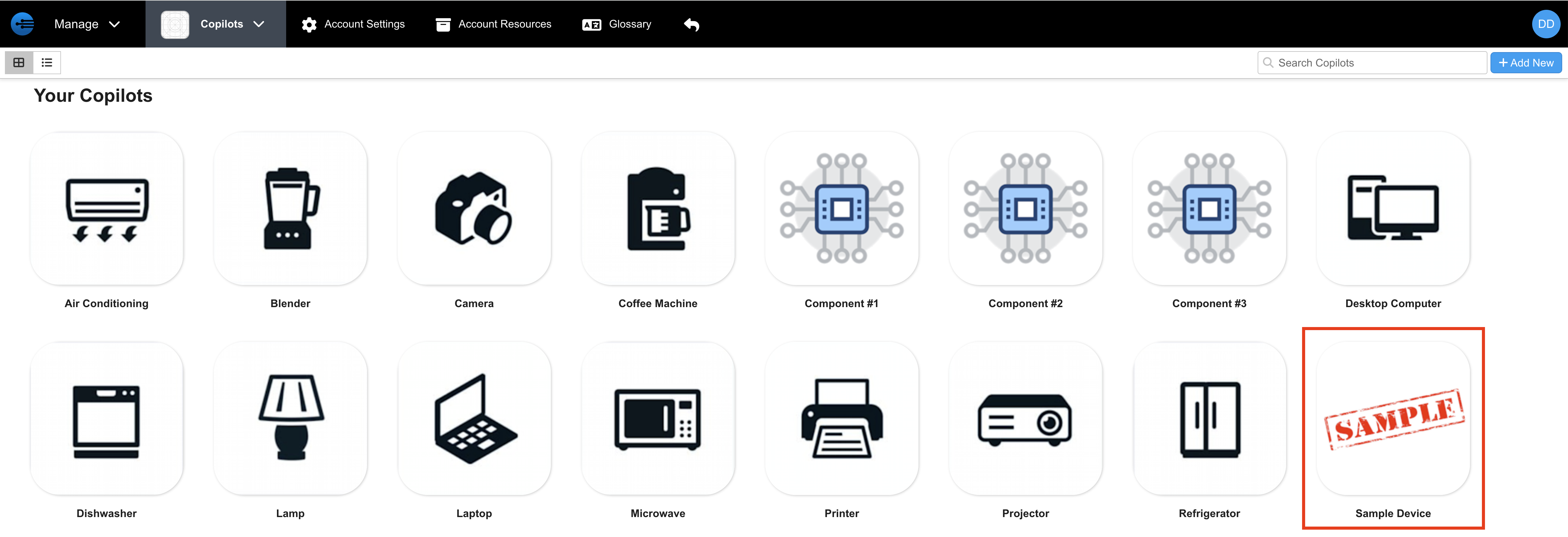
In the Manage portal, select the copilot you want to add documents to.
-
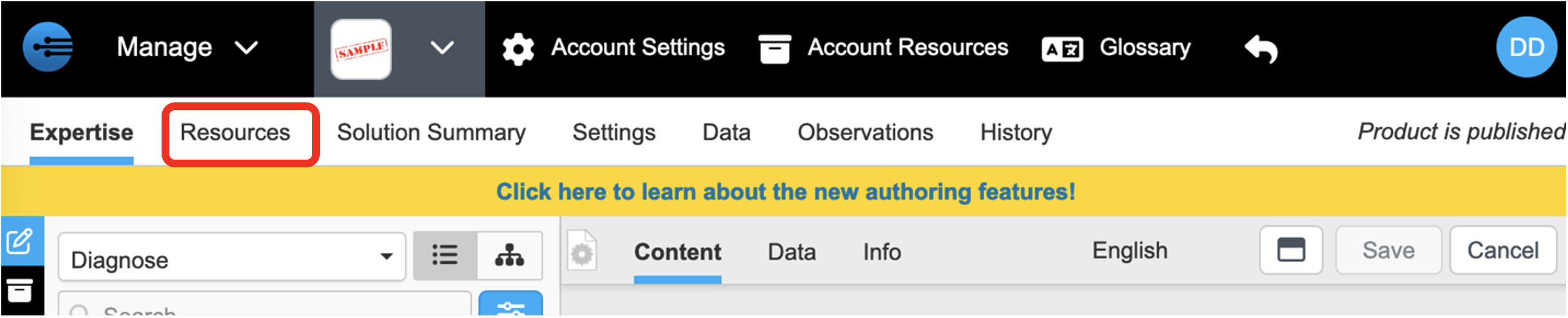
Open the Resources tab.
-
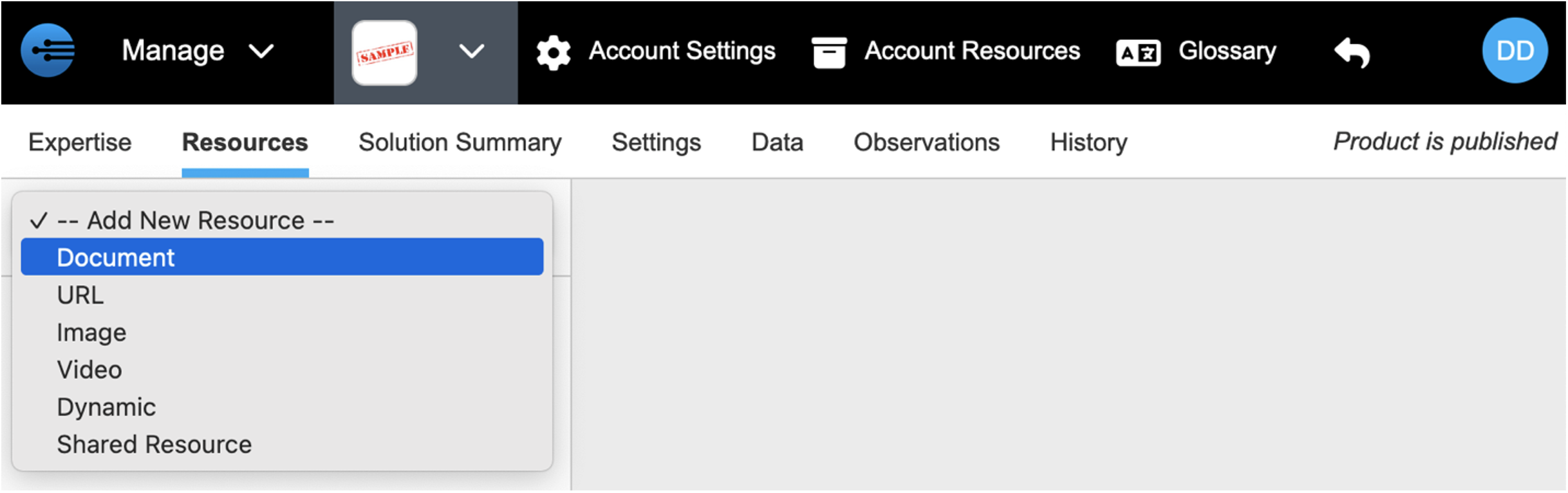
Select -- Add New Resource --.

-
Select Document.
-
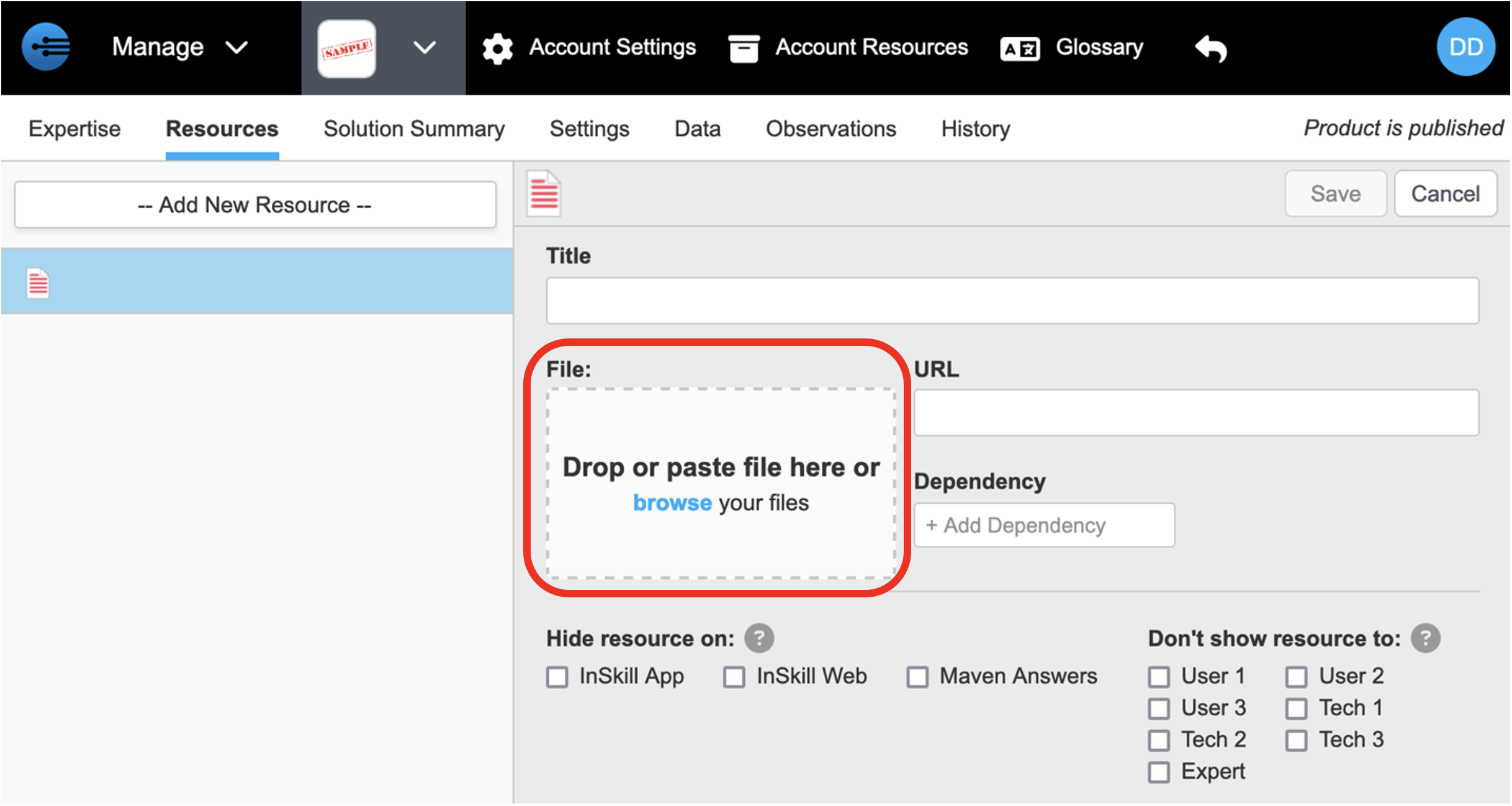
Drop, paste, or upload the document in the upload area.
-
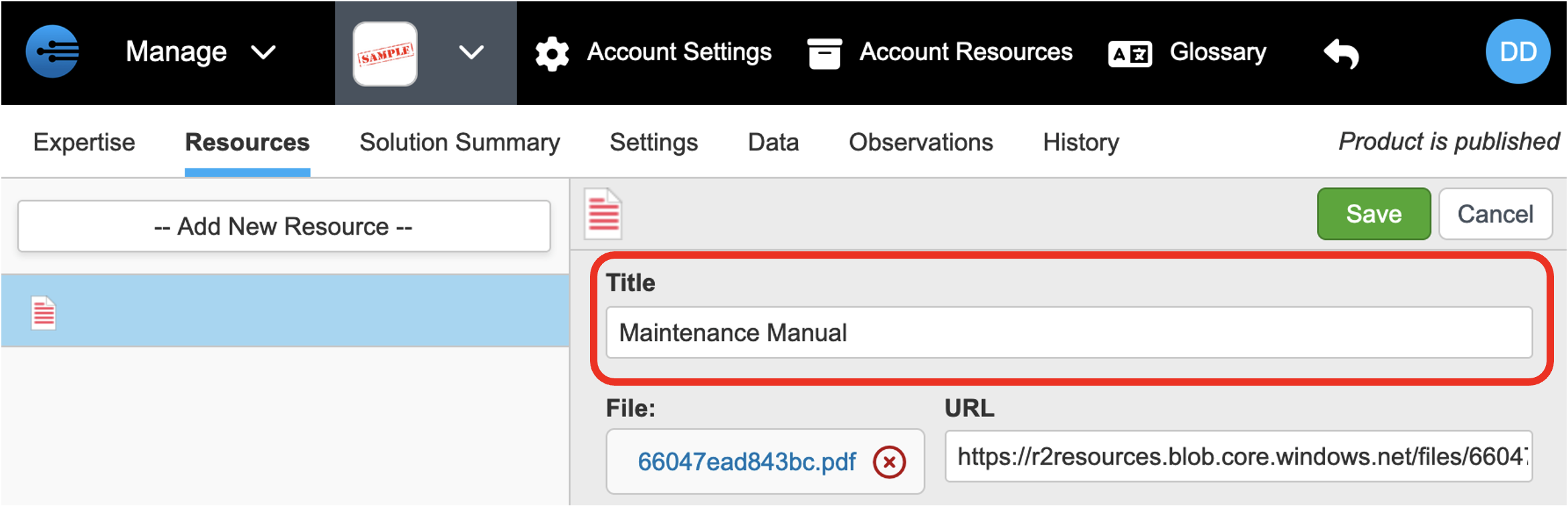
Enter a title that states the document's purpose, including version information where useful. The title is pre-filled with the file name.
-
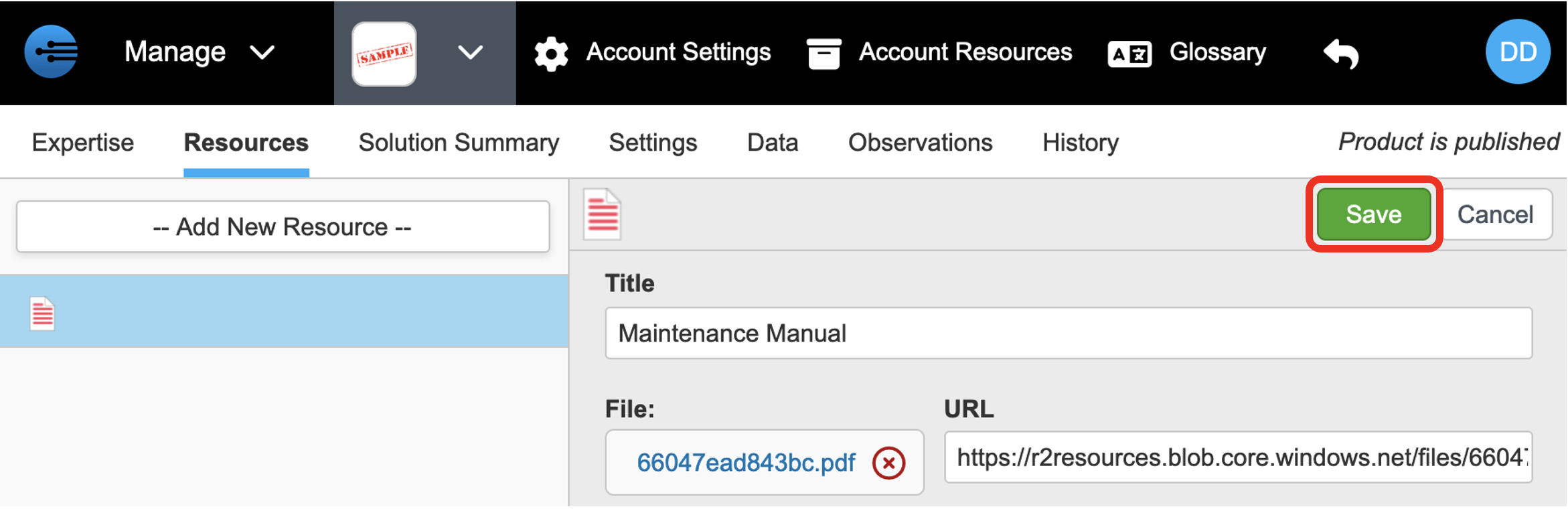
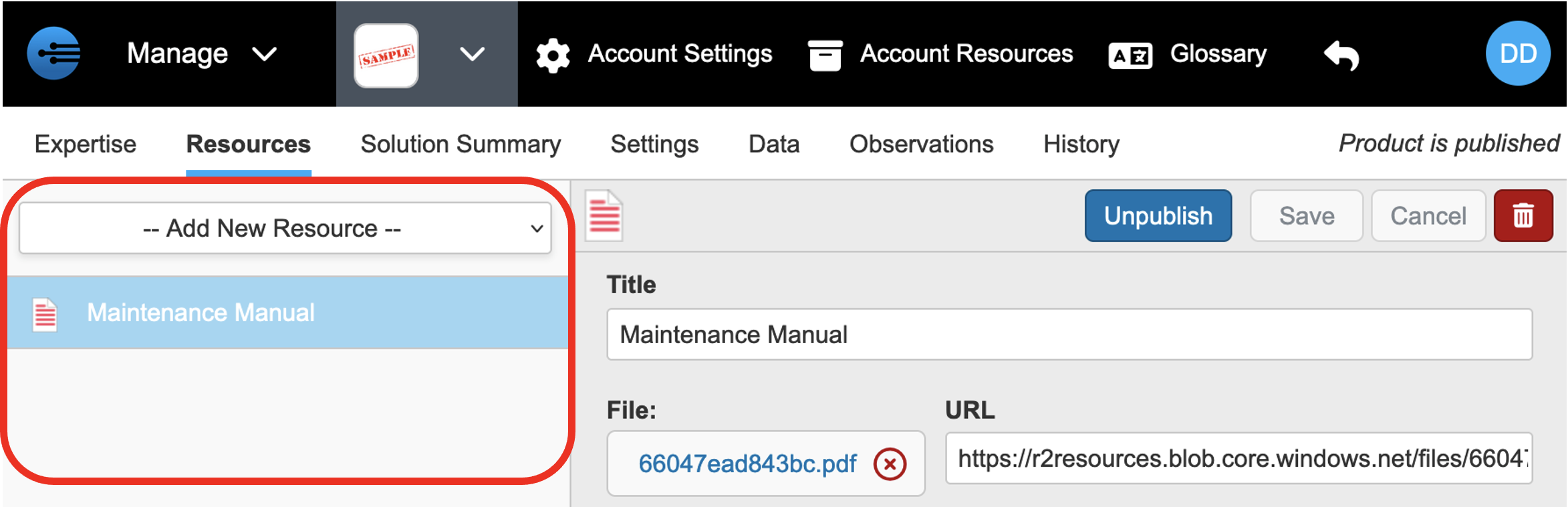
Click Save. The document appears in the resource list on the left.
Repeat these steps for each of the copilot's remaining technical documents.
NoteNew resources are indexed before InSkill GPT can use them. Indexing is usually quick, but can take up to an hour when the system is busy.
Next: Adding URLs
Updated 2 months ago