
Asset Tab
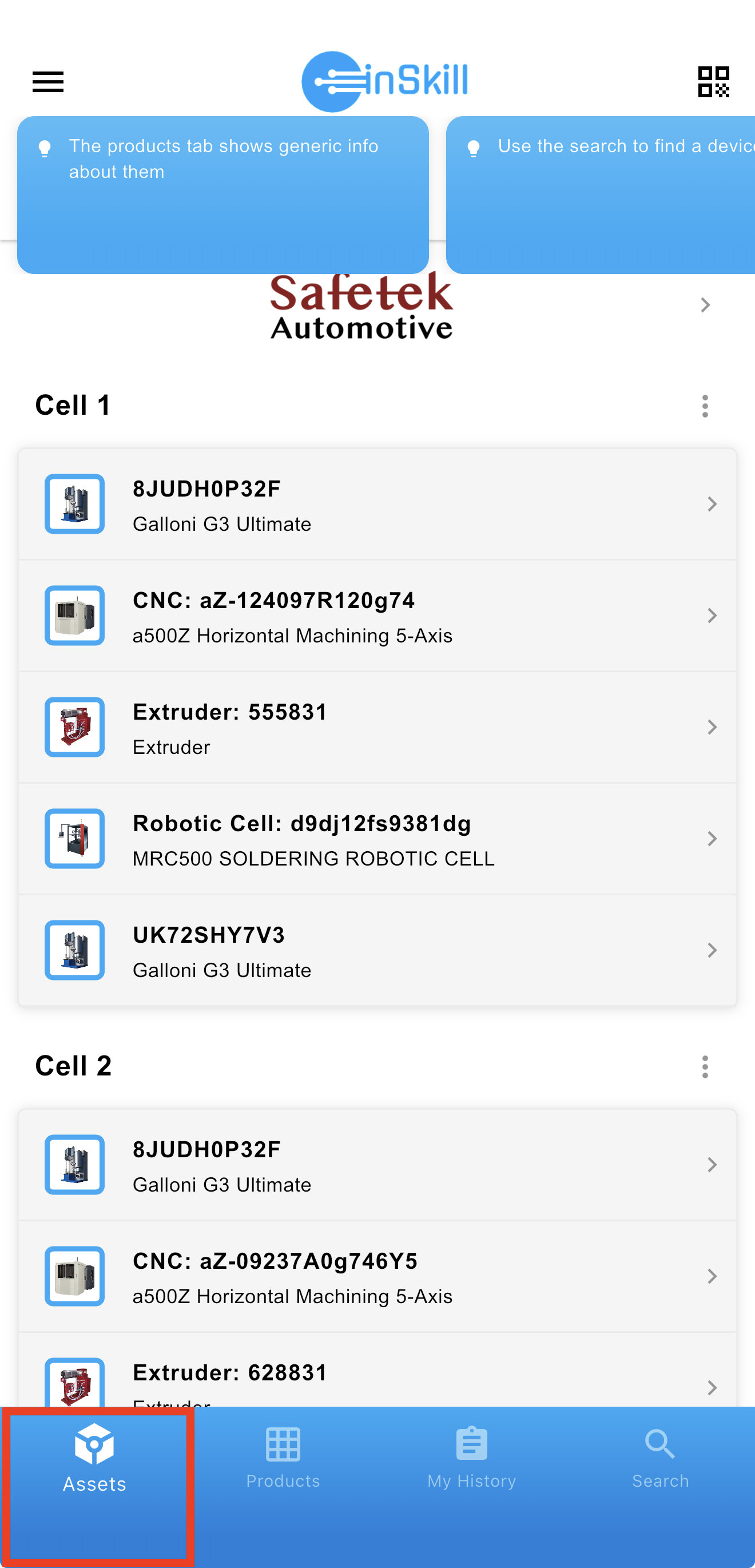
The Assets tab displays a list containing a complete set of all assets in your system. The Assets page presents a centralized view of all assets configured within your system. Assets are displayed in an organized list and grouped in Groups by location or operational site (for example, Cell 1 and Cell 2), allowing users to quickly understand how equipment is distributed across their facility. Each asset entry includes essential information such as the asset name or identifier, associated product or machine type, and a brief description to aid recognition.
Users can select any asset to access its dedicated copilot, where tasks, diagnostics, and GPT-assisted support are available for that specific machine. Visual icons alongside each entry further help distinguish between different equipment types, such as CNC machines, robotic cells, or extruders.
To streamline navigation, InSkill features a search function accessible from the bottom-right corner of the screen. This tool enables users to quickly locate assets by asset name, product type, or serial number, making it easy to find the correct machine even in environments with large asset inventories.
UPDATED:
The Asset Tab: Bridging Machines and Expertise
The Asset Tab (and the navigation leading to it) is designed to give you a high-level view of your equipment landscape. It serves as the bridge between individual machines and the broader expertise provided by the manufacturer.
Accessing Account-Wide Resources
While individual copilots focus on specific machines, you often need information that applies to an entire fleet or product category. InSkill makes this easy to find:
- The Logo Shortcut: Selecting a manufacturer’s logo on the Product Copilot page acts as a "fast-track" to that OEM's Account Resources.
- Shared Expertise: These resources are housed at the account level because they are universal. Instead of duplicating documents like "General Safety Protocol" or "Facility Requirements" across multiple copilots, they are stored here for centralized access.
- Cross-Copilot Utility: If a resource is relevant to multiple models or versions, you’ll find it here—eliminating the need to search within individual machine libraries for broadly applicable information.
Updated about 2 months ago