
GPT
Intelligence Portal: GPT Analytics
The GPT section is the primary interaction hub of the Intelligence Portal. It provides deep visibility into how users are engaging with the AI, the quality of the answers provided, and the specific resources driving those responses.
The section is organized into six specialized tabs found at the top of the page.
1. Summary
The Summary tab serves as your high-level executive dashboard. It visualizes relevant data in a consumable format to help you track growth and performance trends.
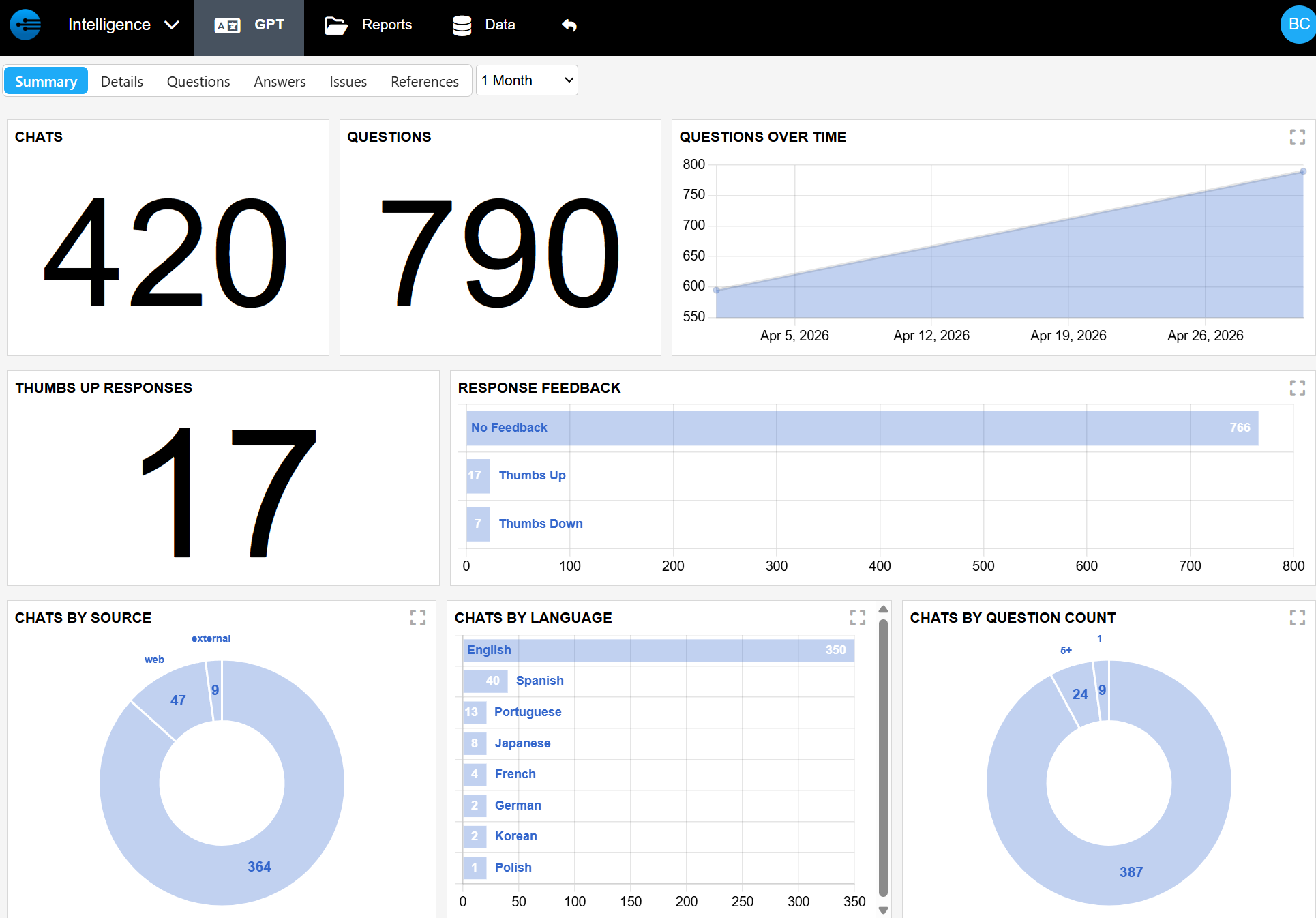
| Category | Metrics Tracked |
|---|---|
| Volume & Usage | Total number of chats, total questions, and users over time |
| Quality & Feedback | "Thumbs up" responses and specific user feedback received |
| User Context | Chats broken down by language, source, role, and question count |
| Product & Logic | Questions categorized by product, reference types used, and agent types deployed |
2. Details
For a granular look at the user experience, the Details tab provides a line-by-line breakdown of individual sessions. This is essential for auditing specific interactions.
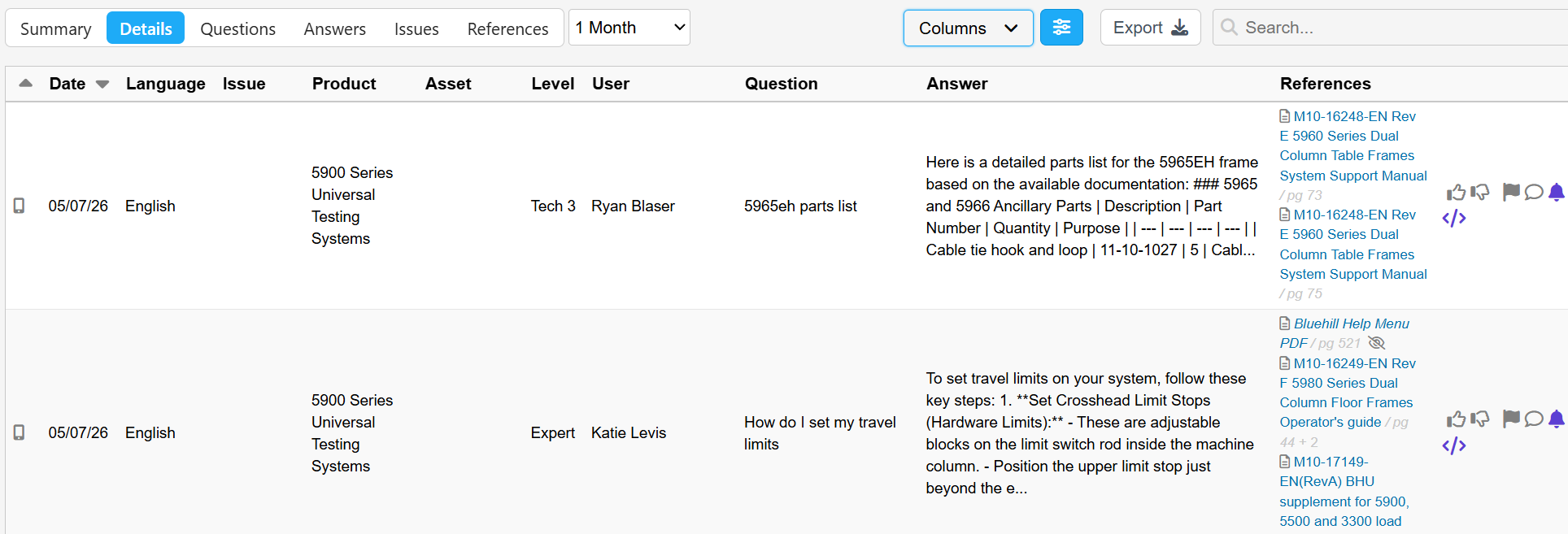
Each entry includes:
-
Timestamp & User:
Exactly when the chat happened and who initiated it. -
Context:
The language used, the specific product involved, and the user's role. -
The Interaction:
The specific question asked and the AI's answer. -
Background Data:
The references used to generate the answer and any feedback left by the user.
3. Questions
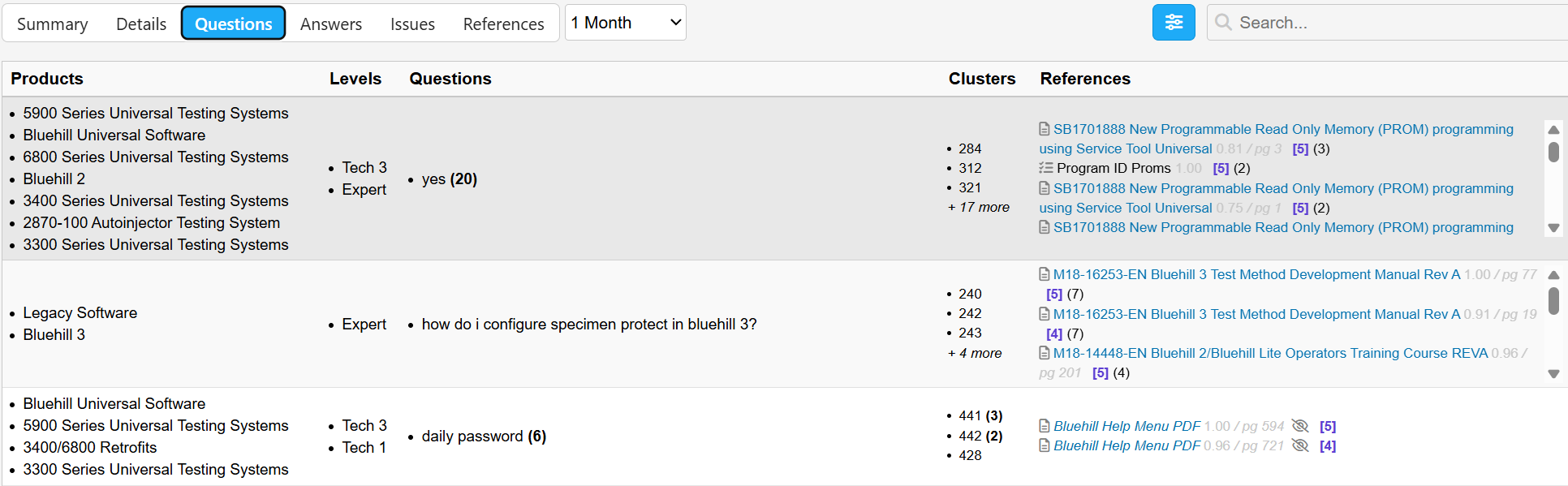
The Questions tab uses AI to group clusters of similar questions.
- Identifies common "pain points" or areas where users frequently need help.
- Data is broken down by product, role, the number of questions in the cluster, and the applicable references.
4. Answers
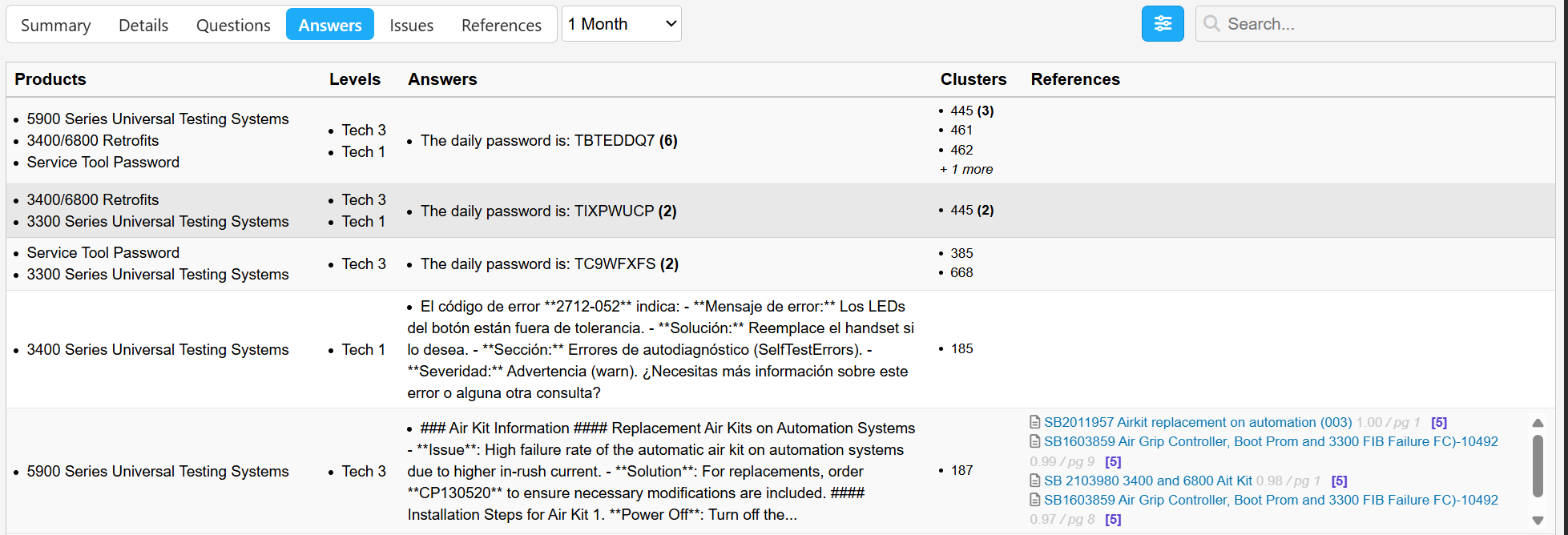
Similar to the Questions tab, the Answers tab clusters similar AI responses.
- Allows administrators to verify the consistency of the knowledge base.
- Highlights which answers are being served most often across different roles and copilots.
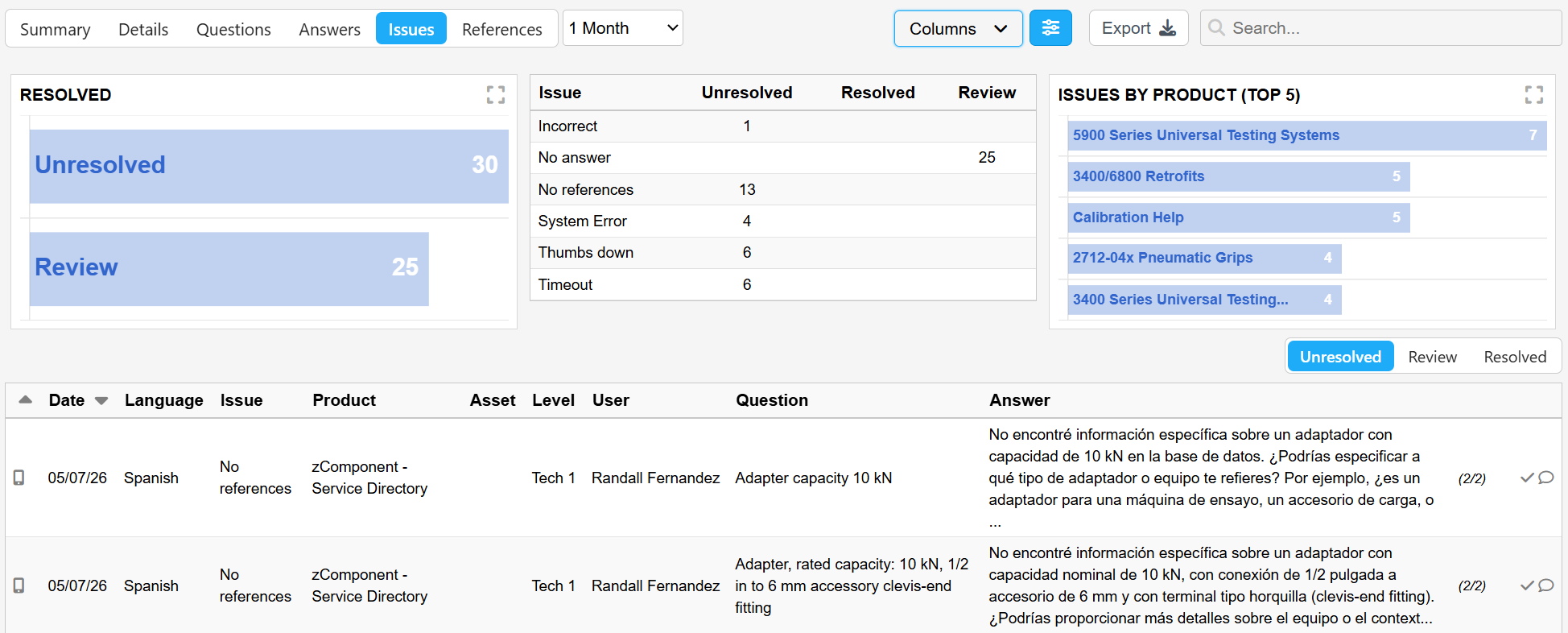
5. Issues
The Issues tab is your critical maintenance repository. It captures any friction in the system, including:
-
Negative Feedback:
Anything that has been "thumbed down" or flagged by a user. -
Knowledge Gaps:
Instances where the AI could not find an answer. -
Malfunction Alerts:
A place for admins to track system issues or alert the InSkill team to technical errors.
6. References
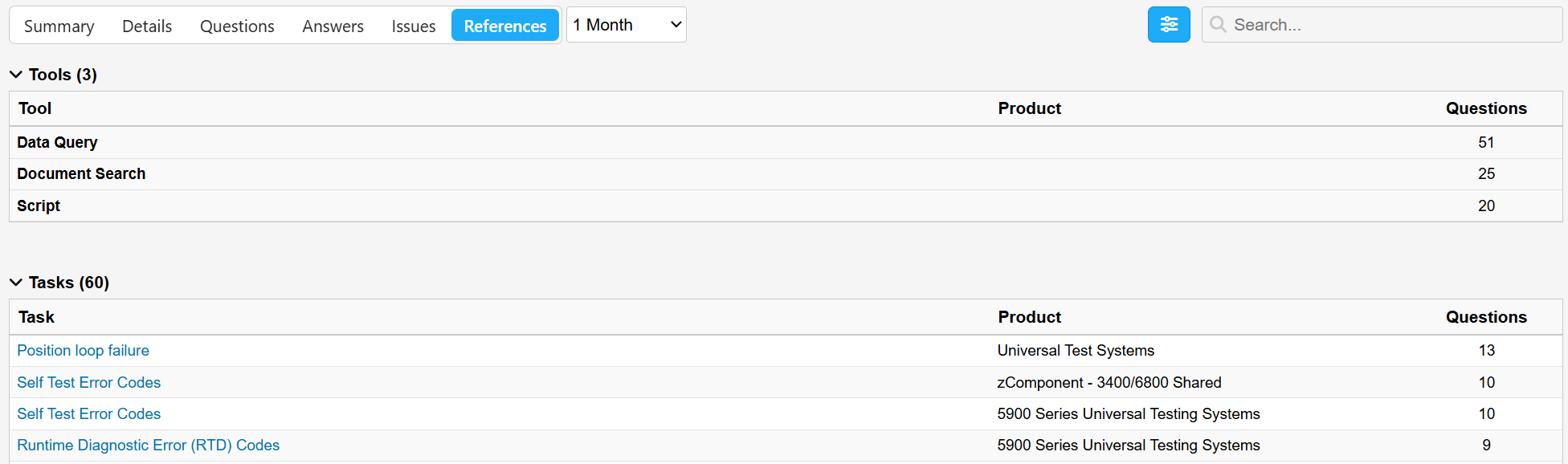
The References tab monitors your source material. It lists all documentation, videos, and manuals used by the GPT.
- Tracks usage frequency, showing exactly how many times a specific resource was used to answer a question.
- Helps identify which parts of your library are the most valuable and which may need updating.
Updated about 2 months ago