
Vault
Store the keys and other secrets that scripts use, encrypted, without exposing them to users.
Scripts often call external APIs that use keys or other secret values that should not be visible to users. InSkill Vault stores these as name/value pairs in a secure store that protects them while allowing their use in scripts — copilot scripts and GPT Script tools.
The Vault opens from Vault in the top bar of the Copilots portal. Only users with the Account Administrator or Script Author role can see it.
How Secrets Work in Scripts
A secret in the Vault might be named API_KEY, with the actual key stored as its value. A script refers to the secret by name — as NAME, {{NAME}}, or ${NAME}, quoted where the script needs a string — and the value is substituted when the script runs. For example:
var options = {
    method: 'GET',
    url: 'https://example.com/parts/' + Inskill.Session.getData('model'),
    headers: {
        'X-API-Key': 'ACME_KEY',
        'Authorization': 'Bearer TOKEN_8'
    },
    data: { client_secret: 'SECRET_KEY', ca: 'CA_ROOT' }
};
console.log(options);- Redacted in logs. If the script does any logging, the value is redacted back to the name, so logs can be visible to many users without leaking secrets. Values shorter than 8 characters are not redacted.
- Hidden from script authors. Editing a script does not reveal the secrets it uses.
- Change once. If a key changes, update the secret in the Vault; the scripts that use it do not need to change.
Running the example with Test Script logs the secret names, never their values:
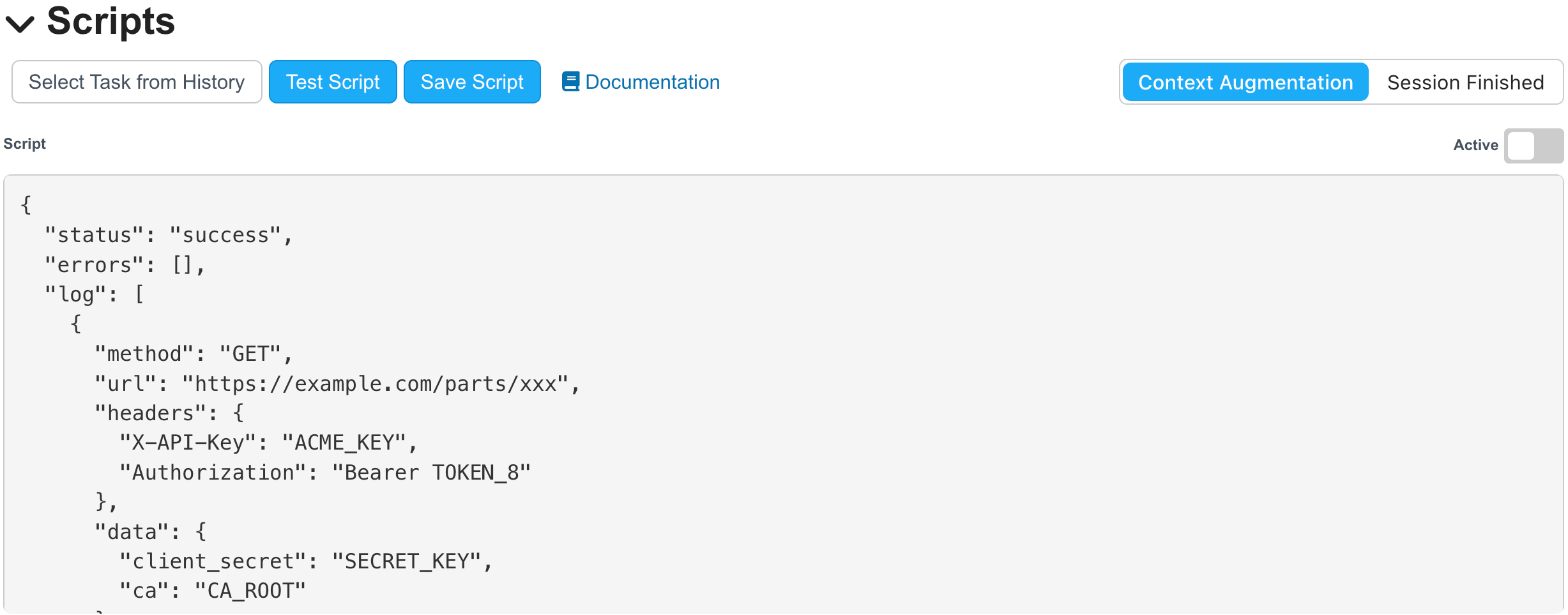
Test Script output shows secret names, never their values
The Vault is encrypted at rest, and secrets are only used in scripts when they run.
The Vault List
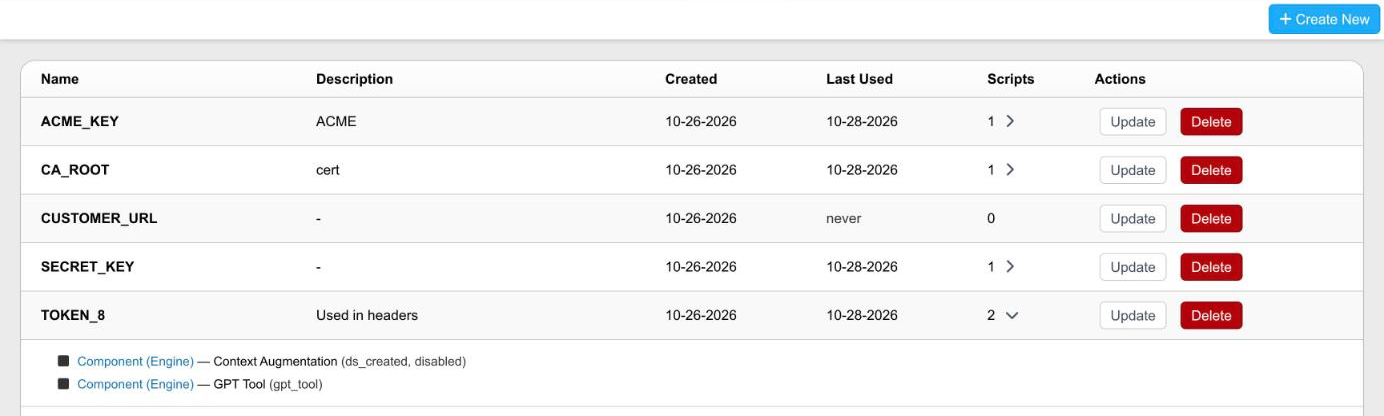
The Vault list, with one secret expanded to show the scripts that use it
The list shows each secret alphabetically by Name, with its Description, Created date, Last Used — when a script that uses the secret last ran, or never — and Scripts, the number of scripts that contain it. When a secret is used, the arrow beside the count expands to show each script that uses it: the copilot, the kind of script (Context Augmentation, Session Finished, or GPT Tool), and its name, marked disabled when the script is not active. Update and Delete are under Actions.
Creating a Secret
Click + Create New, fill in the form, and click Create. Close hides the form without saving. The note under the form shows how to reference the secret in a script, using the name you typed.
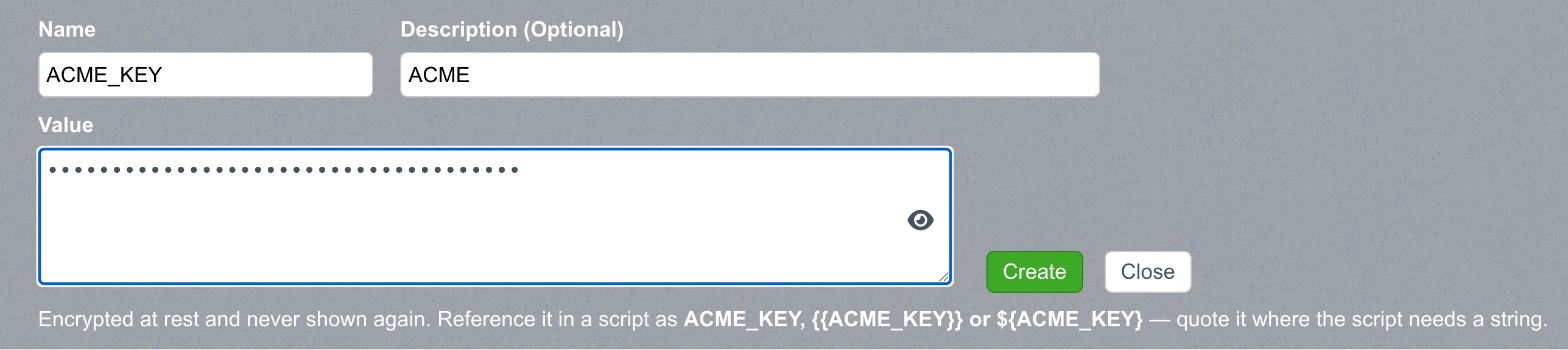
Creating a secret named ACME_KEY
| Field | Rules |
|---|---|
| Name | Required. At least 5 characters, starting with a letter, using only letters, numbers, and _. Names are uppercase, and anything typed is converted to these characters. |
| Description | Optional. A reminder of what the secret is for. |
| Value | Required. Any string. A certificate or key keeps its line breaks. The value is hidden as you type; click the eye icon to show it. Once saved, the value is never shown again. |
Some names are not allowed because they conflict with keywords in the scripting language — for example STATUS, RESULT, ERROR, CONFIG, OUTPUT, RETURN, WINDOW, STRING, NUMBER, and OBJECT.
Updating and Deleting a Secret
Click Update to change a secret's Description and Value; the name cannot change. Leave Value blank to keep the current value.
A secret that is used in scripts cannot be deleted — update those scripts first.
Updated about 9 hours ago