
GPT Agents
GPT Agents extend what a copilot can do beyond answering questions from curated expertise. Agents allow GPT to perform actions such as querying structured data and executing custom logic, giving a copilot access to capabilities and information that aren't well suited to traditional document search.
GPT determines when an Agent is useful based on the user's question, identifies and provides the required inputs, and uses the Agent's results to formulate its response. If required information is missing, GPT can ask the user for it before running the Agent.
A copilot can use multiple Agents and, when needed, call them multiple times to complete a request.
Why Use GPT Agents
GPT Agents allow your copilot to move beyond "search and summarize" by giving it tools for working with structured data and executing specialized logic.
- Accuracy: Use structured queries for exact lookups and calculations instead of relying on document search when the information is better represented as structured data
- Flexibility: Create custom JavaScript to support calculations, external data retrieval, and other specialized workflows
- Natural Interaction: Users don't need to know how an Agent works or how to call it. They can ask questions naturally, and GPT determines when an available Agent can help answer the request
Scripts
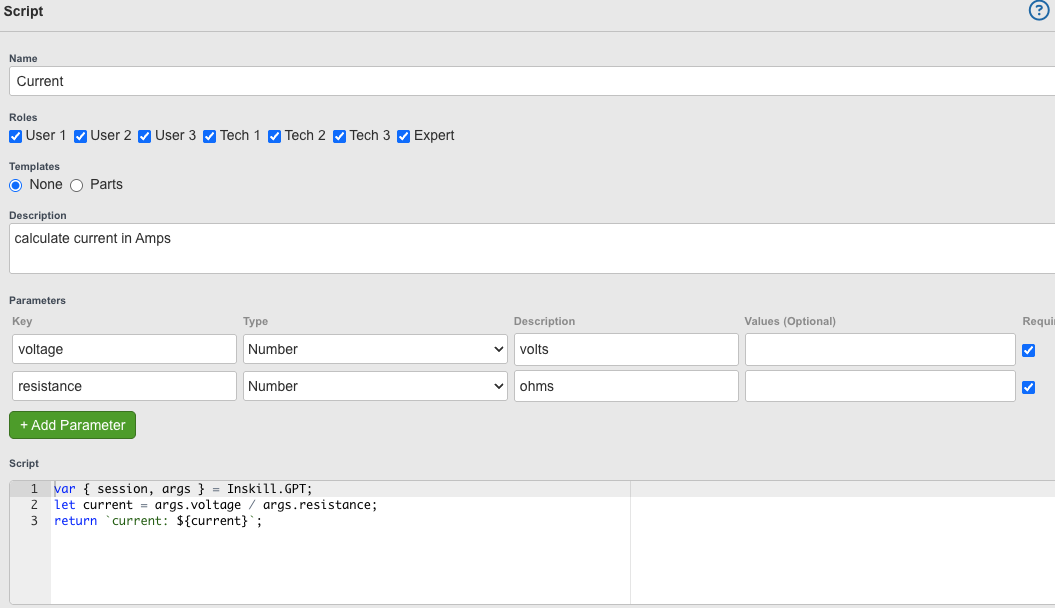
Scripts allow you to create custom functionality that GPT can use during a conversation.
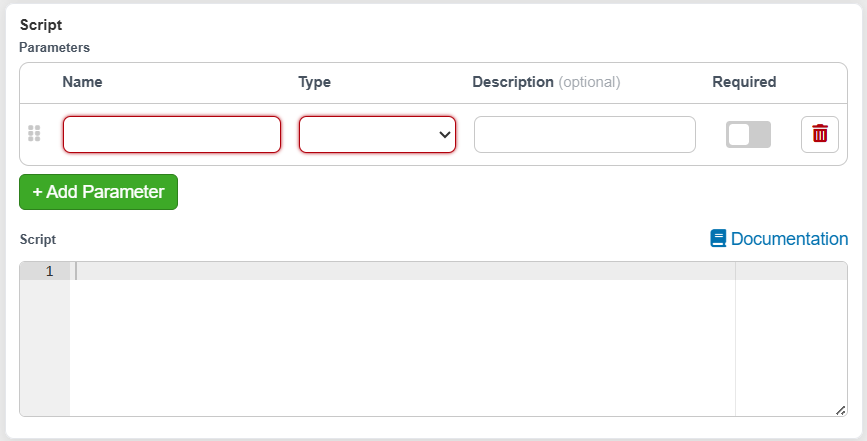
A script consists of JavaScript that runs in a sandbox along with defined input parameters and descriptions that help GPT understand when to use the script and what information it needs. When a user's request matches the script's purpose, GPT can gather the required parameters, execute the script, and use the returned result in its response.
For example, a script could:
- Take a serial number and look up recent service or maintenance records
- Perform a specialized calculation using your organization's formulas
- Retrieve current information from external APIs or systems
Because scripts execute custom JavaScript, they can be used for a wide variety of calculations, data retrieval, and integrations.
Data Query
Data Query Agents allow GPT to query structured data rather than treating it as a document to search.
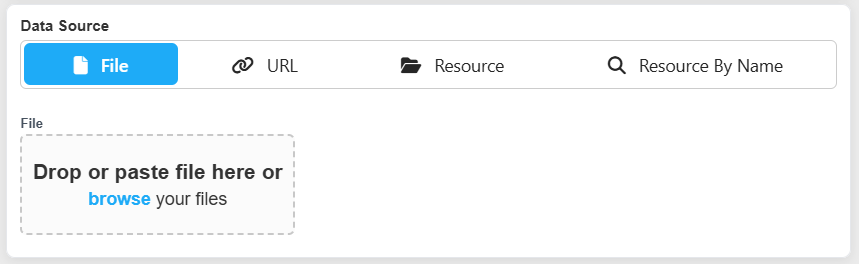
Data can come from an uploaded file, an external URL, or an existing product/asset Resource. You can select a specific Resource or reference a Resource by name, allowing the Agent to use the appropriate Resource based on context.
This is especially useful for structured datasets where an exact lookup or calculation is more appropriate than document search.
For example:
- Parts Lists: Find a specific SKU, price, description, or compatible part based on product information
- Contact Directories: Retrieve phone numbers, email addresses, or other contact information from a master list
- Technical Specifications: Find exact torque values, tolerances, dimensions, or other specifications for a particular model or configuration
Data Query Agents can work with multiple datasets and, for Excel files, multiple sheets, allowing GPT to query the appropriate data based on the user's request.
Best Practices
- Data should have a consistent tabular structure
- For Excel files:
- All columns must have a header
- Do not use merged cells in the header row
Configure a GPT Agent
-
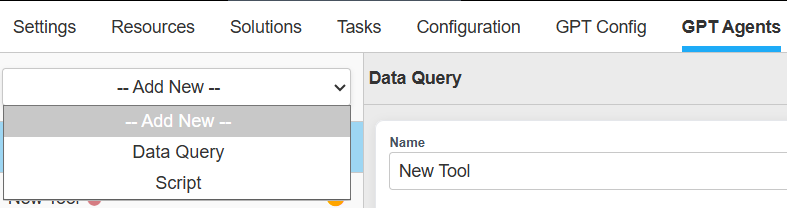
Select the agent type from the drop-down menu
-
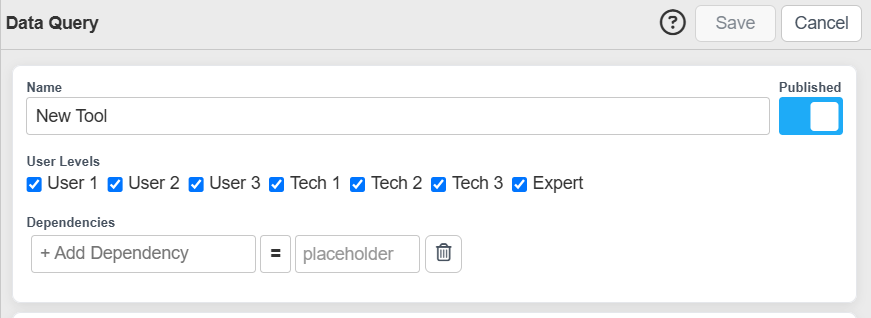
Basic Information
-
Tool Configuration
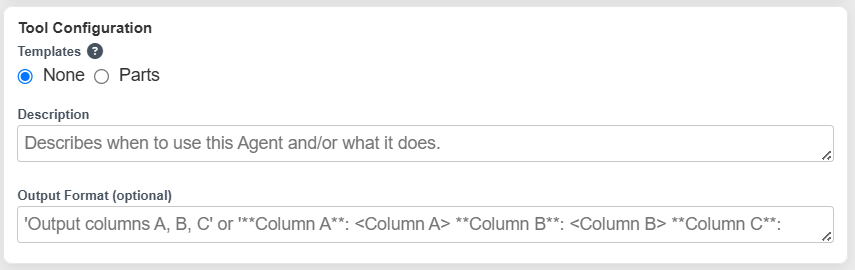
Description
Describe when GPT should use the Agent and/or what the agent does.
GPT uses the description to determine whether an Agent is relevant to a user's request, so the description should clearly explain the types of questions or tasks the Agent is intended to handle.
For example:
Use when users ask about parts or part numbers.
Templates
Templates provide pre-written descriptions for common use cases. When a template is selected, Description is optional when a template is selected.
Output Format
Use Output Format when you want to provide additional guidance about how results should be returned.
For example, you can specify which columns should be included or how values should be presented.
Data Query
Data Source
Data Query Agents support structured data from Excel, CSV, TSV, and JSON.
Depending on your configuration, data can come from:
Upload File: Upload a file directly to the Agent.
External URL: Provide a URL where the data can be retrieved.
Specific Resource: Select a specific Resource to use as the data source.
Resource by Name: Specify a Resource name to dynamically use the appropriate Resource with that name.
Using a Resource by name can make an Agent reusable across different contexts such as asset resources. For example, an Agent configured to use a Resource named Parts List can query the applicable Parts List Resource rather than being tied to one specific Resource.
Data Path
For nested JSON data, Data Path specifies where the queryable data is located within the JSON structure.
For example, given:
{
  "a": [],
  "b": {
    "c": []
  }
}
Use a as the Data Path to use the records contained within a as the data source, or b.c.
Leave Data Path blank when the queryable data is at the top level.
Scripts
Parameters
Each parameter should have a name and optionally a description so GPT understands what value should be supplied.
Parameters can be marked as required. If information required by the script is missing from the conversation, GPT can ask the user for it before executing the Agent.
For example, a service-history script might define:
start_date — Optional beginning date for the service history
end_date — Optional end date for the service history
A user could then ask:
What maintenance has been performed in the last 30 days?
Updated 29 days ago