
Customers
Customers inherit copilots and assets from your account — how the Customers tab works and how to edit one.
Now that you have created your product inventory and given it personality with its details, it is time to show customers what you have. This is done through the publication of the product. A product can be either Published or Unpublished. A Published product will be visible to all users, while an Unpublished product will only be available to users who have that product specifically assigned to them within the User Administration portal.
Customers and suppliers are a feature within InSkill for inheriting copilots, assets, and more from one account to another. This makes it easy for a customer to inherit a specific machine that already has existing expertise and documentation from the supplier's account.
Features
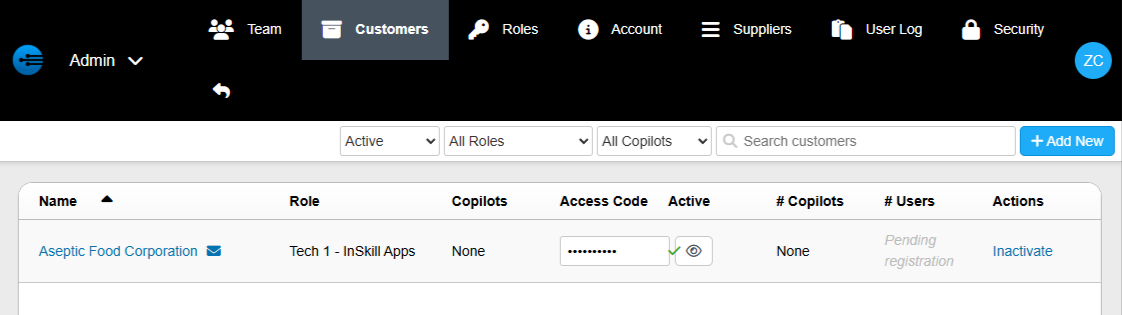
- Name: The name displayed here is the account that will be the customer of the account you are currently in.
- Role: This is the role that the customer will be assigned. This will define its level of access.
- Copilots: Here you can see the copilots that are assigned to the customer. If you have none selected, it will say "None". If you have a few or all selected, it will say "filter".
- Access code: This is the code that you will use to activate the customer's account. On their account, they will go to the Suppliers tab and enter it.
- Active: The green check mark here will indicate the account is active.
- Number of copilots: This will display the number of copilots assigned to the customer.
- Number of users: ?????
- Actions: Here you can inactivate a customer.
Editing a customer
Click a customer's name to open their details, then click Edit to open the following screen:
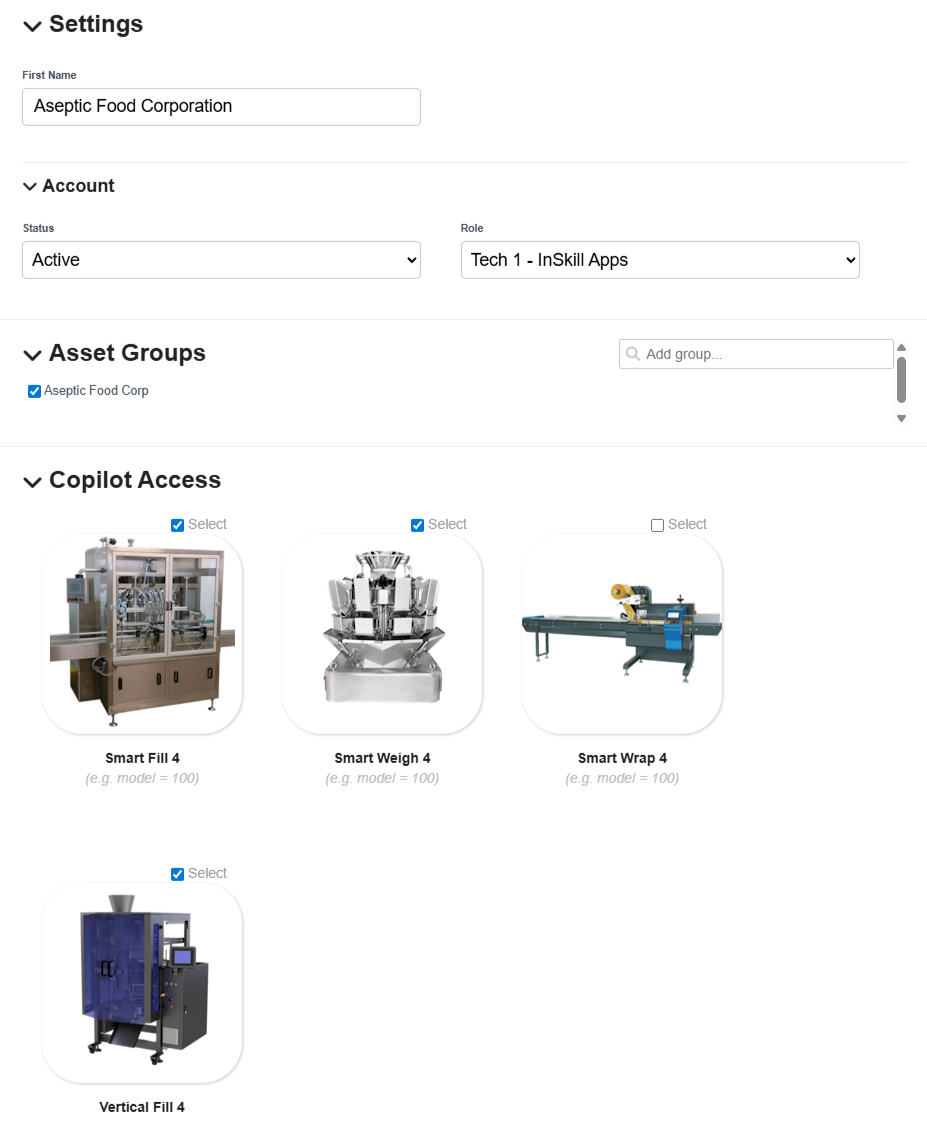
- Name: Here you can change the name of the customer.
- Status: Change a customer from active to inactive. This allows you to remove access to copilots without deleting the customer.
- Asset groups: Click the "Add group" search bar to add different assets to this customer.
- Copilot Access: Here you can select the copilots that will be available to this customer.
NoteThe access code on this tab is what the customer enters on their Suppliers tab. See Suppliers.
Updated about 2 months ago