
Using Tasks With InSkill GPT
InSkill Tasks
InSkill Tasks are pre-set, manufacturer-approved procedures designed to guide you through specific actions—ranging from routine maintenance to complex troubleshooting. Think of a Task as a digital assistant that ensures every step is performed correctly while recording your observations in real time.
How to Access Tasks
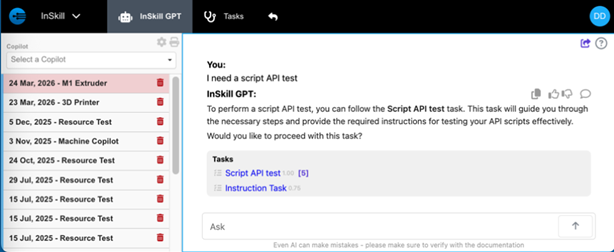
InSkill GPT is context-aware. If you ask for help with a specific procedure (e.g., "How do I calibrate the sensor?"), the copilot will automatically recognize the intent and surface the relevant Task.
- Natural Inquiry: Simply describe what you are trying to do.
- Manual Trigger: If a Task isn't immediately suggested, you can prompt the system by asking: "Do you have a task for that?"
- Instant Launch: Once identified, you can start the Task directly within your chat session.
The Task Experience: Linear vs. Interactive
Tasks are more than just digital checklists; they are dynamic workflows tailored to the situation at hand.
- Standard Procedures: A straightforward, step-by-step guide for linear tasks like installation or routine cleaning.
- Interactive Decision Trees: For complex troubleshooting, Tasks can function as a decision tree. The next step is determined by your inputs, such as error codes, pressure readings, or visual confirmations.
- Data Capture: During a Task, you may be prompted to input parameters or save observations. InSkill securely saves all this data, allowing your organization to analyze and optimize processes later.
Work Where You Are
Tasks are fully accessible across the entire InSkill ecosystem:
-
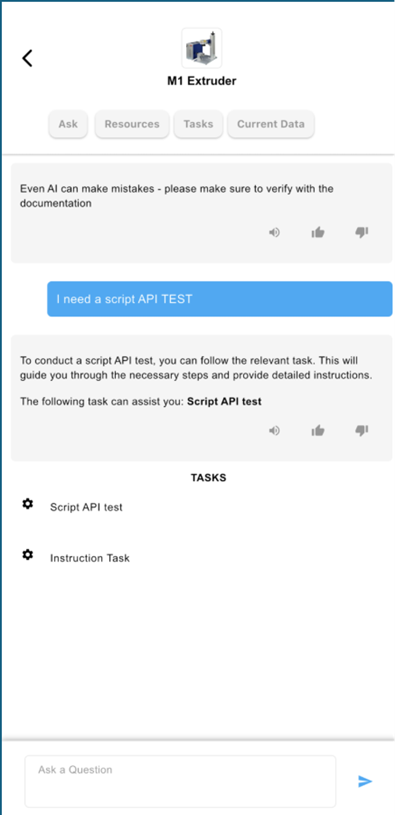
InSkill App (Preferred): Use the mobile app for "expert-in-your-pocket" guidance. This allows you to follow steps in real time while standing directly at the machine.
-
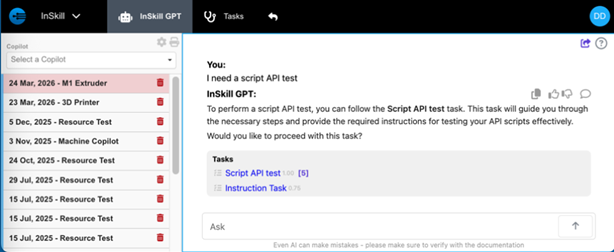
InSkill Portal: Ideal for reviewing procedures, training new staff, or performing tasks from a workstation.
Updated about 2 months ago