
Adding Images

Photos, diagrams, and drawings can be added to a copilot as image resources, alongside documents and URLs.
What you will need:
- An image with product information
NoteImage uploads are limited to 10MB. Supported file types are
jpeg,jpg,png, andgif.
Adding an Image
Follow these steps to add an image:
-
In the Manage portal, select the copilot you want to add resources to.
-
Open the Resources tab.
-
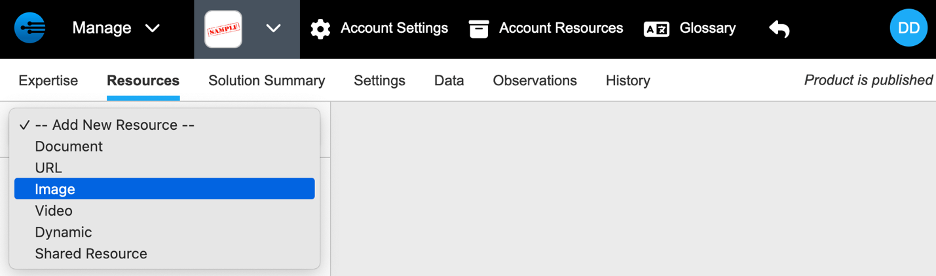
Select -- Add New Resource -- > Image.
-
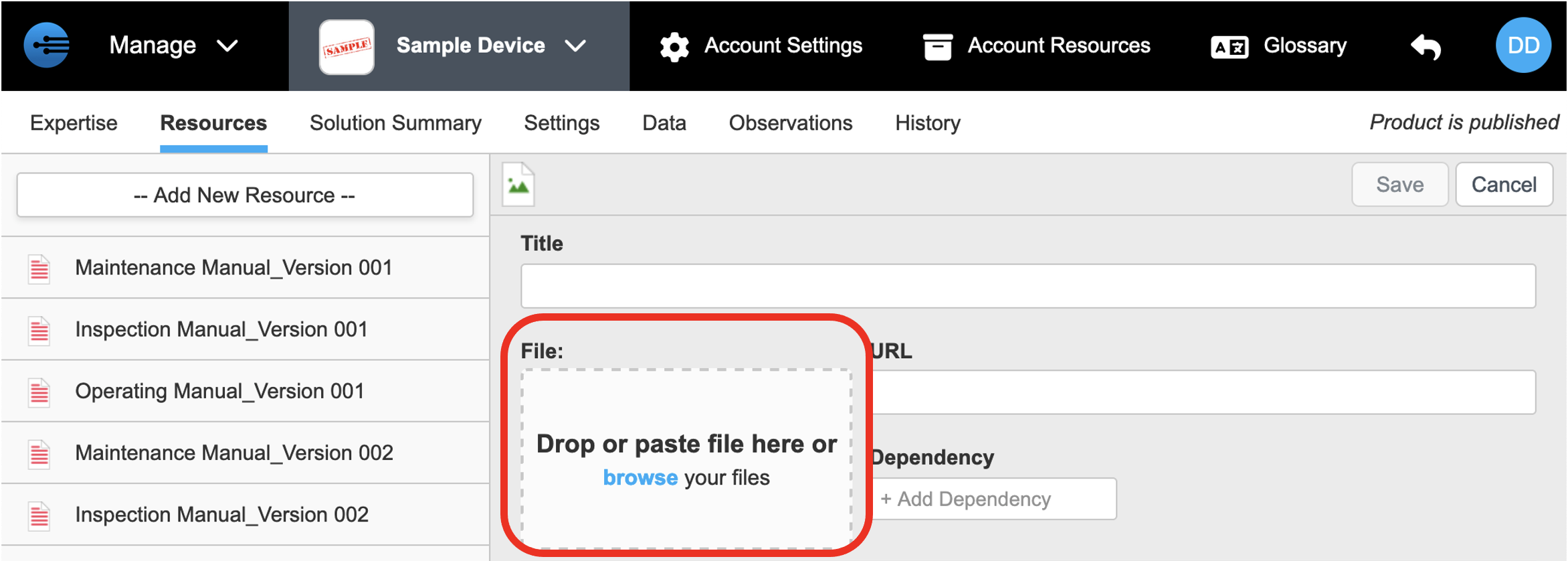
Drop, paste, or upload the image in the upload area.
-
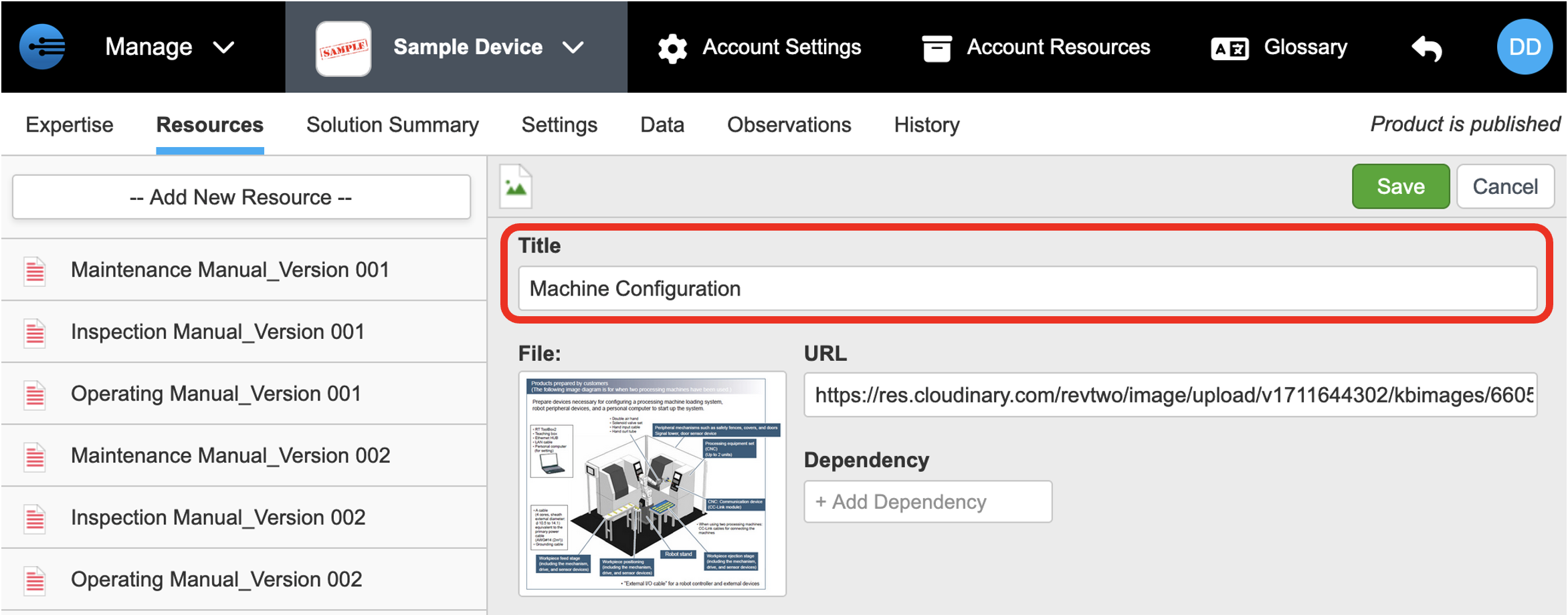
Enter a title that describes the image. The title is pre-filled with the file name.
-
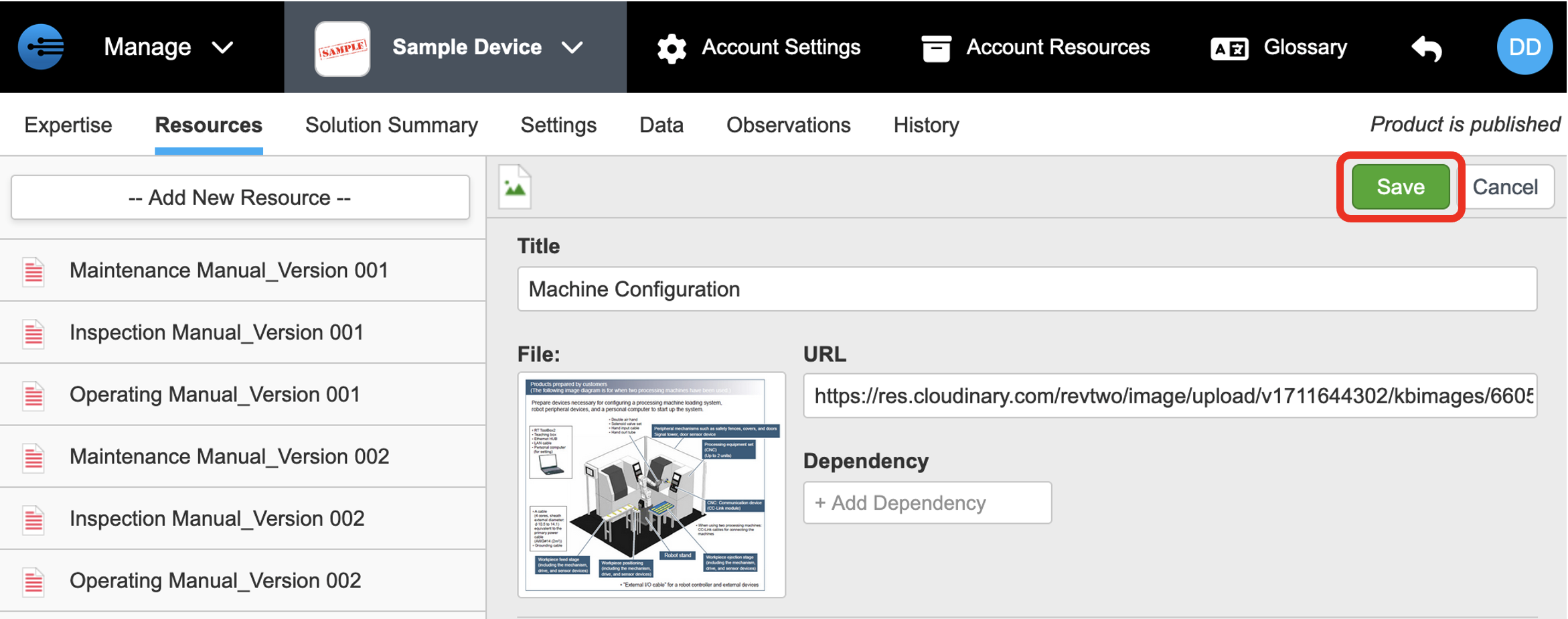
Click Save. The image appears in the resource list on the left.
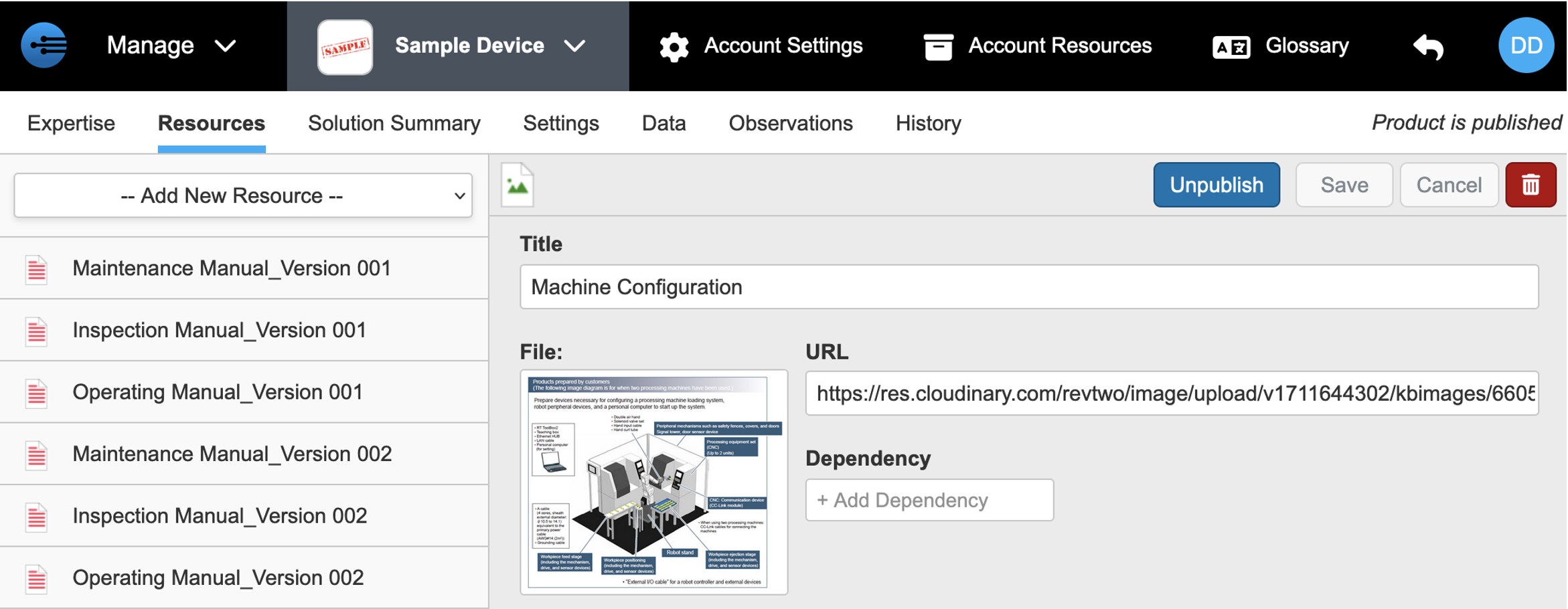
Repeat these steps for each remaining image.
Next: Adding Videos
Updated 2 months ago