
Groups
Asset groups organize machines by line, site, department, or customer, and control who sees them.
Asset groups contain assets and can be given any name you wish. Use them to organize the machines in a factory, or to group assets for any other reason that fits how your team works.
- In a factory, groups may collect the assets that are part of a production line, at a site, or belonging to a department.
- A supplier of equipment may create a group for each customer or region.
In the InSkill app, the Assets view shows assets according to their groups, so a Technician sees the machines relevant to their area.
Creating a Group
Follow these steps to create a group:
-
In the Assets portal, open Groups.

The Groups tab of the Assets portal
-
Click + Add New.
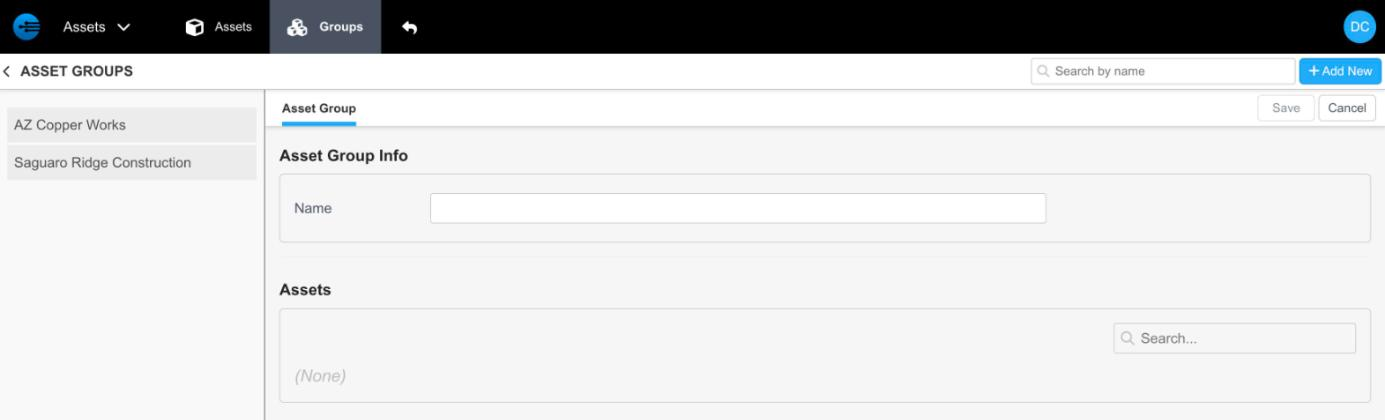
The new asset group form
-
Enter the group name. To add assets now, search for them under Assets and select them.
-
Click Save.
Assigning an Asset to a Group
You can assign an asset to a group from either side of the relationship.
Follow these steps to assign from the asset:
- In the Assets portal, open Assets.
- Select the asset you want to add to a group and click Edit.
- Under Asset Groups, search for the group.
- Select the group and click Save.
Follow these steps to assign from the group:
-
In the Assets portal, open Groups.
-
Select the group you want to add the asset to.
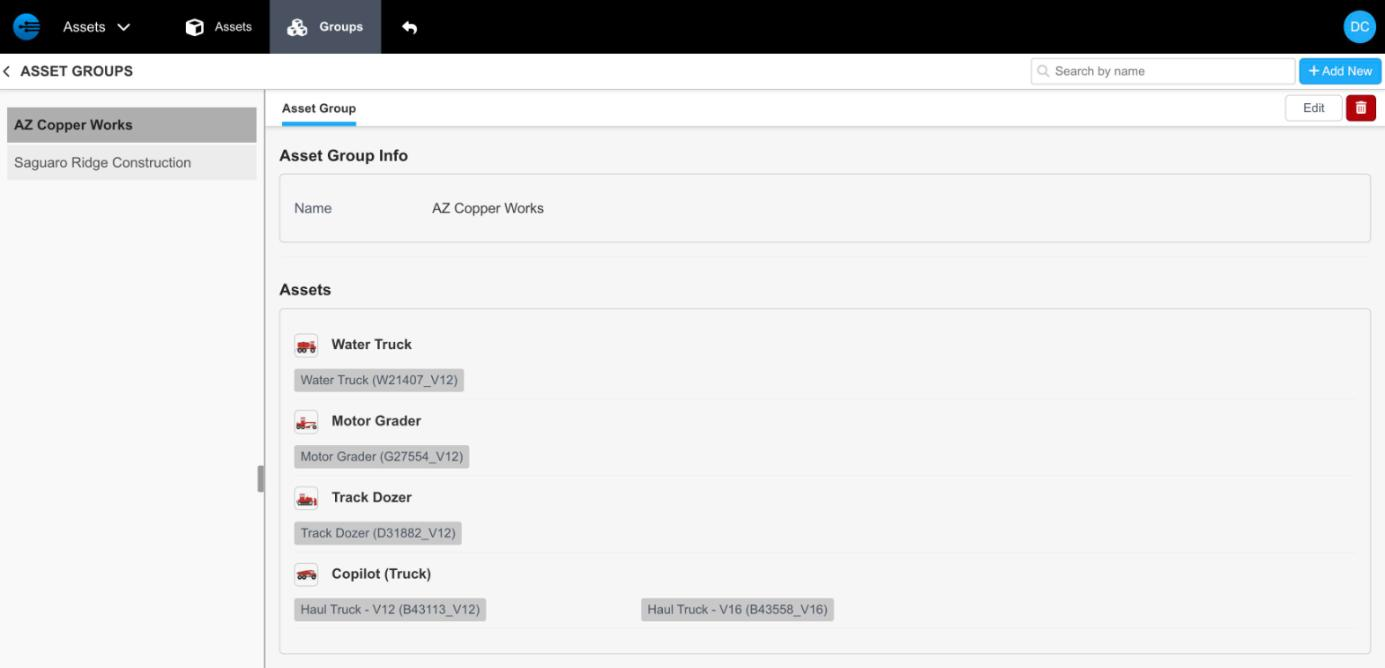
An asset group, with its assets listed by copilot
-
Click Edit at the top right of the page.
-
Under Assets, type the asset's name in the search box and press Enter.
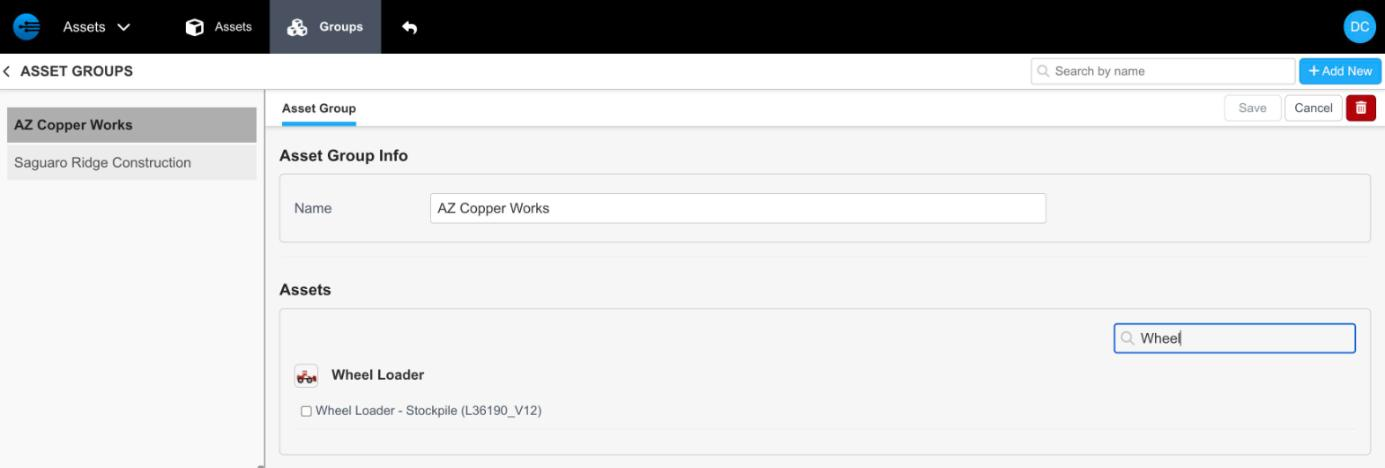
Searching for an asset to add to the group
-
Select the asset.
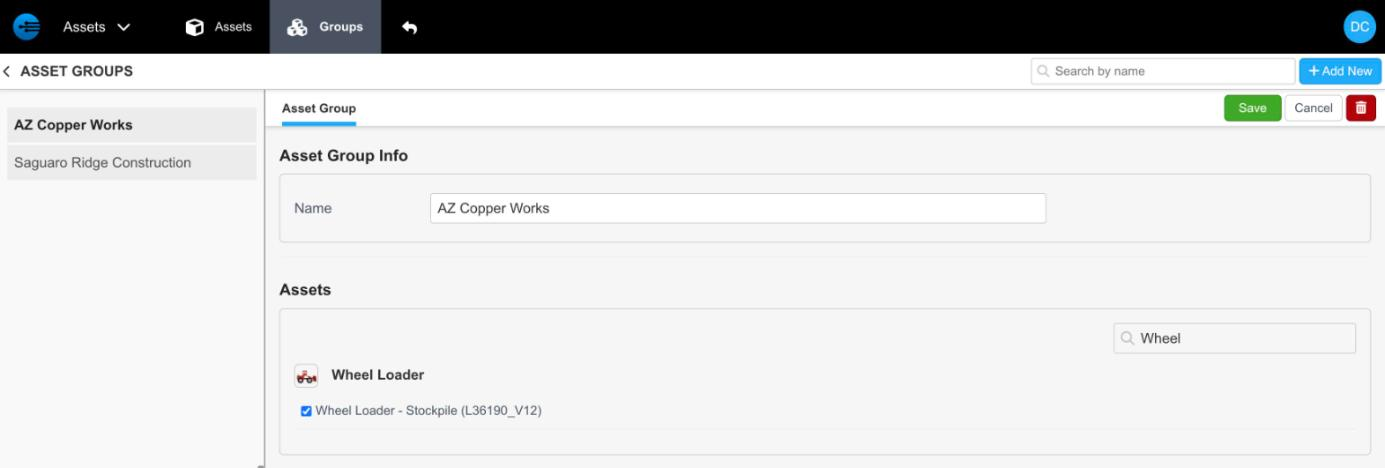
The asset selected, ready to save
-
Click Save.
NoteGroups are created and assigned automatically when they are included in an import file. See Importing Assets.
Groups and Access
Asset groups also control who sees which machines. Linking a team member to a group means they only see the guidance and machines relevant to their area of responsibility — assign groups from Team in the Admin portal.
Groups are also how a supplier shares assets with a customer: create an asset group containing all the assets at that customer, then select that group within the customer record. This shares the assets and automatically includes all the copilots needed for them.
Updated about 17 hours ago