
Asset Variables vs Expertise Variables
When to use an asset variable, which describes a machine and is set on each asset, versus an expertise variable, which is captured during a task.
The data dictionary holds two kinds of variables. Asset variables describe the machine; expertise variables drive the logic inside tasks. The difference is what the variable describes and when its value is set.
| Asset variables | Expertise variables | |
|---|---|---|
| What they describe | The machine itself — its model, manual edition, schematic revision, weight, and so on. | Something learned or decided while doing the work — an answer, a reading, a photo, a choice. |
| When the value is set | Ahead of time, on each asset in the Assets portal. Every task run on that asset inherits the value. | During a task, when a Technician answers a step or an observation captures a value. |
| What they control | Which resources and tasks a Technician sees for the selected asset. | Feedback, branching, and dependencies between steps within a task. |
| Example | maint_manual = maint_2025, so only the 2025 maintenance manual appears for that machine. | A Yes/No step asking "Is the filter clogged?" that leads to a replacement step when the answer is Yes. |
As a rule of thumb: if the value is the same every time anyone works on that particular machine, make it an asset variable. If it can change from one task run to the next, make it an expertise variable.
Asset Variables
Asset variables let you record descriptive information about each machine, such as model, software, version, year of production, or whether it includes any add-ons. This is especially helpful for machines that come in various configurations: machines with different models, versions, or add-on components can all be represented in your account, so InSkill GPT can help the Technician with the specific asset in front of them.
You define asset variables in the Asset view of the data dictionary, then set their values on each asset in the Assets portal. An asset's Configuration section lists the copilot's asset variables, followed by those of each of its components.
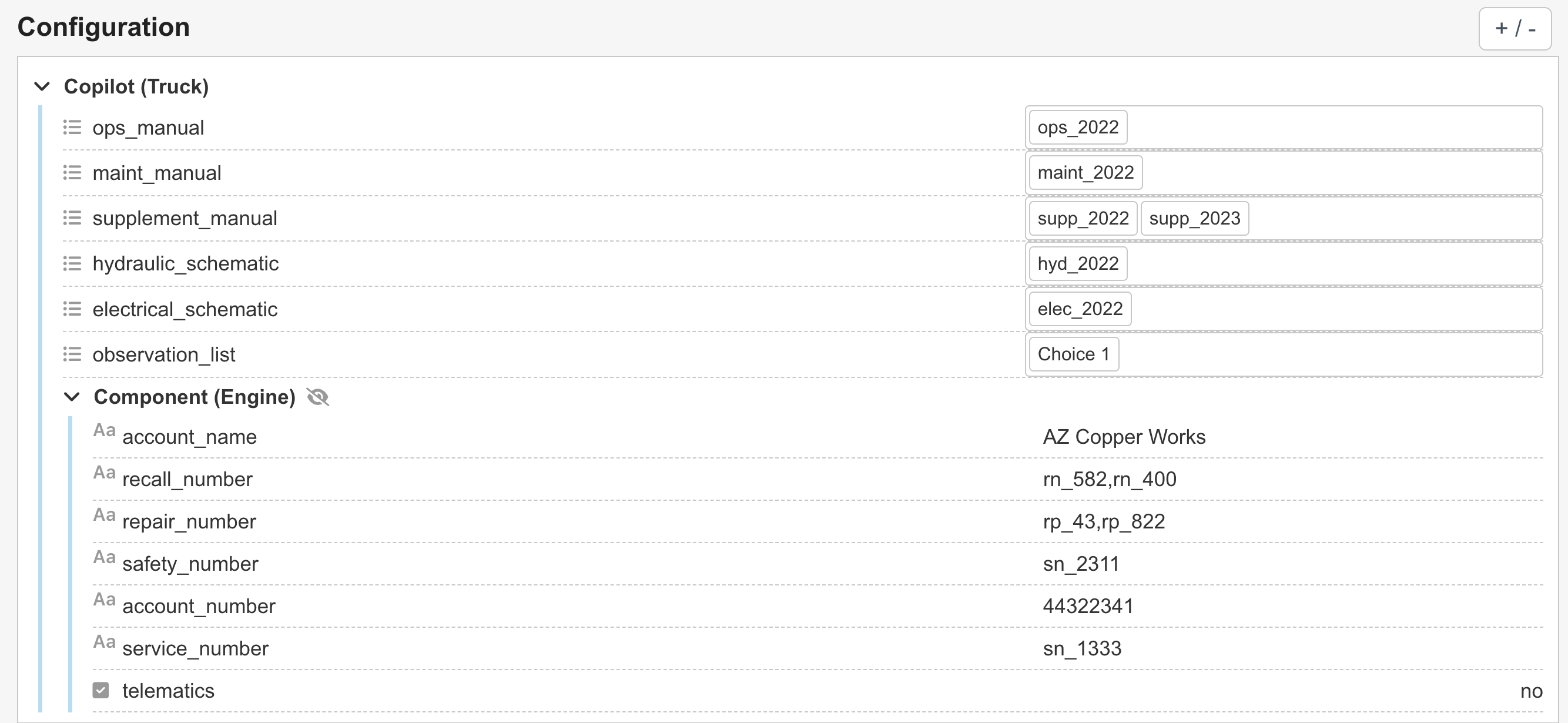
Asset variable values set on an asset
Expertise Variables
Variables used only in your tasks are stored in the Expertise view of the data dictionary. It looks the same as the Asset view, but these variables pertain to feedback and dependencies in steps and tasks.

The Expertise view of the data dictionary
TipPrepare your data dictionary before creating your task. This keeps the dictionary clean and minimizes discrepancies between the variables in the dictionary and those in tasks.
Updated 1 day ago