
Questions
The Questions tab organizes all questions by type. As shown in the image below, each row groups together questions that share similar intent. When multiple questions are aimed at obtaining the same type of information or insight, they are automatically categorized and displayed together here.

| Column Title | Description |
|---|---|
| Product | Details the copilot that was used to ask the question |
| Roles | Demonstrates what role level the user who asked the question had |
| Questions | Details the question/questions that are grouped together |
| Clusters | Details |
| References | Details which references were used to supply the answer that was provided |
After selecting a question type, you will see the detailed list of questions submitted under that category, along with their corresponding answers. This is structurally the same as detail but with a focus on a set of questions of a certain type. This view allows you to review the specific inquiries and how they were resolved.

Selecting a row will take you directly to the chat session at the moment that specific question was asked. From there, you can view the full conversation history between the user and the copilot for complete context.
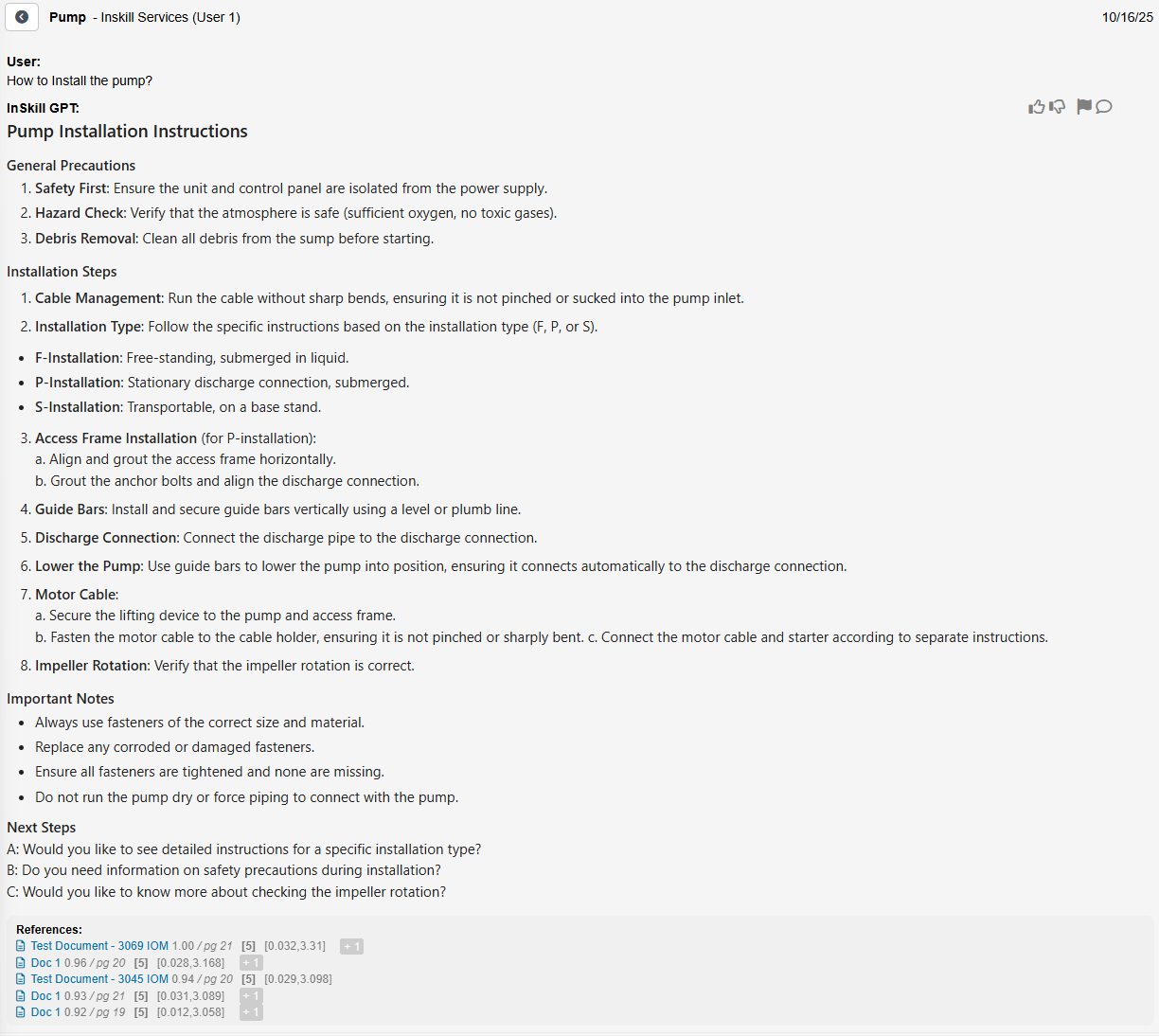
To the right of the answer you will see a row of icons. These are meant to help optimize the GPT by informing it what is a good answer and what is a bad answer. This section also gives the authoring team tools to signal to the InSkill team that a question is not getting answered correctly and to point us to the correct information.
| Icon | Description |
|---|---|
 | Thumbs Up tells the GPT system to recognize this as a good answer. |
 | Thumbs Down tells the GPT system to recognize this as a bad answer. |
 | Flagging the answer will escalate it to InSkill for the engineering team to go in and manually fix it. |
 | Here you can enter a comment describing what you expected the answer to this question would be. This will provide prompts to guide it to the correct resource (if available). This is critical when flagging an issue, as the engineering team will use this to rectify the answer. |
Updated about 2 months ago