
Manage
The Manage Portal
The InSkill Manage portal is where you create Copilots and their Expertise
The Manage Portal is your primary command center for building, editing, and overseeing your library of AI Copilots. From this central hub, you can transition a copilot from an initial concept to a fully deployed field assistant.
When you first enter the Manage Portal, you are presented with a comprehensive dashboard of all copilots associated with your account.
Access and Visibility
Your view of the Manage Portal is personalized based on your permissions. Account Administrators have the exclusive authority to determine which users can view, edit, or manage specific copilots. If a copilot is missing from your list, please contact your administrator to verify your access roles.
Dashboard View Options
To help you organize your workspace, InSkill offers two distinct ways to view your copilots. You can toggle between these views using the icons located in the top-left corner of the dashboard:
-
List View: Optimized for data-heavy management. Displays copilots in a structured table, allowing you to quickly sort by name, status, or last updated date. Ideal for managing a large volume of copilots across multiple regions or teams.
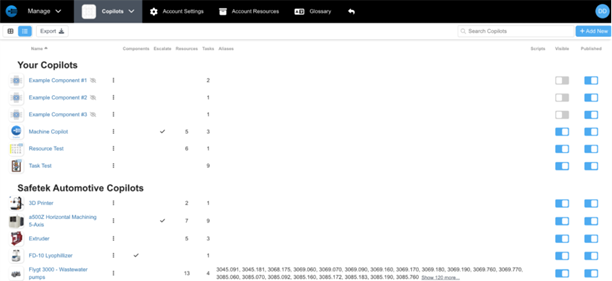
-
Card View (Grid View): Provides a more visual, "at-a-glance" experience. Each copilot is represented as a tile or card, often displaying its logo and a brief status summary. This is the preferred view for quickly identifying specific machine families or product brands.
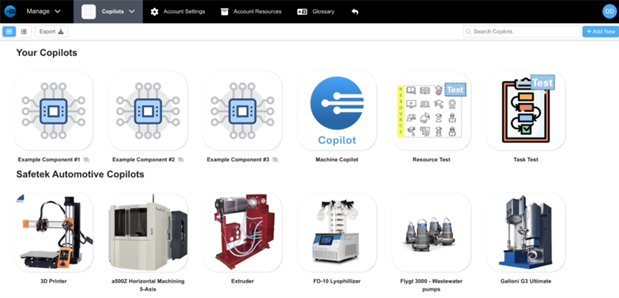
Updated about 2 months ago