
Subtasks
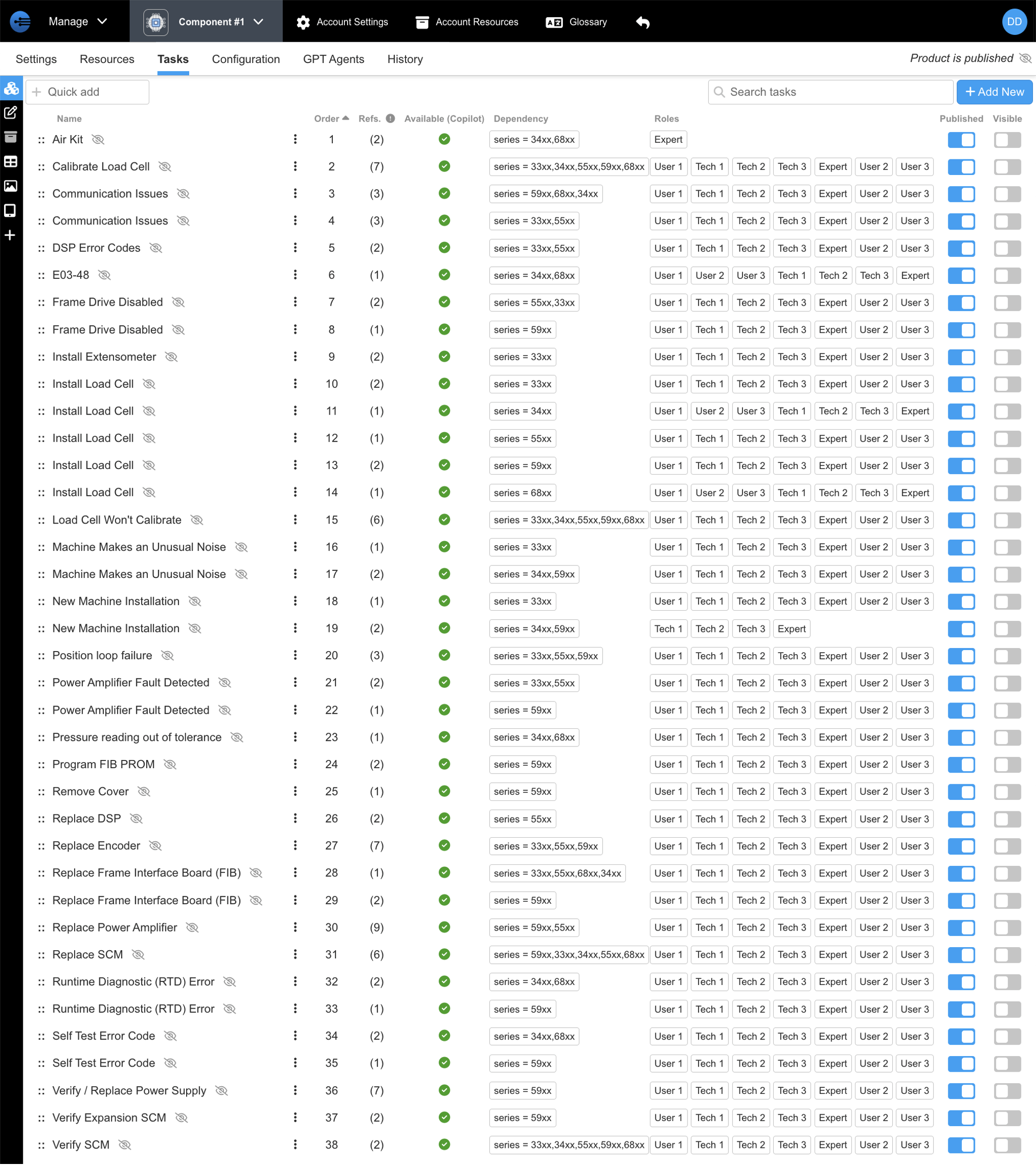
Subtasks are tasks that have already been curated. Subtasks specifically can be incorporated into a new task you are creating. Usage of a subtask allows for multiple tasks with identical parts to call a subtask, eliminating the need to recreate it. Subtasks also are connected to each other; therefore, editing one subtask will affect every location that that subtask is called. Below is an example of a component that has an inventory of subtasks that are called in connected copilots. Please note that the column "Refs" refers to the number of times that subtask has been called.
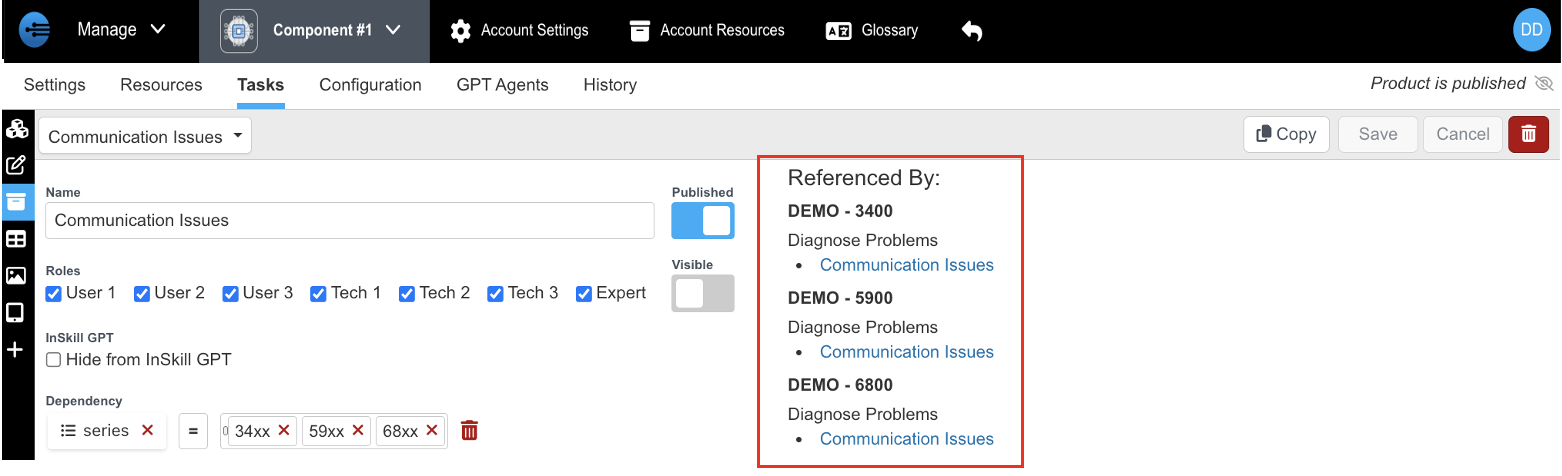
To see more details about where the subtasks are being referenced, click into the subtask in question and go to the task details (Task details is found by clicking into the filing box icon). In task details, the referenced subtasks can be seen under "Referenced By:" on the right side of the task details.
When creating tasks, you can either build the step from scratch or you can call a subtask that was previously created. Subtasks called can either be from the copilot's expertise or from any of the components attached to that copilot. For example, when creating your "Diagnose" task in your copilot, you can call any of your component's subtasks such as "Software Diagnosis" created in Component #1 expertise. To learn how to incorporate subtasks into a task, please go through the following instructions.
Calling a Subtask Within a Task
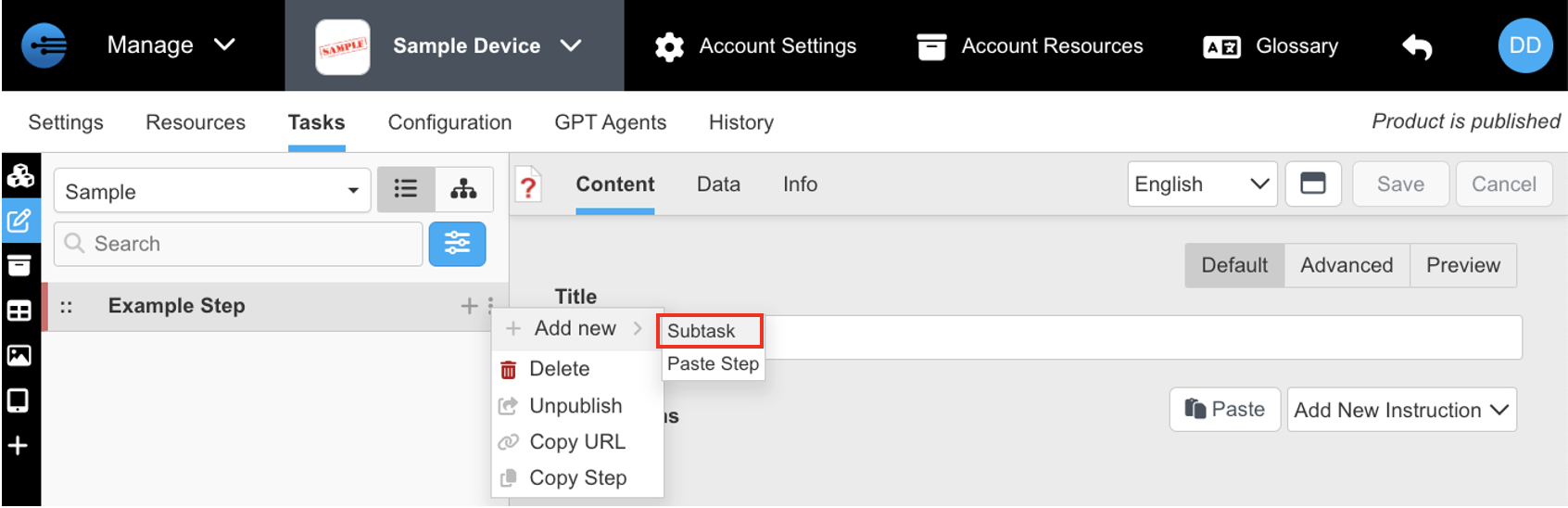
- Select the three dots on the right side of the step in the content bar
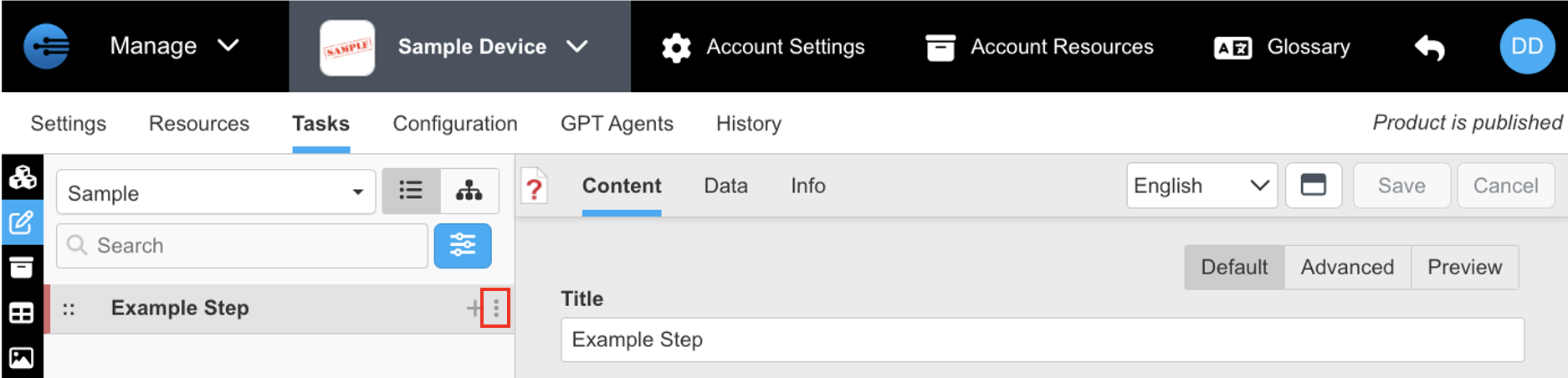
- Select "+Add New" then select "Subtask"
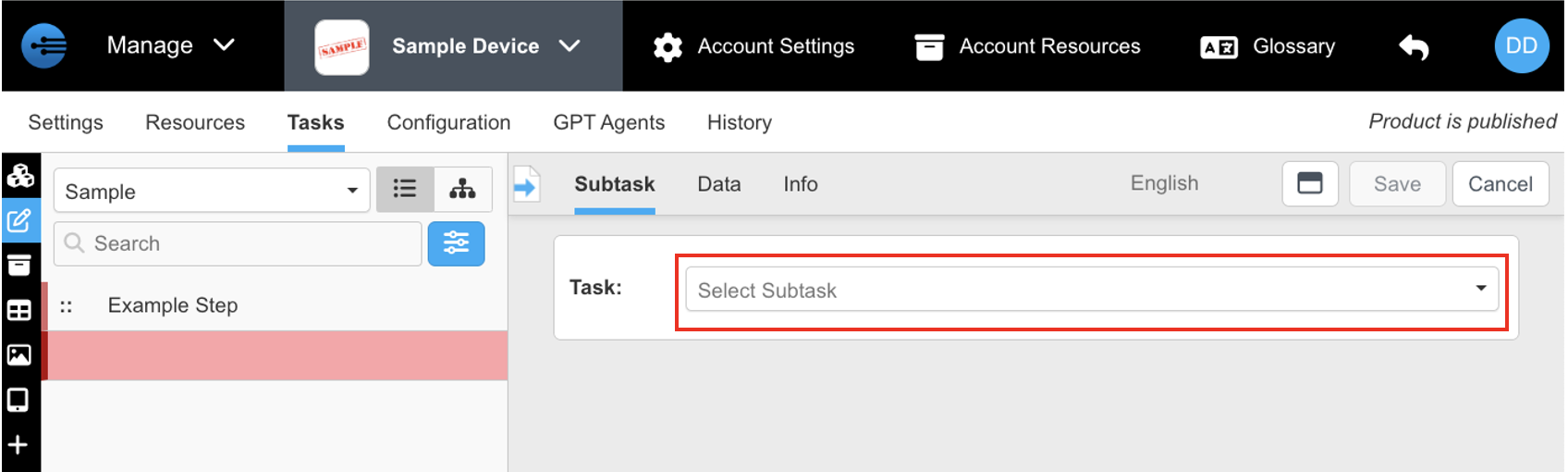
- Click the drop-down arrow to choose which subtask you want to incorporate
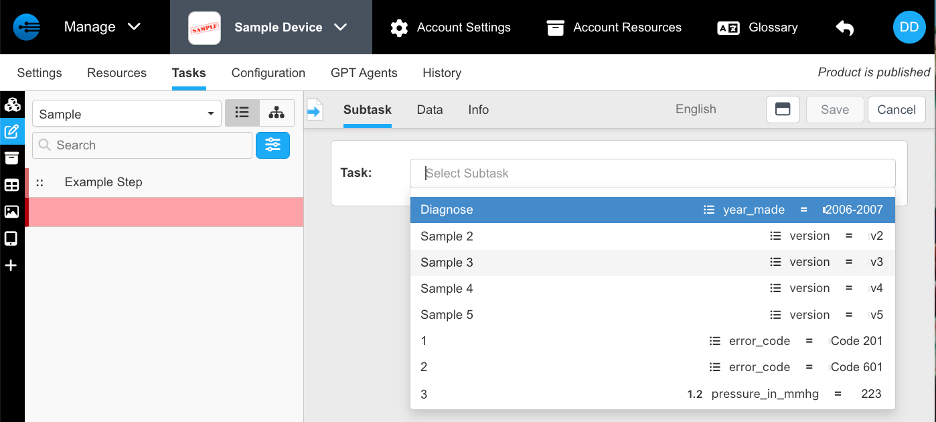
- Select which subtask you want to incorporate. (Note: The dependencies of the overall subtasks will be seen on the right of the list. Subtasks will also be organized by the component they were configured in)
- Once the subtask is selected, press "Save" to finalize incorporation
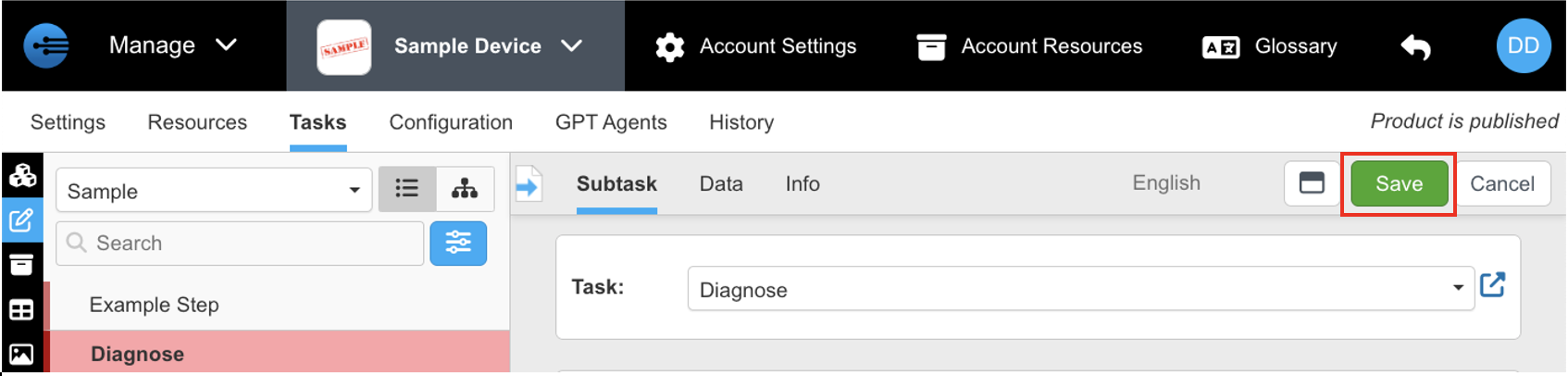
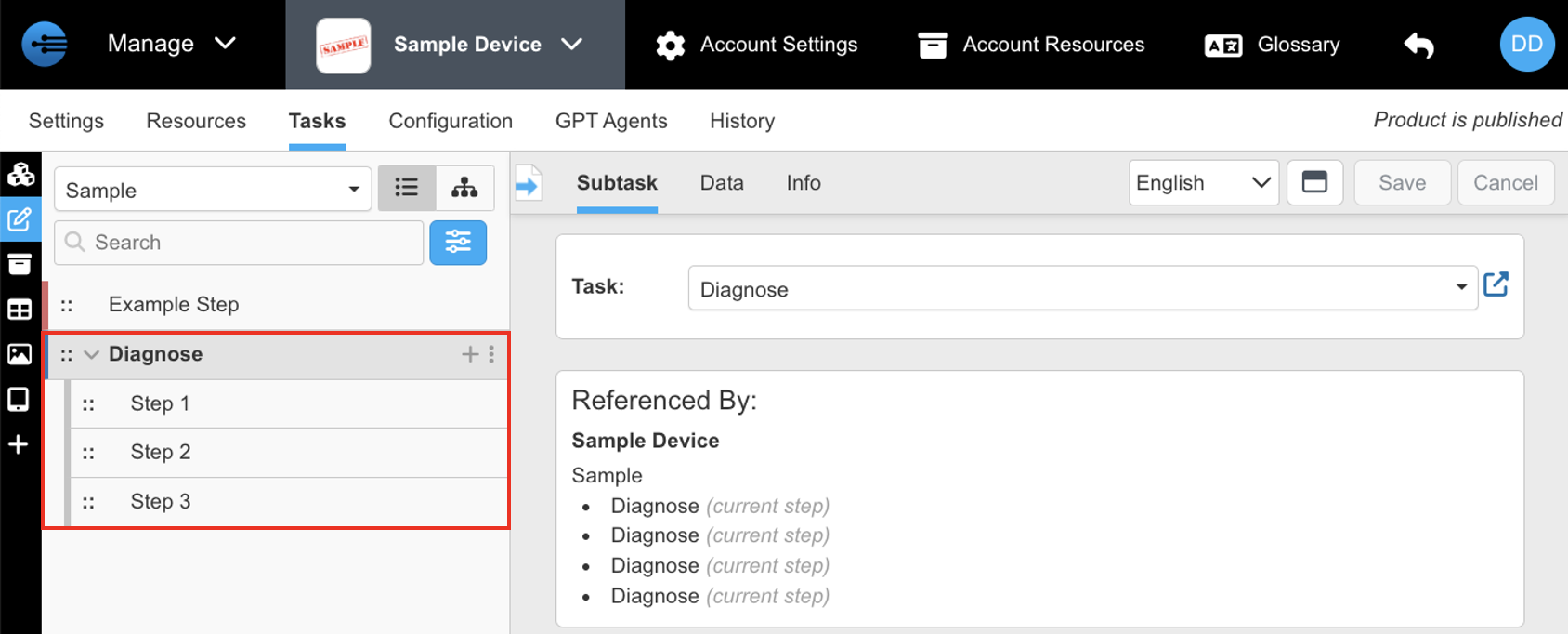
- Now you have incorporated a previously curated subtask into your new task. (Note: Selecting the subtask will expand the steps of that subtask)
Updated about 2 months ago