
Editing Resource Attributes
Every resource has attributes that control how it appears and behaves. This page describes each attribute: most are set when you create the resource, and a few become available only after the file has been uploaded.
Before File Upload
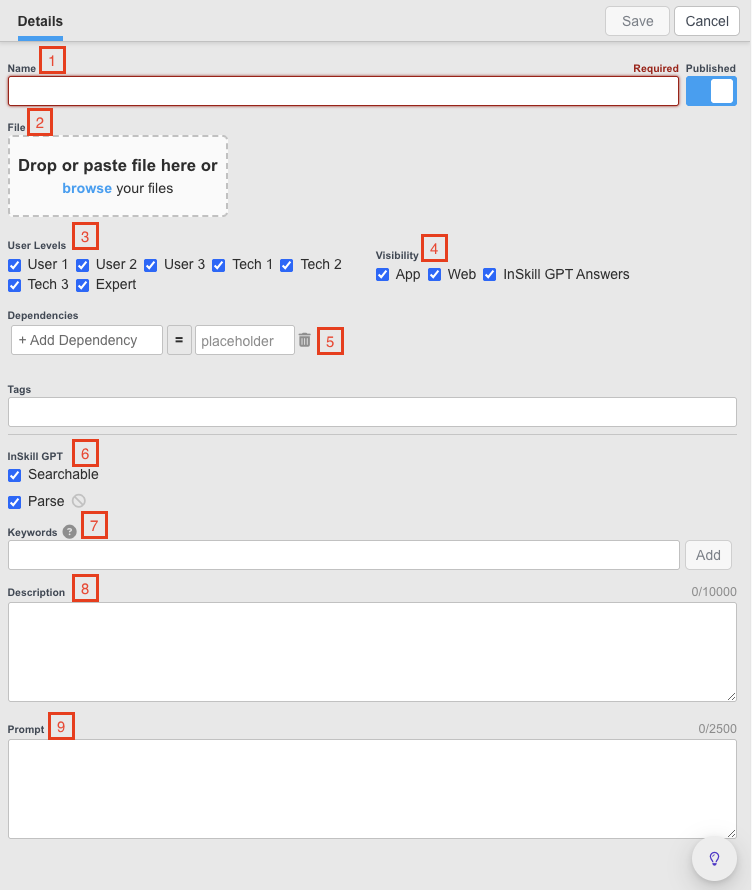
Title
A concise, descriptive title. A clear title helps technicians quickly understand the purpose and content of the resource.
TipUse a title a technician would understand:
Maintenance Manual Model 203, notDocument Number 33234412334.
Files
Drop, paste, or upload the resource file. Common document formats — PDF, Word, Excel, PowerPoint, CSV, and text — are supported up to 700MB, video up to 400MB as mp4, and standard image formats with no size limit. See Files for the full list of supported formats, size limits, and InSkill GPT support.
Access Level
Controls who can view the resource. Assign specific user roles so that only authorized people can access the content. For example, if only Tech 3 and Expert are selected, the resource is not shown to — and is not used to generate answers for — anyone with the role User 1, User 2, User 3, Tech 1, or Tech 2.
TipUser 1, User 2, and User 3 are typically used for people external to the company, such as distributors and customers. Tech 1, Tech 2, Tech 3, and Expert are used for internal users.
Visibility
Determines where the resource is available:
- InSkill App: the resource appears in the copilot's resource list in the mobile app.
- InSkill Web: the resource appears in the copilot's resource list in the web portal.
- InSkill GPT Answers: the resource can be used to generate answers, and is shown as a reference in GPT chat answers.
Dependency
Shows the resource conditionally. For example, a manual with the dependency model = 350 is visible only for assets that match 350. See Dependencies.
InSkill GPT
Enables the resource for InSkill GPT. When enabled, the resource is indexed and used in AI-generated answers.
Keywords
Guide InSkill GPT toward the resources that cover a topic in depth. Keywords help GPT prioritize documents that genuinely define a subject over documents that merely mention it.
Description
Adds detail that the resource itself does not state explicitly. Like keywords, a good description helps InSkill GPT use the resource correctly.
Prompt
Gives InSkill GPT background guidance that is not obvious from the resource itself. Prompts are not shown to technicians.
After File Upload
Languages
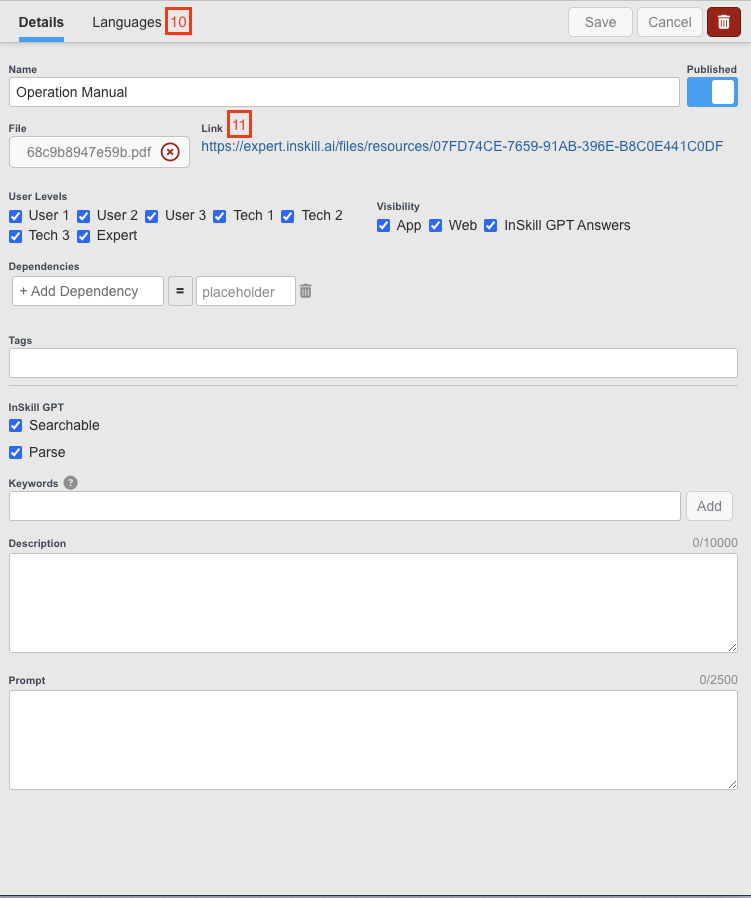
Adds translated versions of the resource. Select a language from the drop-down and upload the matching document; technicians who set the app to that language see the correct version. Enabled languages are set in Account Settings.
Link
A permanent link created for every uploaded resource. The link is secure and consistent across the platform, which makes it easy to use in API embeddings.
Updated about 2 months ago