
Creating an Asset
Creating an asset

- To get started with adding an asset, click the (+ Add New) button.
- From here you will be given the following options:
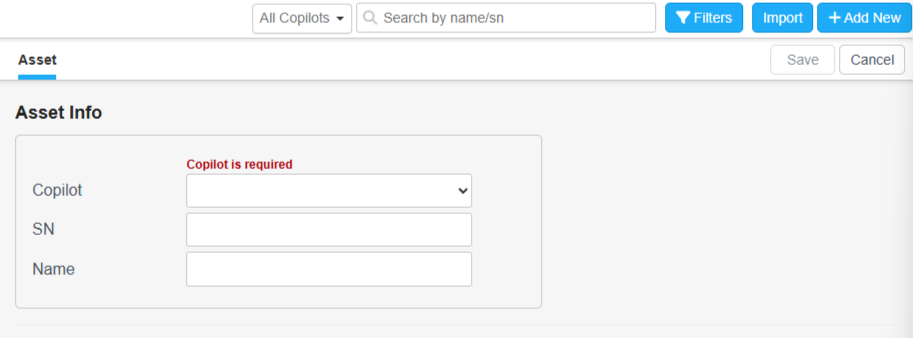
| Section | Definition |
|---|---|
| Copilot | Here you will select which copilot you wish to make an asset for. For most users this will mean selecting from a list of machines for which you have copilots in your account. |
| SN | This is where you will enter the specific serial number for the machine you are creating an asset for. This is how you will differentiate this machine from others. |
| Name | Here you will enter the name you wish to call this asset. This is how you will differentiate this asset from others in the asset view section. |
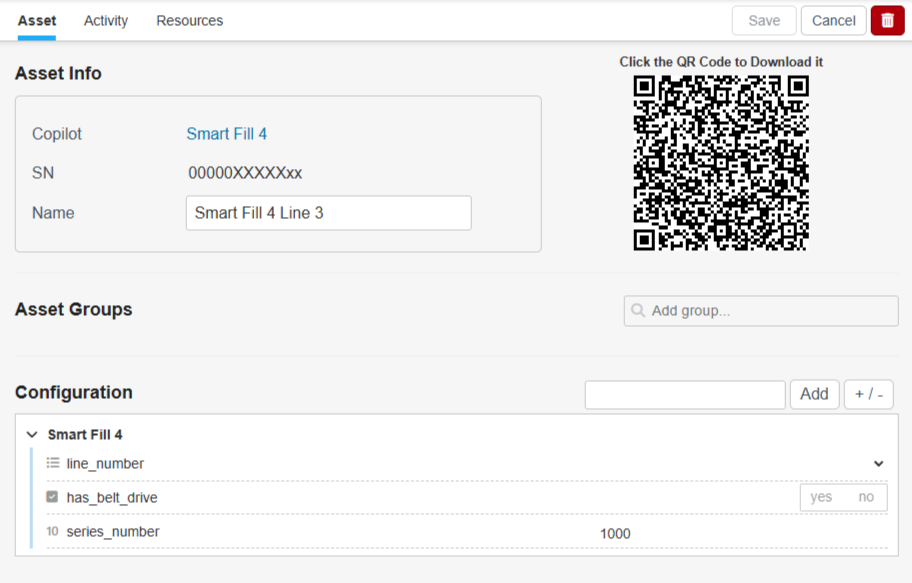
- Once you have created your asset and hit "Edit" you will be given the following screen:
Updated about 2 months ago