
Adding URLs

Web pages can be added to a copilot as URL resources. InSkill GPT uses the page's content to answer technicians' questions, the same way it uses uploaded documents.
What you will need:
- The URL of a page with product information
Adding a URL
Follow these steps to add a URL:
-
In the Manage portal, select the copilot you want to add resources to.
-
Open the Resources tab.
-
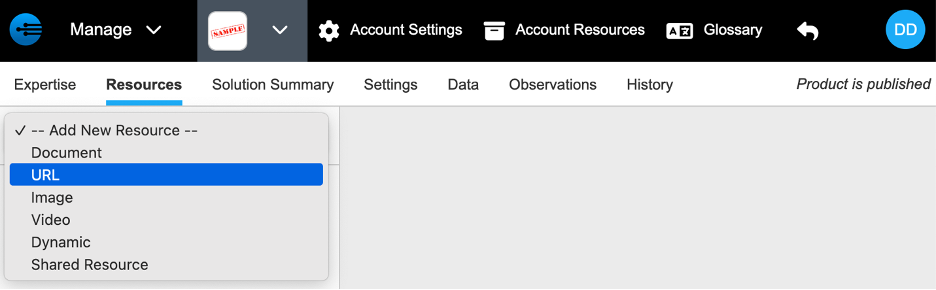
Select -- Add New Resource -- > URL.
-
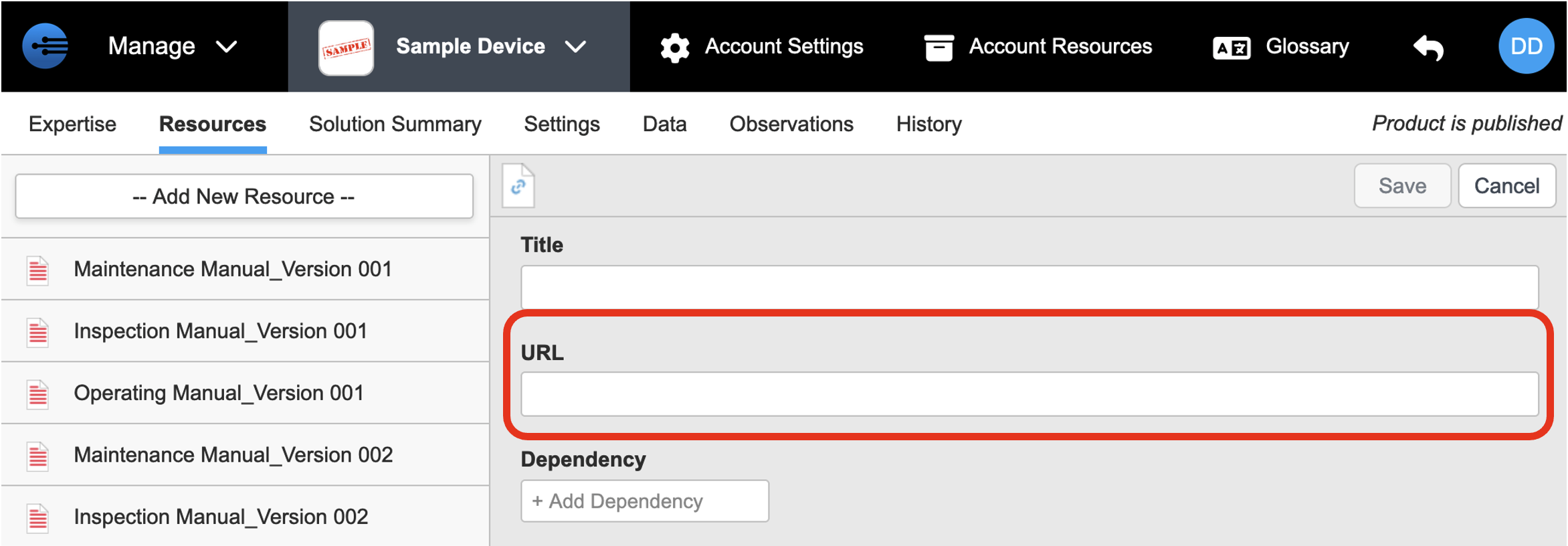
Enter or paste the URL in the URL field.
-
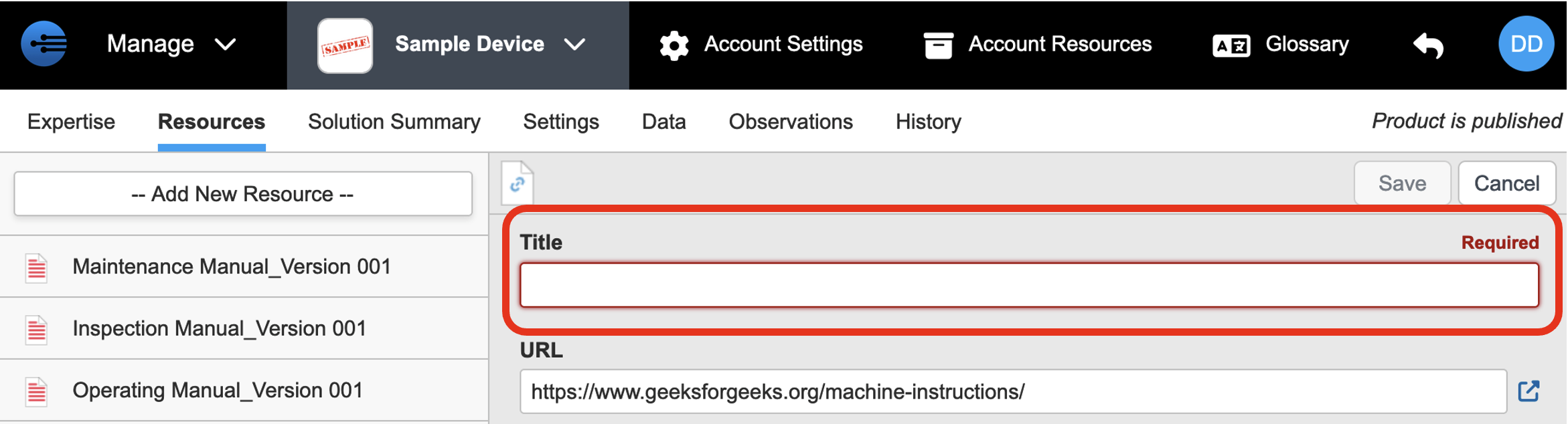
Enter a title that describes the page's content.
-
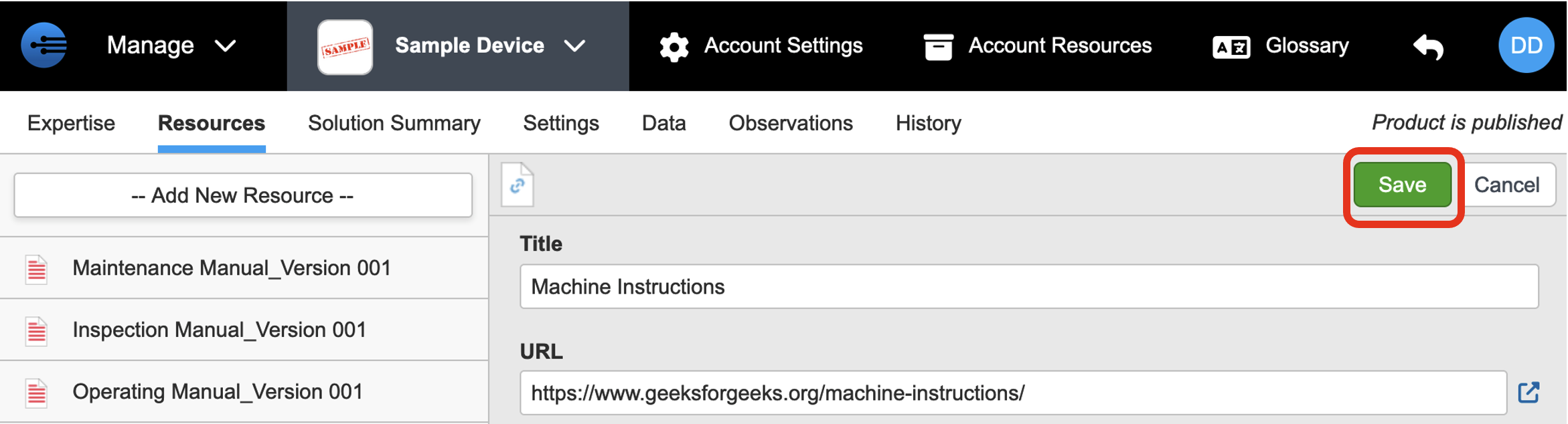
Click Save. The URL appears in the resource list on the left.
Repeat these steps for each URL you want to add.
Next: Adding Images
Updated 2 months ago