
Tracking Dependencies
Use the data dictionary's Definitions, References, and History tabs to track where a variable is used.
The data dictionary, found on the Configuration tab, is not only where you create variables — it is also your variable library. It shows where and how each variable is being used, which is valuable when editing: you can change a variable's properties and see every place that change will land.
Edit your variables in the data dictionary rather than directly in a step or task. An edit in the data dictionary trickles down to every use of the variable, while an edit made inside a step applies only to that step and leaves other uses untouched.
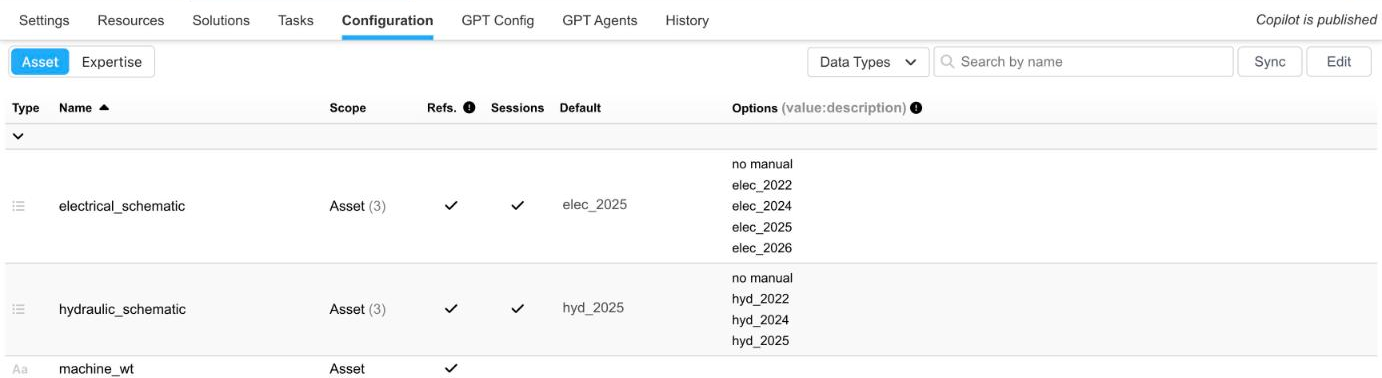
The data dictionary, with usage counts under Scope
Variable Usage
On the main page of the data dictionary, the number in parentheses under Scope shows how many times each variable has been used. To learn more about a variable's usage, click the variable's scope to open three tabs: Definitions, References, and History. A tab is grayed out when the variable has nothing to show there. Use the dropdown at the top left to switch to another variable, or the back arrow to return to the list.

A variable's Definitions, References, and History tabs
Definitions
The Definitions tab shows where a variable is defined in expertise — for example, as the feedback variable of a step — grouped by task. As you use the variable in more places, this list grows, letting you track its use and confirm it is being used correctly.

The Definitions tab of a list variable
For list variables, the tab has three columns:
- Title: a hyperlink to that variable's use case.
- Values: the options presented to the Technician when the variable is called, as
value : description. - Differences: discrepancies between how the variable was constructed in the data dictionary and how it is used in expertise.
If a variable's use in expertise prompts different options than the data dictionary defines, Differences highlights the discrepancy. Click the title to jump to the step or task where the variable was implemented and fix it.
CautionKeep the data dictionary and expertise consistent — these discrepancies can cause a task to malfunction. They usually arise from editing variables directly in a task, which changes the variable's characteristics only in that one use and not in the data dictionary.
References
The References tab summarizes where the variable is used as a dependency and which value each dependency checks for. References are grouped by type — for example, Step Dependencies and Resources — and then by task or copilot. As with definitions, the title is a hyperlink that takes you to the location where the dependency is used so you can edit it.
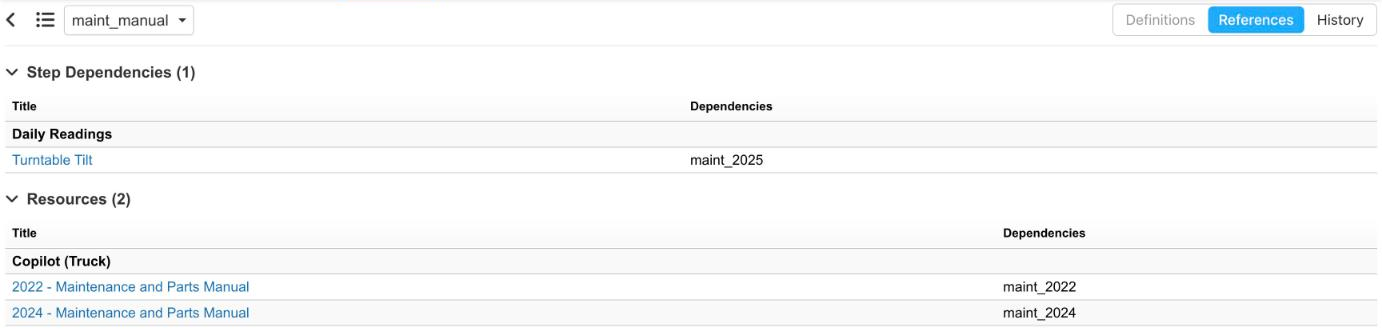
The References tab of maint_manual
History
The History tab shows the sessions that have used the variable, giving you a picture of which values are being selected. A chart and a table list each value with its number of sessions; History shows the top 15 values. A value marked with a warning icon (Not defined in list) was recorded in a session but is not one of the variable's options in the data dictionary.
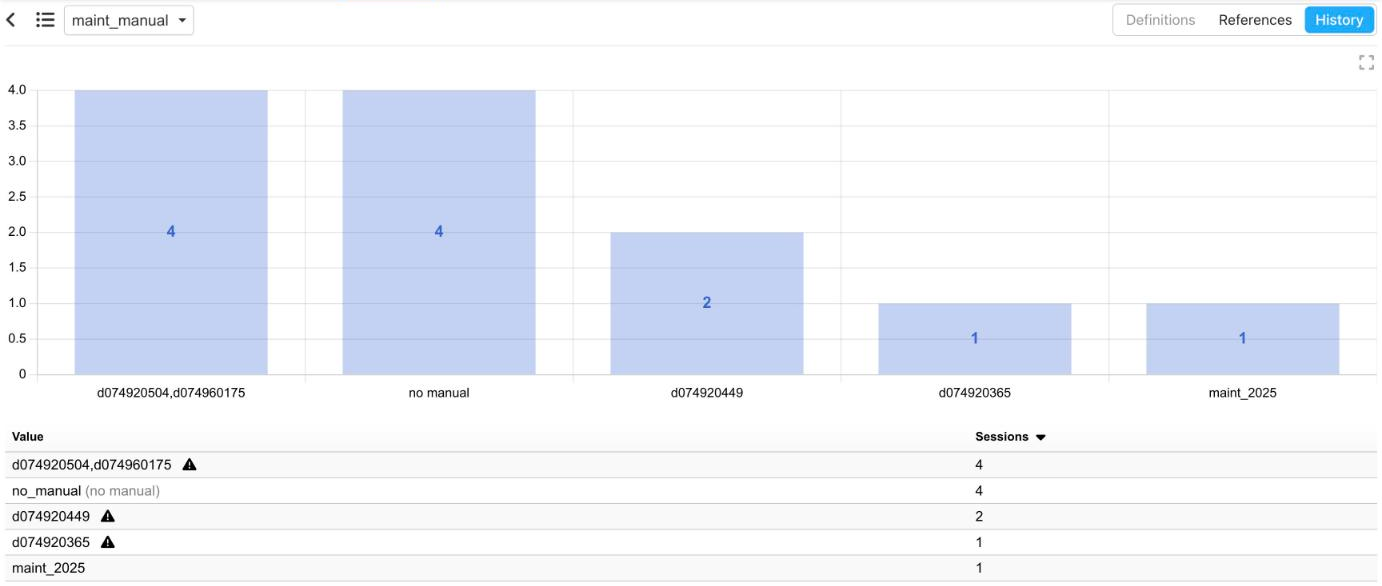
The History tab of maint_manual, with values by session count
Updated about 12 hours ago