
Assigning Roles
- To add assign a role for a particular user. Go to the drop-down arrow in the top left corner of the screen and go to “Admin”

- Press “+ Add New” at the top right of the page

- At this point, the new profile will require first name and last name for all users while an email will be necessary for higher level roles. To assign a role go to the drop-down arrow on the top left side of the page and choose from list of roles provided.
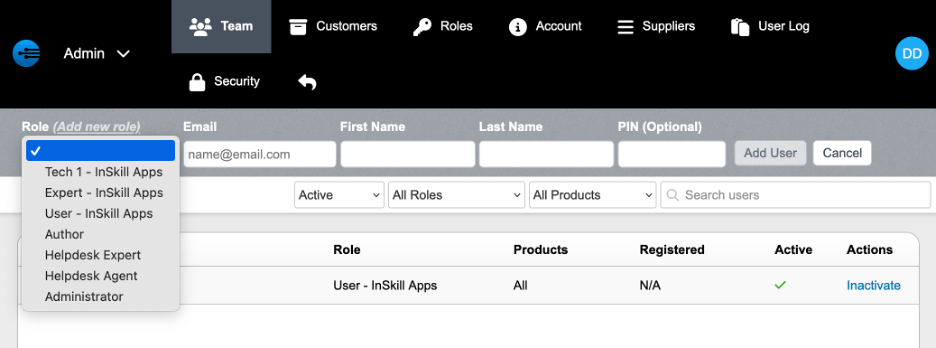
Roles can be implemented at various stages in the InSkill portal. Tasks, steps, and resources all can be hidden to particular roles. The following shows how to limit visibility for certain roles.
Updated about 2 months ago