
Assets
The Assets portal: what an asset is, the data and knowledge each asset holds, asset groups, and the Assets and Groups views.
The Assets portal is where you define the digital twins of your equipment. While a copilot represents a general model line, an asset represents one specific, unique machine on your factory floor. Here, you create, edit, and analyze your assets so your team has machine-level precision.
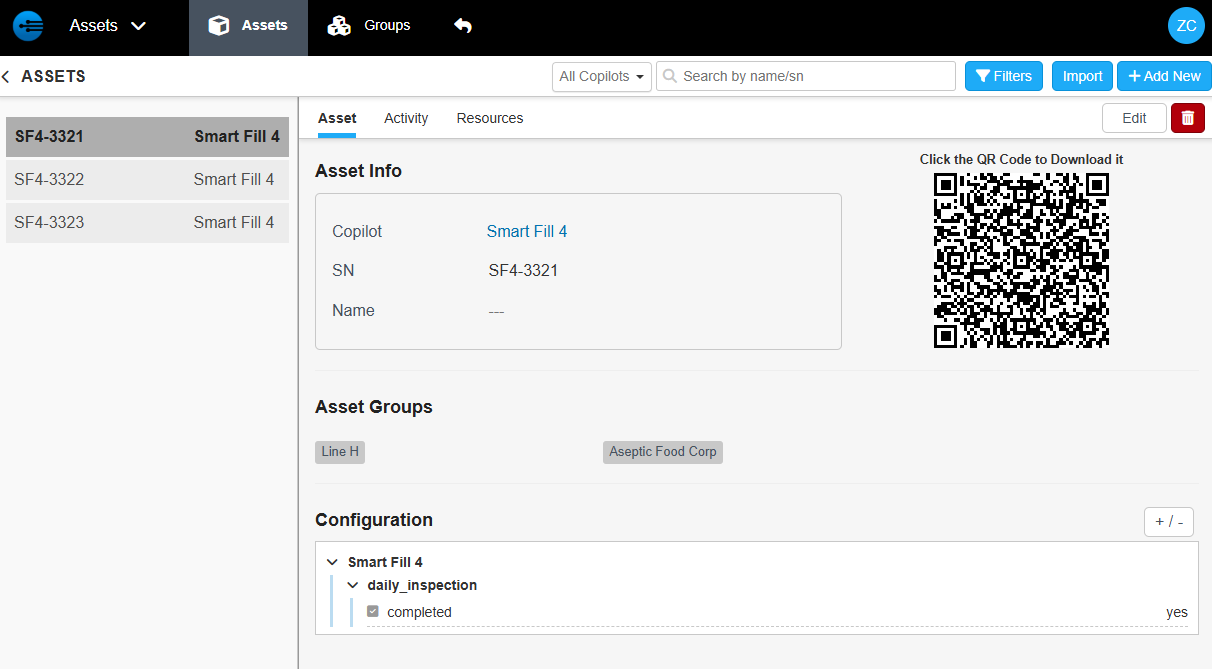
The Assets portal's asset list
What an Asset Is
An asset is an instance of a copilot — one particular, unique serial number of that machine. An asset has data and configuration associated with it, and a history of the tasks that have run on it.
Creating assets lets you differentiate the machines Technicians work on, and supply the specific tasks, documentation, and resources each one needs. For how this changes the answers a copilot gives, see Asset-Based Copilots.
Every asset is defined by three core pieces of data:
| Data | What it is |
|---|---|
| Copilot | The base model the asset is built upon. |
| Serial number | The unique identifier that ensures no two machines are ever confused. |
| Common name | The name used on the floor, such as the West Wing Stamper. |
Machine-Specific Knowledge
Each asset entry in the portal manages three areas:
| Area | What it holds |
|---|---|
| Asset Configuration | The unique DNA of the machine, including its specific configurations and variables. |
| Activity | A log of everything that has happened with the machine, providing an audit trail for maintenance and troubleshooting. |
| Asset Resources | Machine-specific quirks that may not exist in official documentation. |
For example, if a unit requires you to tap the side three times before hitting start, you can store that as an asset resource. The information stays tied to that machine without cluttering the general documentation.
Asset Groups
Asset groups contain assets and can be given any name you wish. In a factory, they may group assets that are part of a production line, at a site, or belonging to a department. A supplier of equipment may create groups for each customer or region.
In the InSkill app, the Assets view shows assets according to their groups, such as a production line.
A supplier can share the assets a customer owns or has under contract: create an asset group that contains all the assets at that customer, then select the asset group in the customer record. This shares the assets and automatically includes all the copilots needed for them. See Groups and Sharing Expertise with Customers.
The Assets and Groups Views
The Assets view displays a table of every asset in your system. Each entry includes key details such as the asset name, its copilot, the copilot's supplier, and the asset group it belongs to. The search box in the upper-right corner finds assets by name or serial number, and the copilot list next to it shows one copilot's assets. Filters finds assets by their data values, such as dev_step = 300, or by their notes. See Verifying Imported Assets.
The Groups view is a simplified counterpart: a table of asset group names and the assets each group contains, searchable by group name.
Updated 1 day ago