
Publishing Copilots
How suppliers publish copilots to their customers, and how factories add a supplier and receive them.
Publishing & Access: Supplier vs. Factory
InSkill is built for two distinct perspectives. Understanding your role ensures that the right knowledge reaches the right users at the right time.
- Supplier: The Original Equipment Manufacturer (OEM) who creates the knowledge and provides the copilots.
- Factory: The site that operates the equipment and uses the copilots for daily production and maintenance.
1. The Supplier Perspective (OEM)
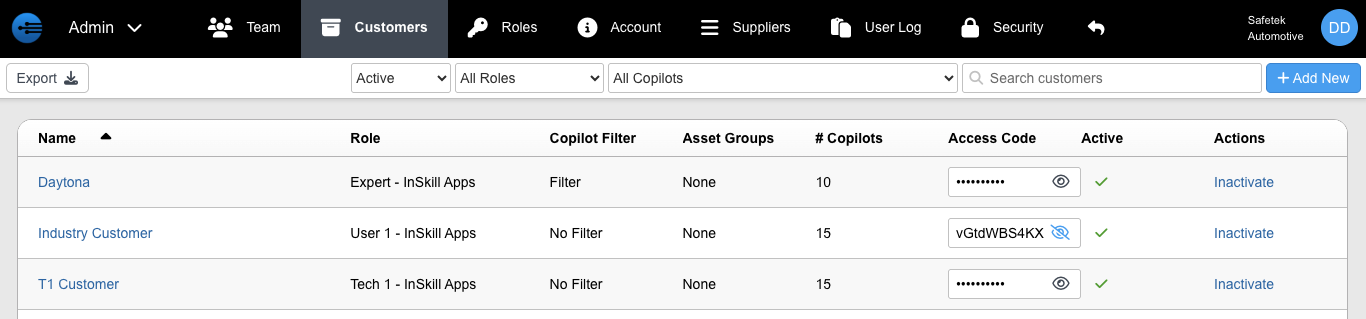
As a Supplier, you maintain total control over which copilots and assets are shared with your customers. All customer access is managed through the Admin Portal under the Customers page.
Configuring Customer Access
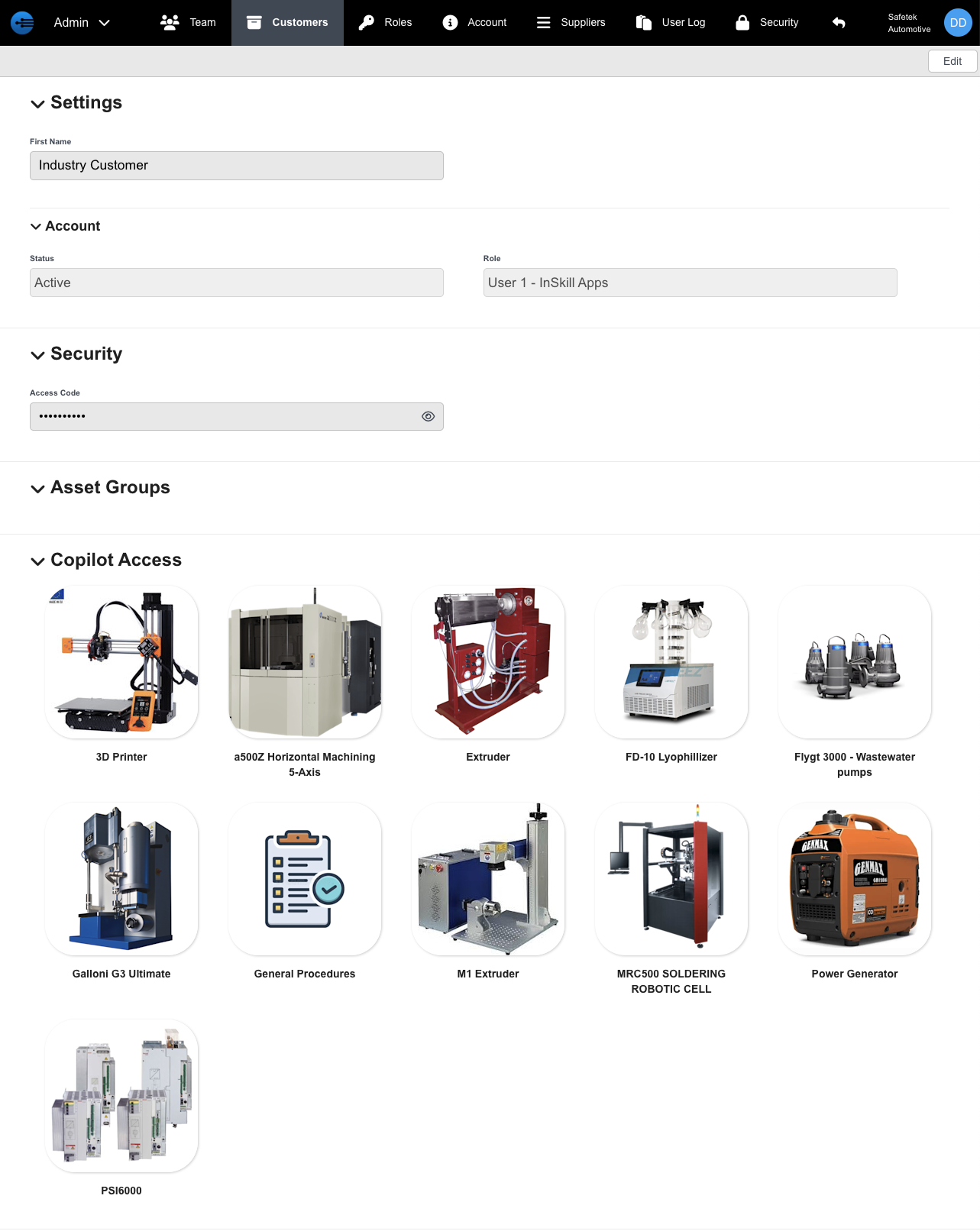
To start providing copilots, go to Admin Portal > Customers and select a customer’s name to open their configuration settings:
-
Settings: Manage basic details like the customer’s name.
-
Account: Control the account level and monitor overall activity and status.
-
Security: Access the unique Customer Access Code. Provide this code to your customer so they can securely link to your organization.
-
Asset Groups: Publish copilots based on specific equipment models or configurations. This ensures customers only see guidance relevant to the exact machines they own.
-
Copilot Access: Grant access to general, non-asset-specific copilots for broader machine families or product lines.
2. The Factory Perspective (End User)
To receive copilots from a manufacturer, Factories follow a similar process in the Admin Portal, but use the Suppliers tab.
Adding a New Supplier
If a new OEM does not yet appear in your list, they must first register you in their system. Once they provide you with an Access Code, follow these steps:
-
Navigate to Admin Portal > Suppliers

-
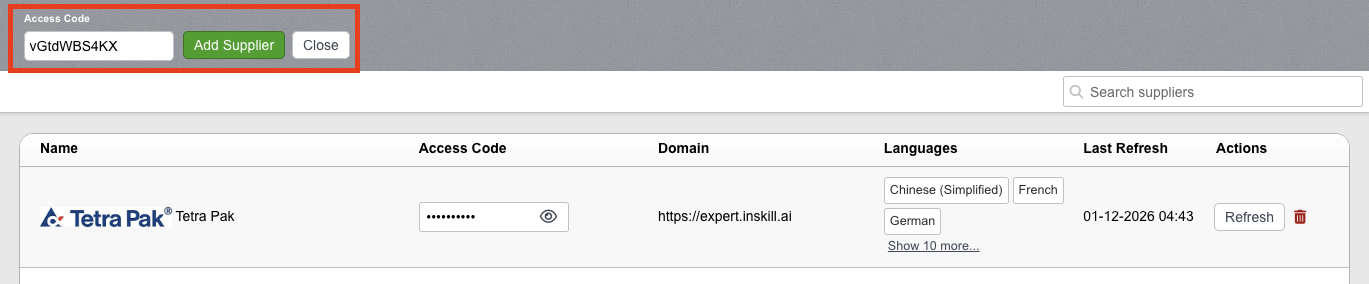
Click + Add New in the top-right corner
-
Enter the Access Code in the prompt that appears at the top of the page
-
Confirm to securely add the supplier’s copilots to your ecosystem
Managing Supplier Visibility
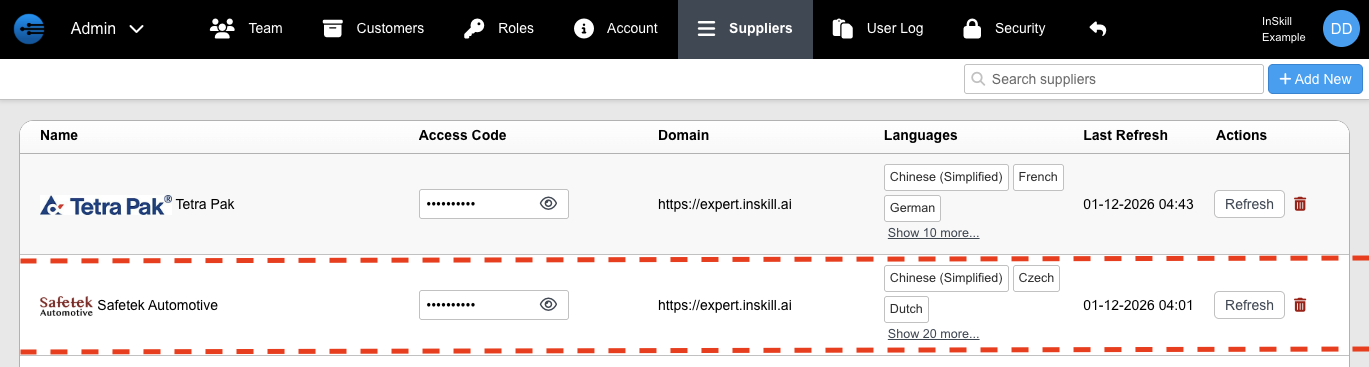
Once added, the OEM will appear in your Suppliers list. You can monitor the status and data flow using the following details:
| Field | Definition |
|---|---|
| Name | The name of the equipment manufacturer (Supplier). |
| Access Code | The unique code used to authorize the connection. |
| Domain | The origin domain where the copilot data is hosted. |
| Languages | The languages the OEM has made available for your team. |
| Last Refresh | The last time content was synced. Updates occur automatically every night at 11:59 PM. |
| Actions | Use the Refresh button to manually pull the latest updates immediately. |
Updated about 2 months ago