
Configuring Copilot
Configuring Copilots
In the Manage Portal, Configuration refers to the specific variables used to define the characteristics of a machine (Asset) or the logical path of a procedure (Task). By setting up these variables, you ensure that the AI provides precise, filtered guidance rather than generic instructions.
Copilots utilize two distinct types of configuration:
1. Asset Configuration
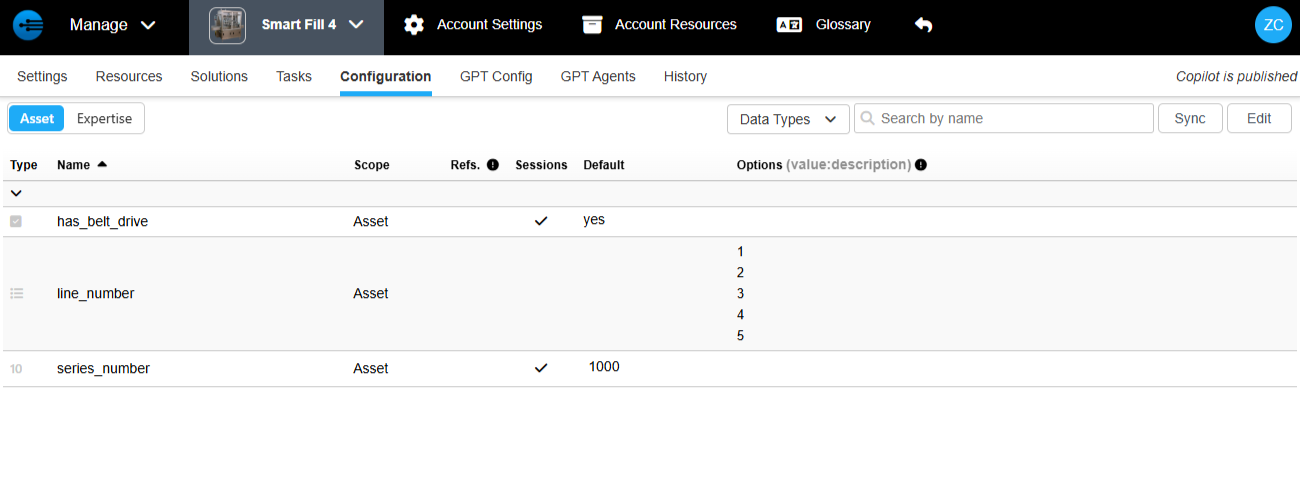
Asset variables are used to define the unique physical or digital characteristics of a machine.
-
Defining Identity:
When you create a new asset, these variables allow you to select and define specific features (e.g., motor size, location, or optional attachments). -
Automatic Filtering:
Once an asset is defined, the copilot uses these variables to automatically filter manuals and tasks, ensuring the user only sees what applies to that specific machine.
2. Expertise Configuration
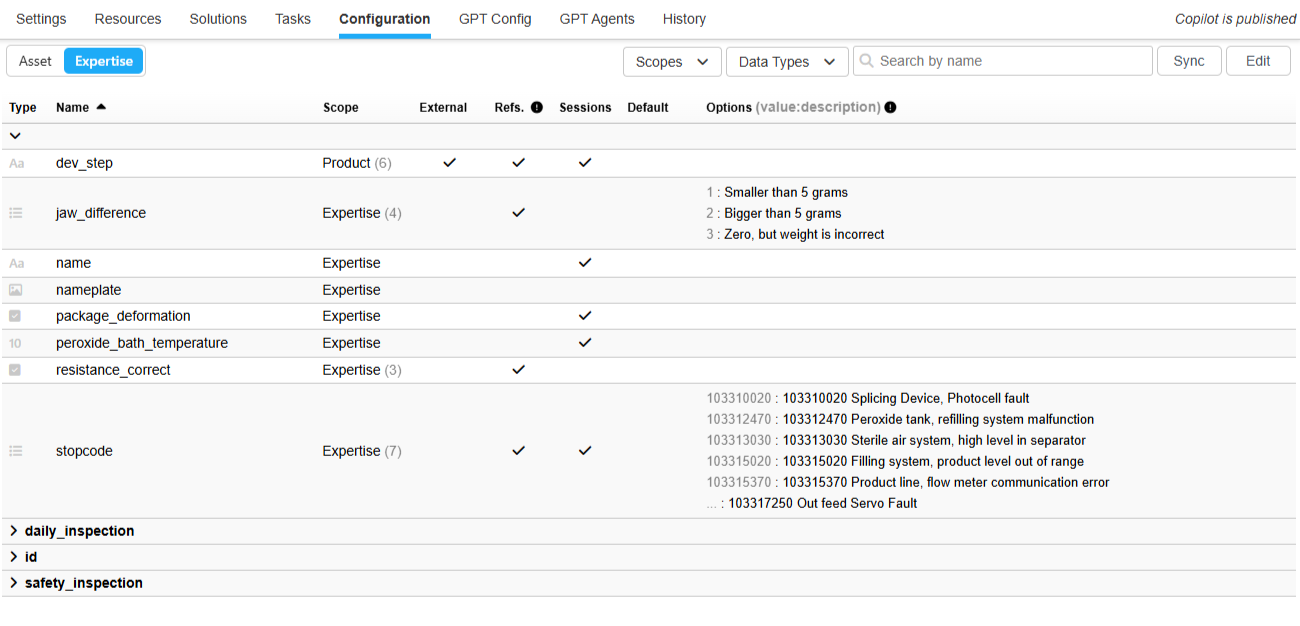
Expertise variables are used specifically within Tasks to dictate the workflow based on real-time conditions.
-
Path Logic:
These variables determine the path a user takes through a task. For example, if a task asks a question about a specific component, the subsequent steps will change based on the answer provided. -
Smart Dependencies:
If a variable is already defined in the Asset, the task will skip that question and move straight to the relevant steps. If it is not defined in the asset, the task will first ask for the dependency before showing only the applicable instructions.
Supported Variable Types
To capture the wide range of data required in industrial environments, both Asset and Expertise configurations support several data types:
-
Yes/No:
Simple binary logic for features or check-offs. -
Integer:
Whole numbers for counts or specific settings. -
Float:
Precise decimal numbers for measurements or calibration. -
List:
A dropdown of predefined options to ensure data consistency. -
String:
Open text fields for names, notes, or descriptions. -
Take a Photo:
A specialized variable that prompts the user to use their device camera to document a condition or verify a repair.
Updated 8 days ago