
The Ask Home Page
The Home tab searches every copilot you have access to and lists the sessions you were last working in.
The Home tab is where Ask opens. It answers one question: what do you need to do right now?
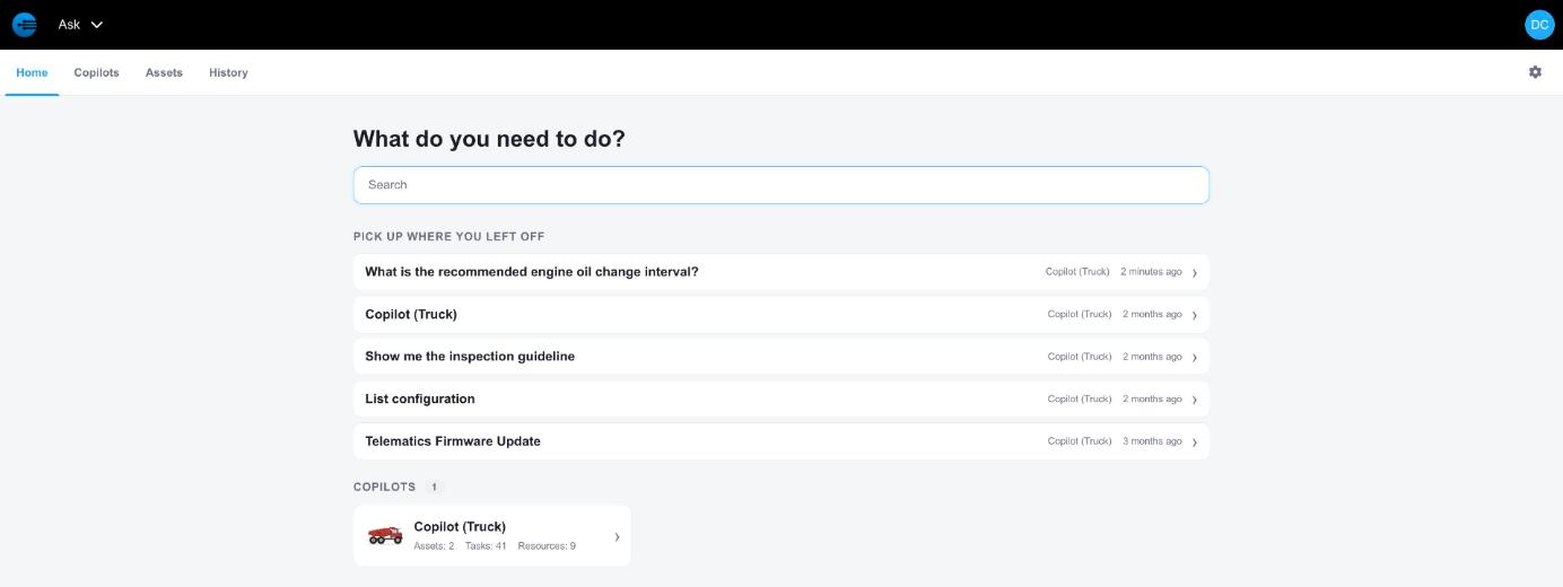
The Ask Home tab
Home has three parts:
| Part | What it does |
|---|---|
| Search | Searches across every copilot you have access to. |
| Pick up where you left off | Lists your most recent sessions, newest first, with the copilot and how long ago you ran it. |
| Copilots | Lists the copilots you have access to, with their asset, task, and resource counts. |
Searching
Type what you are looking for in the search box. Results appear as you type, grouped by copilot, with the matching tasks listed under each one.
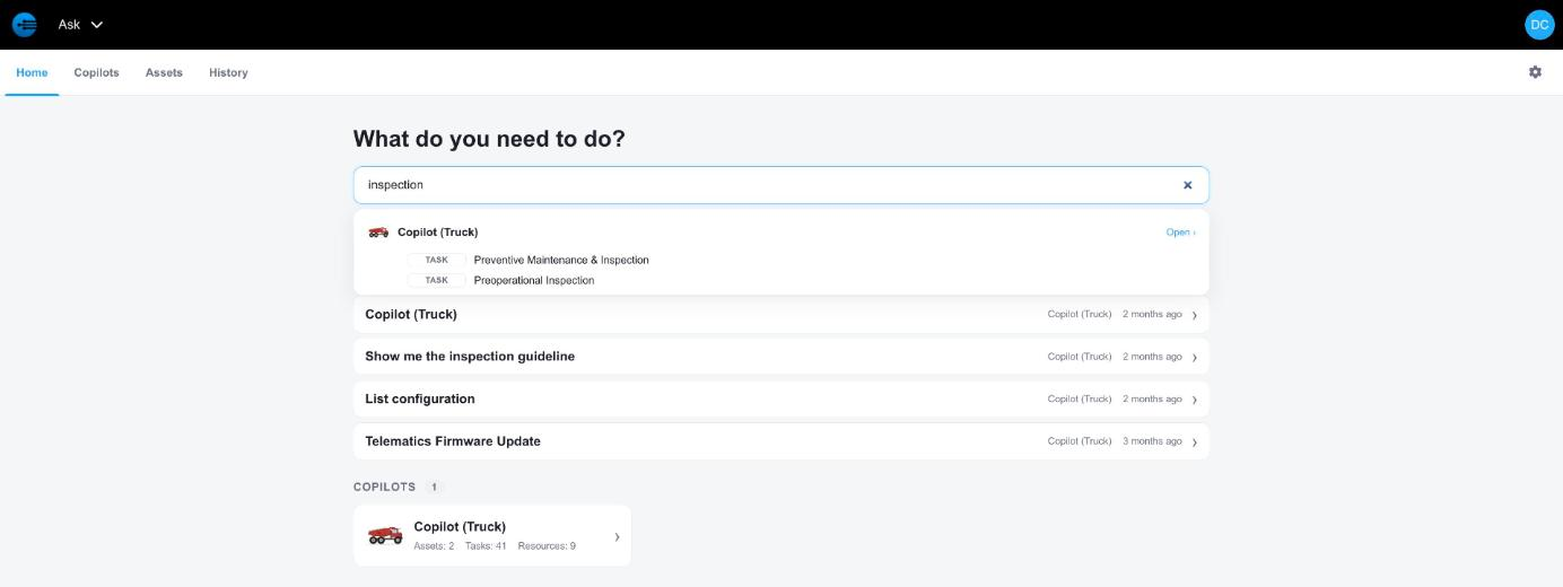
Search results grouped by copilot
Select a result to go straight to it, or select Open next to a copilot name to open that copilot's workspace. Select the × in the search box to clear the search and return to your recent sessions.
Reopening a Session
Each row under Pick up where you left off is a session you ran earlier, whether it was a question you asked InSkill GPT or a task you ran. Select a row to reopen it exactly as you left it, including the answer and the suggested next steps.
To see every session rather than your recent ones, use the History tab.
Updated about 4 hours ago