
Copilots and Assets
Browse the copilots you have access to, or go straight to a single asset by name or serial number.
Ask gives you two ways to reach the equipment you are working on. Use Copilots when you want the general expertise for a model, and Assets when you want one specific machine.
The Copilots Tab
The Copilots tab lists every copilot you have access to. Each card shows the copilot name and how many tasks and resources it holds.
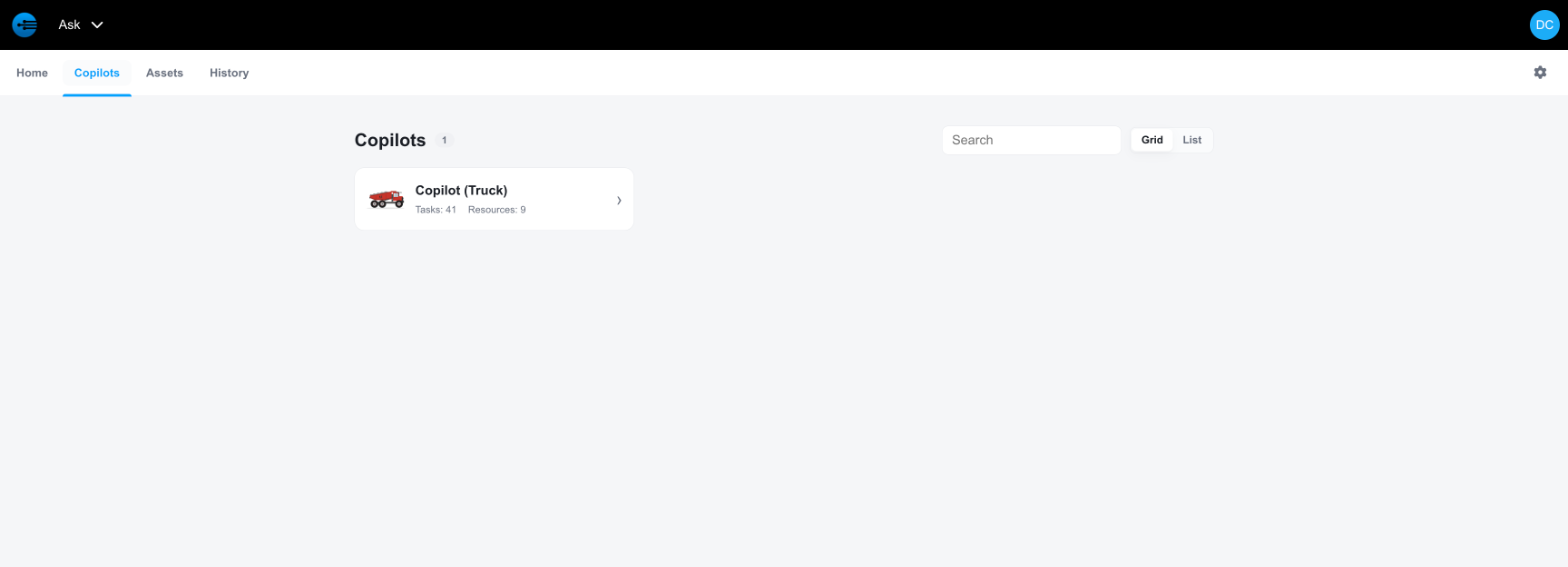
The Copilots tab
Use the search box to filter the list by name, and switch between Grid and List to change the layout. Select a copilot to open its workspace, described in Asking a Question.
The Assets Tab
The Assets tab lists the individual assets in the account. Each row shows the asset name, the copilot that covers it, and the serial number.
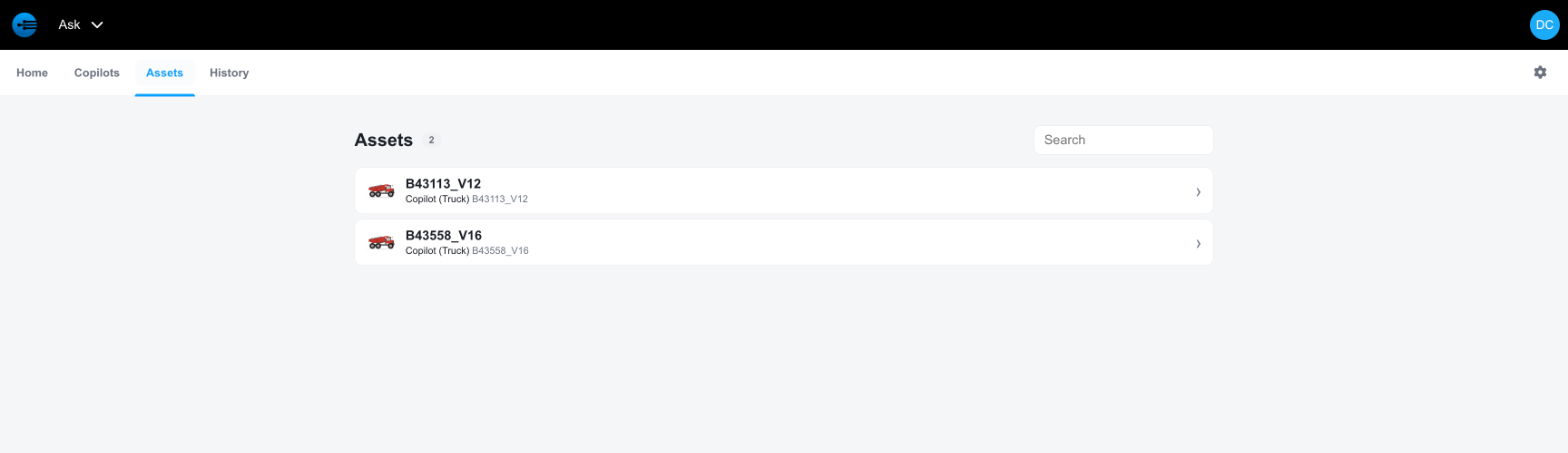
The Assets tab
Select an asset to open its copilot workspace with that asset already selected.
Why the Asset Matters
A copilot holds the expertise for a model. An asset is one machine built from that model, with its own service history, recall notices, and configuration.
When you select an asset, Ask adds that machine's own content to the session. In the example below, selecting asset B43113_V12 raises the copilot's task count from 37 to 41 and its resource count from 4 to 9, because the asset's own tasks and notices join the copilot's.
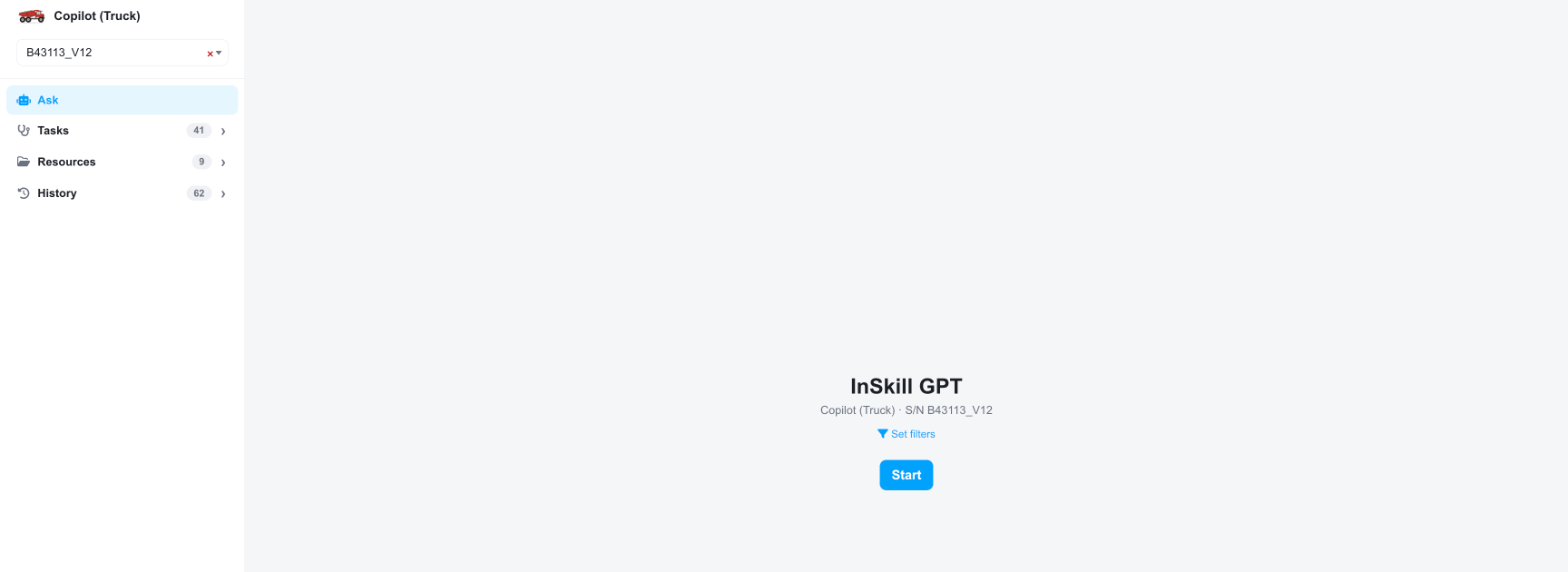
A copilot workspace with an asset selected
Work with the asset selected whenever you know which machine you are on. The answers you get are then specific to it.
Updated about 4 hours ago