
What is InSkill
What InSkill is, the kinds of copilots it builds, how expertise moves from capture to the field, and where Technicians use it.
For over a century, product manuals have been the main way technical know-how was passed on during and after a purchase. InSkill changes that model: it turns the expertise around your equipment into AI copilots that are actionable, contextual, and available to Technicians at the moment they need it — on the floor, in the field, or across a global fleet.

InSkill does more than store documents. It captures both the expertise your organization has written down and the expertise its people carry, and turns it into a live, interactive mentor for your team. See What is Expertise.
What Is an AI Copilot
A copilot is a digital expert that works alongside your Technicians. Unlike a search bar that points to a PDF, a copilot reasons through your technical data, understands the configuration of the machine in front of the Technician, and gives a clear, conversational path to a solution. See What is an AI Copilot.
| Copilot | What it covers |
|---|---|
| General copilot | A type of machine: the whole product line and every documented version of it. |
| Asset-based copilot | One machine, identified by its serial number, with its own configuration and history. See Asset-Based Copilots. |
| Component | A copilot whose knowledge is nested inside other copilots, such as one for a hydraulic module or a controller. See Components and Component-Aware Copilots. |
How InSkill Works
Working with InSkill follows four stages: you capture what your organization knows, deploy it as copilots, put those copilots to work in the field, and let every interaction improve them.
Capture
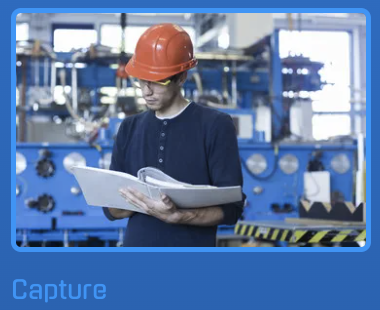
Copilots begin with what your organization already knows: manuals, service bulletins, training guides, and videos, and the best practices, lessons learned, and field-proven fixes of experienced Technicians. InSkill indexes documents so the copilot can search them, and turns field know-how into reusable guidance, including step-by-step tasks that every Technician follows the same way. See What is Expertise and Enriching Expertise.
Deploy

Copilots deploy across your organization, or directly to your customers, without disrupting existing workflows. InSkill scales from a single site to a global fleet while keeping strict control over access and data.
| Step | What it does |
|---|---|
| Import assets | Copilots learn each machine's configuration, options, versions, components, and service history, so guidance is specific to that unit. See Importing Assets. |
| Connect systems | Integrations with business systems and IoT platforms bring real-time operational data into answers and can trigger custom actions or workflows. |
| Control access | Role-based access control ensures people see only the information, tools, and workflows they are authorized or qualified to use. See Visibility by Role. |
| Share with customers | Suppliers share copilots and assets with customer accounts, and customers receive them by adding the supplier. See Sharing Expertise with Customers. |
Use
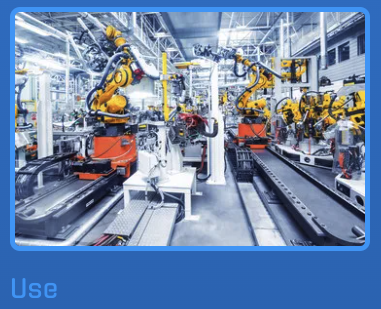
Copilots are available around the clock. Technicians speak or type questions in everyday language and get context-aware answers drawn from your organization's approved knowledge. When an issue occurs, the copilot helps diagnose symptoms, identify stop codes or alarms, and recommend next steps, and it guides Technicians through standard operating procedures and safety requirements step by step. See Asking a Question in Ask and Asking Questions in the app.
Learn

Copilots improve with every interaction:
- Analytics show what Technicians ask, which answers resolve issues, and where they run into friction. See the Intelligence portal.
- Feedback lets Technicians rate answers and submit new fixes, procedures, or field-discovered solutions. After review, approved contributions join the knowledge base. See Evaluating Responses.
- Knowledge gaps are recognized when information is missing or insufficient, and closed in the Copilots portal by adding documentation, tasks, or guidance.
Where You Use InSkill
| Where | What it is for |
|---|---|
| InSkill app | Real-time help on the floor and in the field, on iOS and Android. |
| Ask portal | Research and chat with InSkill GPT in a browser. |
| Copilots, Assets, Admin, and Intelligence portals | Authoring and administration: building, governing, and measuring copilots. See Overview. |
Published and Shared
InSkill uses two different words for making expertise available:
| Term | What it means | Where it is set |
|---|---|---|
| Published | A status on a copilot, resource, or task. Publishing makes it live in your own account. | The Status of a copilot, and the published state of each resource and task. See Copilot Settings. |
| Shared | A supplier gives a customer account access to its copilots and assets. | The Customers tab of the Admin portal. See Sharing Expertise with Customers. |
Support and Requirements
For the phones and tablets the InSkill app runs on, see Device Support. For how a Technician hands a problem to a human expert, see Escalate.
Updated about 3 hours ago