
Periscope Mode
Periscope Mode turns a task into an outline so you can jump straight to any step.
Diagnostic sessions in InSkill are normally followed step by step. Periscope Mode is the non-linear alternative: it turns the task interface from a guided walkthrough into an interactive outline, giving you a view of the whole procedure at once.
Turn it on at Menu > Settings > Periscope. The row shows a green eye when Periscope is on and a red crossed-out eye when it is off — see Settings.

Periscope turned on in Settings
Step by Step, or the Whole Procedure
Normally a task shows one step at a time — here, the first of five proposed solutions in a diagnostic.
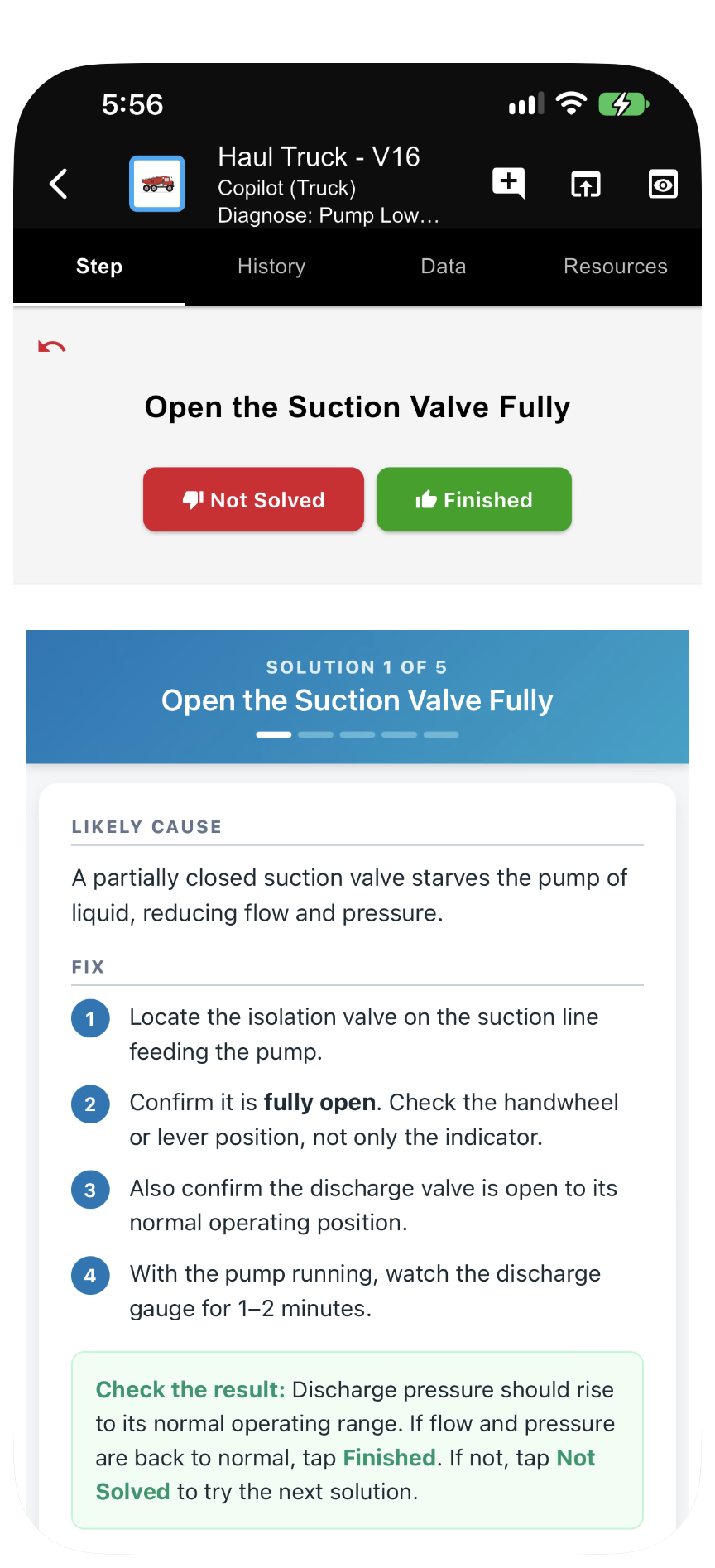
Without Periscope: one step at a time
With Periscope Mode on, the same task opens as an outline of every step in it. Select any entry to go straight there.
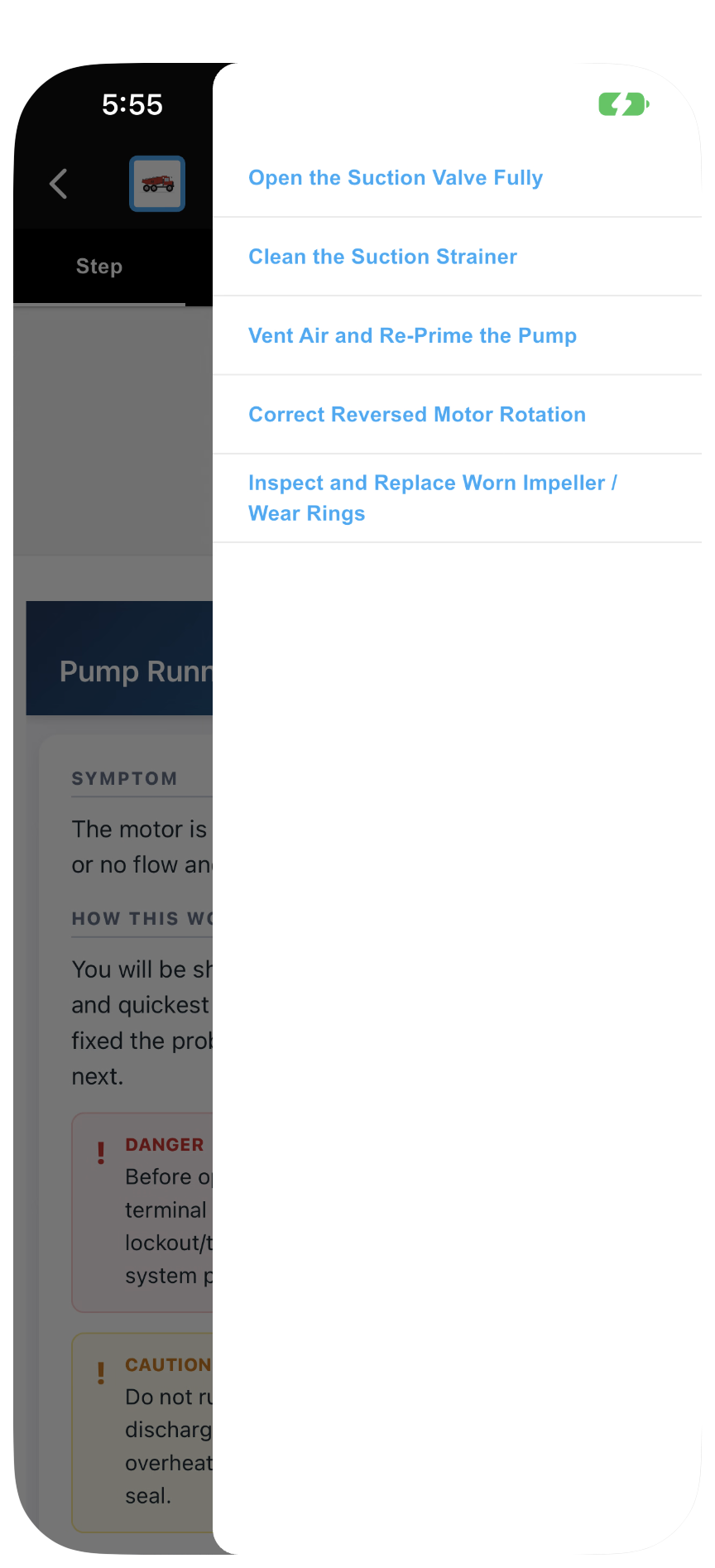
With Periscope: the whole task as an outline
What Periscope Gives You
- Outline view: instead of one instruction at a time, you see the whole diagnostic session.
- Step jumping: move straight to any step in the procedure. This suits an experienced Technician who already knows the opening steps and needs a specific calibration or verification point.
When to Use It
- Expert troubleshooting: the Technician already knows the machine and only needs to document one part of the repair.
- Quick reviews: you need to check a specification or value buried deep in a multi-step task without tapping through every step.
- Non-linear repairs: the physical work requires jumping between subsystems that are covered in different parts of one task.
CautionBecause Periscope Mode allows steps to be skipped, use it carefully: critical safety checks and data-entry requirements in earlier steps can be missed.
Updated about 4 hours ago