
Testing Mode
For administrators and developers: test a copilot without your test sessions showing up in the logs or in the Intelligence portal's reports on real work.
Testing Mode is for administrators and developers who validate a copilot's content. It keeps the sessions you run as tests out of the logs and out of the Intelligence portal's reports on real work. Technicians doing real work in the field leave it off.
What a Test Tells You
Because InSkill GPT answers using only the manufacturer-approved resources uploaded to the copilot, a correct response confirms both that the documentation is available and that retrieval is working. An incorrect or incomplete response points to one of two problems:
- The manual or document was uploaded, but InSkill GPT could not locate the relevant information in it.
- Retrieval is working correctly, but the necessary manual or document has not been uploaded to the copilot.
Testing Mode doesn't tell you which of the two it is. It lets you ask test questions and get their answers without affecting the analytics or the user log.
Keeping Test Questions Separate
Every question asked of InSkill GPT is recorded and appears in the Intelligence portal. Testing Mode keeps your test questions out of that in-field activity, so your analytics reflect what Technicians actually asked. The Intelligence portal has an option to view the test questions on their own.
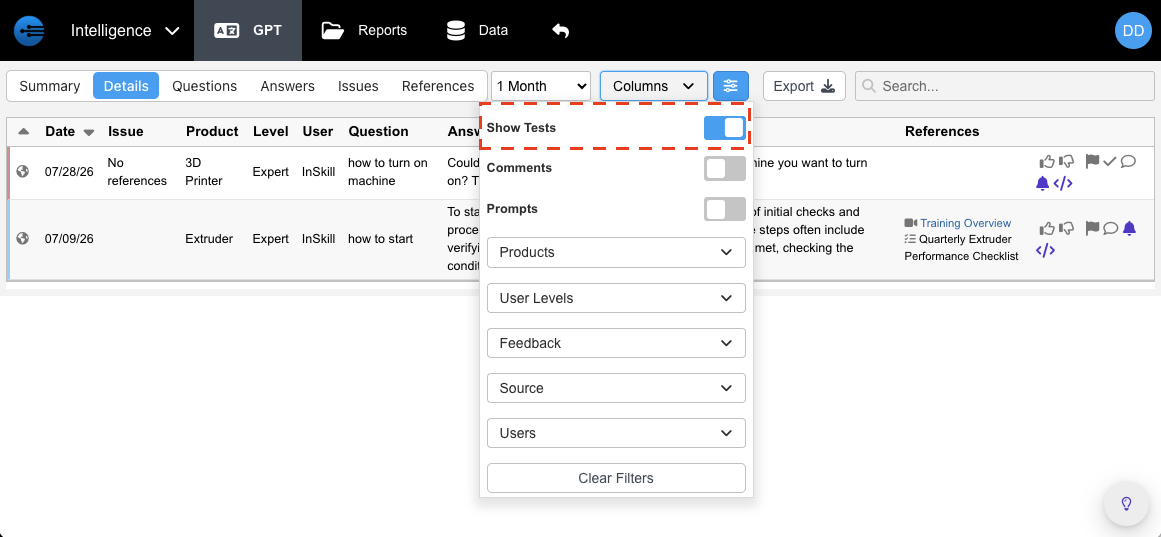
Test sessions shown on their own in the Intelligence portal
Turning On Testing Mode
- In the Ask portal, select the gear icon at the right of the tab bar to open InSkill Settings.
- Turn on Testing mode.
- Select OK.
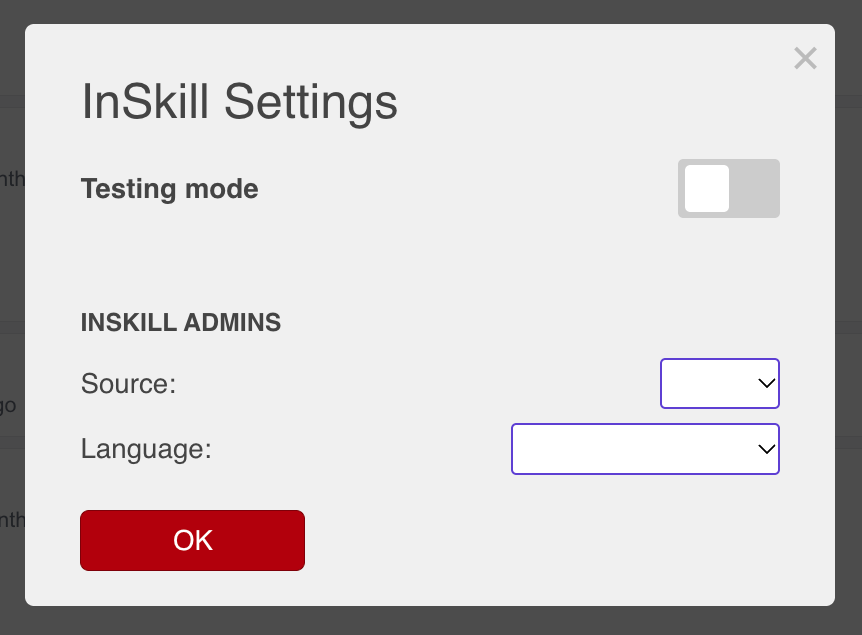
The Testing mode toggle in InSkill Settings
Turn Testing mode off the same way when you finish testing.
Testing Through the MCP Server
Developers who test a copilot from an AI client through the MCP Server can mark those sessions as tests too: the create_gpt_session tool takes a testing value of 1 for a test session and 0 for real work.
Updated about 3 hours ago