
Multiple Dependencies
Patterns for combining dependencies — one variable holding many readings, and AND, OR, and group logic.
This page covers two patterns for working with more than one dependency: using a single variable to drive many readings, and combining conditions with AND, OR, and groups.
Taking Multiple Readings with One Variable
Variables are commonly used in tasks where the procedure requests information. In those cases, a variable is embedded in a step and the Technician fills in the requested value.
One way to handle this is to create a separate yes/no variable for every reading a unit might need. This is hard to scale: a procedure with many readings produces a very long list of variables that is difficult to find, handle, and update.
A better approach is to create one variable that lists all the readings a Technician might take. Below, a single asset variable named readings_to_take holds every possible reading for the truck as its options.
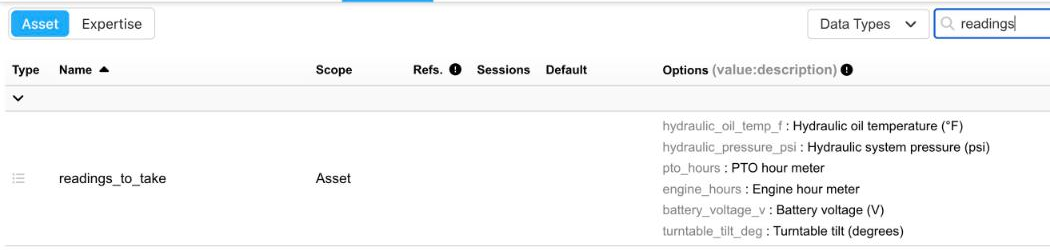
One readings_to_take variable, with an option for each reading
Make sure the variable is a List, with one option per reading. Each option is written as value:description in the list options editor.

The reading options, one per line
Defining the readings on the asset
The readings a particular unit needs are selected on the asset. Open the asset, click Edit, and select every reading that applies under its Configuration. The asset below takes four of the six readings: hydraulic oil temperature, hydraulic system pressure, PTO hours, and battery voltage.
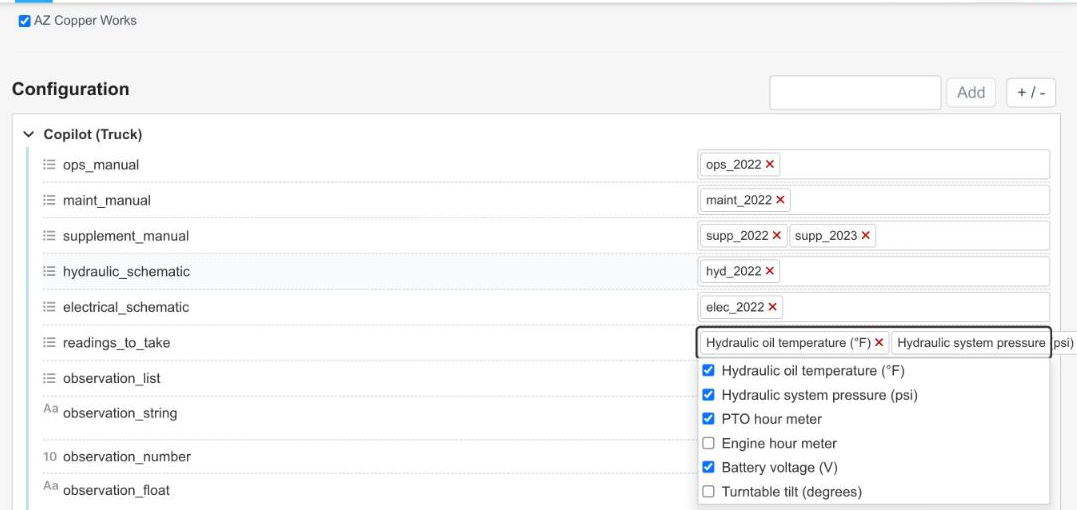
The readings selected on one asset
Selecting these values on the asset tells the expertise which readings to take. If a reading is selected on the asset, a dependency on that reading evaluates as true. So when a step requires readings_to_take = hydraulic_oil_temp_f, InSkill checks the asset's configuration; if that reading is selected there, the Technician is shown the step and records the value.
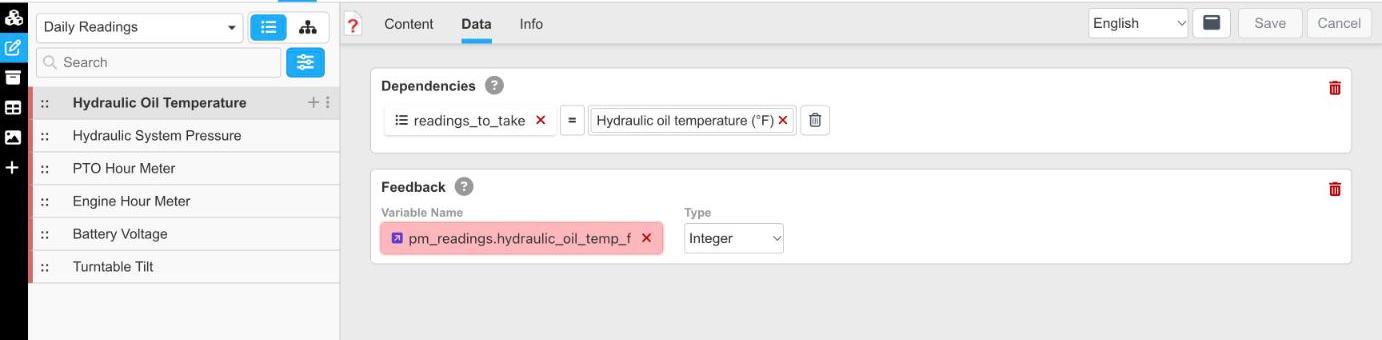
A reading step, with its dependency and feedback variable
Each step records its value in its own feedback variable — here pm_readings.hydraulic_oil_temp_f, an integer. Grouping the feedback variables under one prefix keeps them together in the data dictionary.
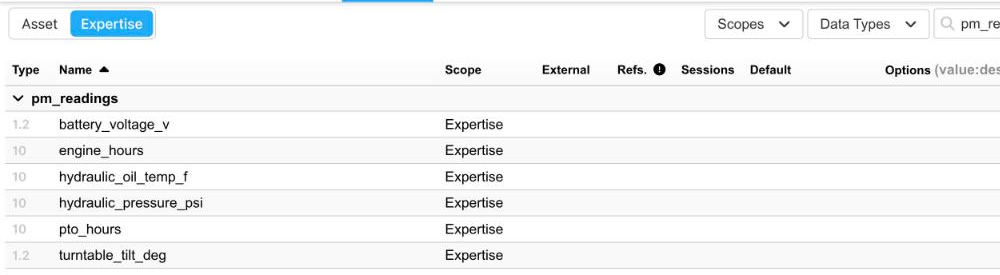
The pm_readings feedback variables
For this asset, the Engine Hour Meter and Turntable Tilt steps are skipped, because those readings are not selected. To the Technician, the task looks no different from a version where every reading has its own variable — but you maintain one variable with many options instead of a long list of near-duplicates.
The Door Analogy
A useful way to think about dependencies is to imagine locked doors in a hallway.
A single dependency
With one dependency, the door has one deadbolt: you need the one key that fits it. In the example above, the key is that readings_to_take must include hydraulic oil temperature for the step to be shown to the Technician.

One dependency: one deadbolt, one key
AND
An AND statement requires every connected condition to be true. Picture a door with two deadbolts instead of one: you need both keys to pass. If even one key is missing, you cannot get through. This makes AND statements more restrictive, since every requirement must be met at the same time.
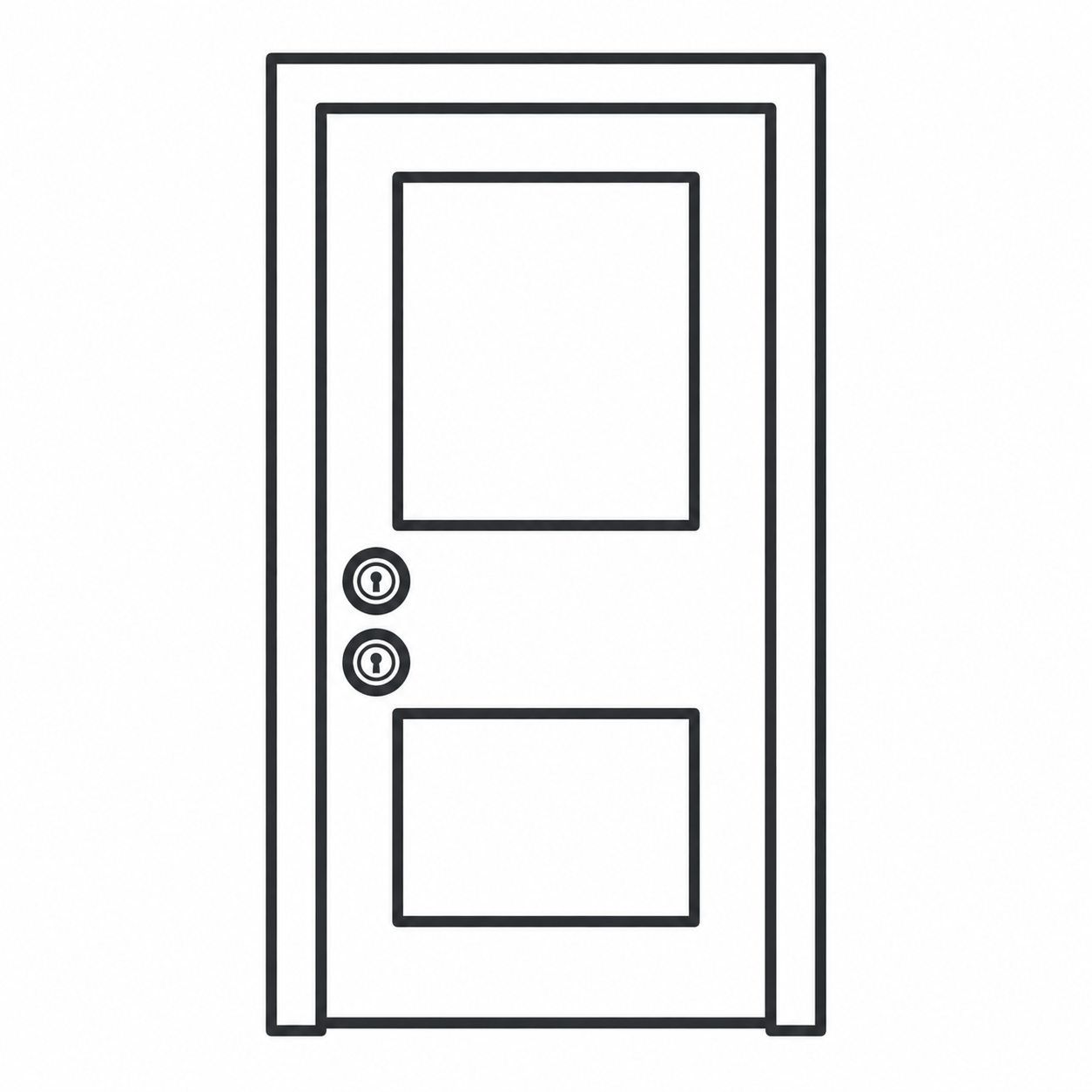
AND: two deadbolts, both keys needed
Below, the Turntable Tilt step is shown only when the asset lists turntable tilt as a reading and uses the 2025 maintenance manual.
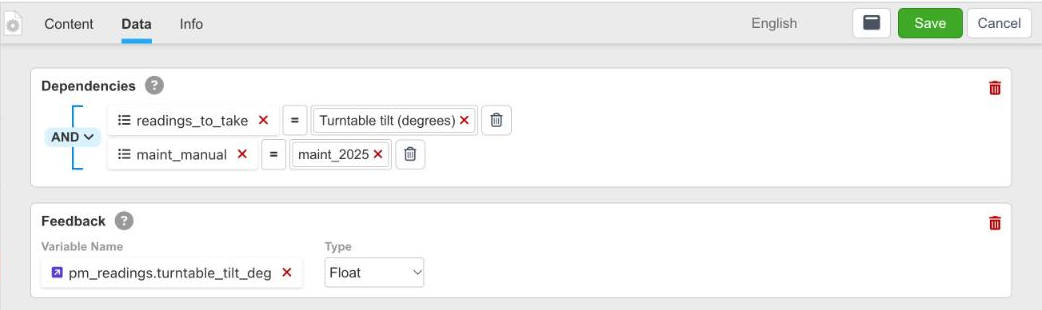
Two conditions joined by AND
OR
An OR statement requires only one of the connected conditions to be true. Picture a building with two separate entrances: one opens with a silver key, the other with a gold key. You do not need both — either one lets you in. This makes OR statements more flexible, because several different conditions can satisfy the requirement.
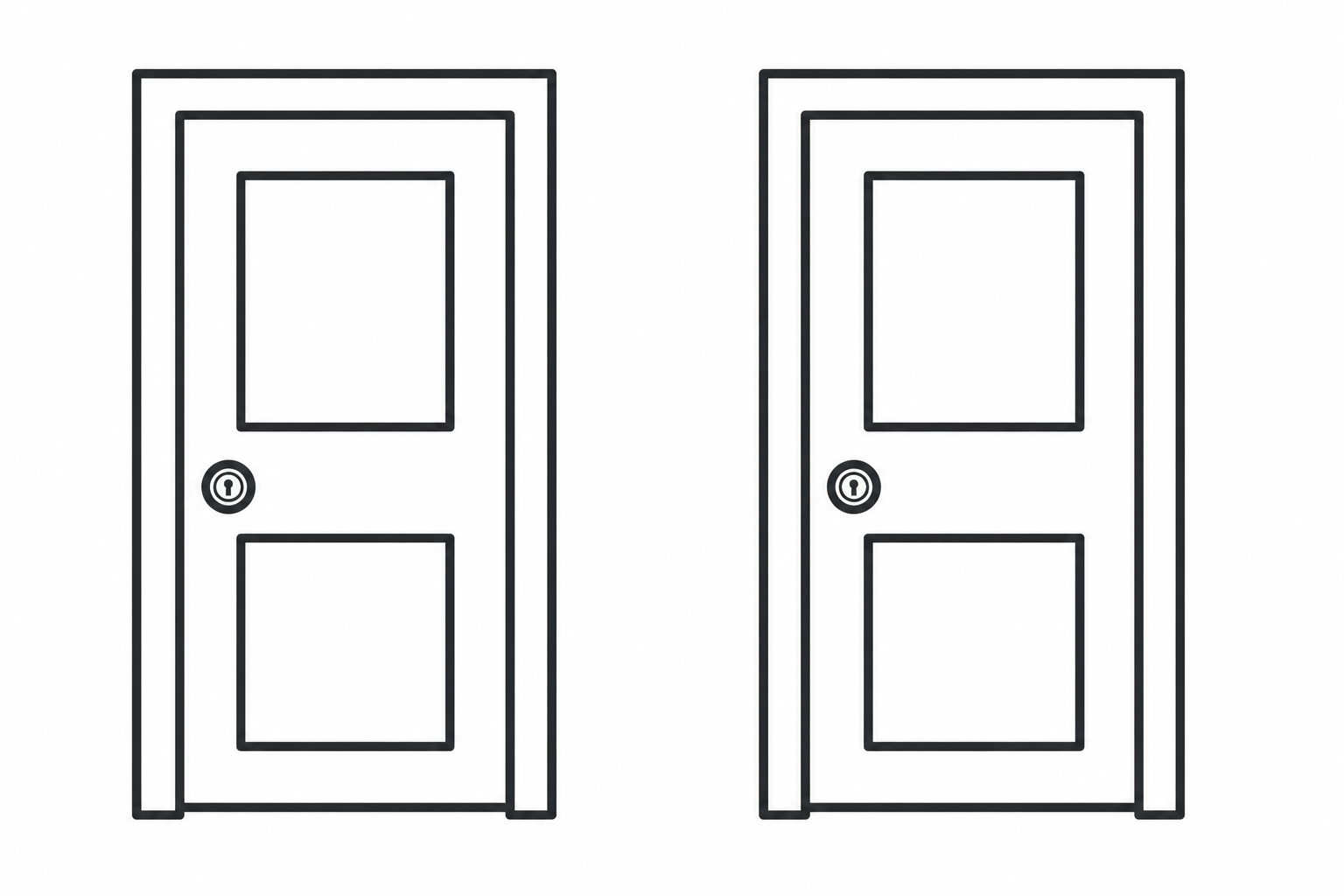
OR: two entrances, either key works
Changing the selector to OR shows the same step when either condition is true.
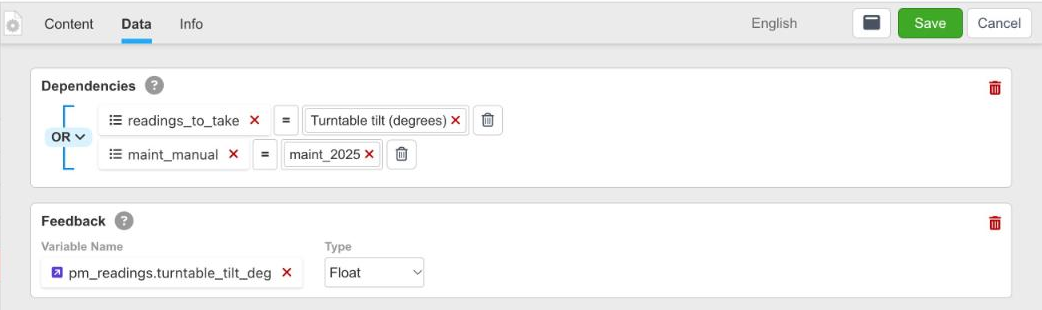
The same two conditions joined by OR
Combining AND and OR
You can combine AND and OR to build more advanced rules. Groups control the order in which conditions are evaluated, much like parentheses in mathematics. Below, the step is shown when the asset lists turntable tilt and either uses the 2025 maintenance manual or has the 2023 supplement — readings_to_take = turntable_tilt_deg AND (maint_manual = maint_2025 OR supplement_manual = supp_2023).
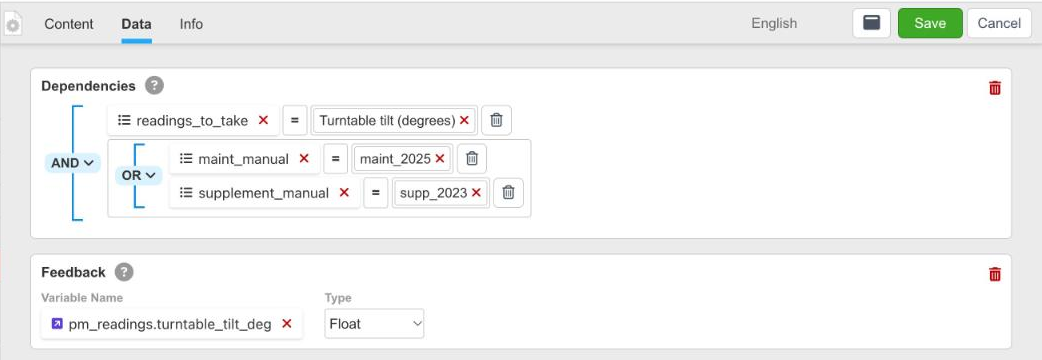
A condition AND a group of OR conditions
For the mechanics of adding conditions and groups, see Dependencies.
Updated about 4 hours ago