
The Group Page
A user group's page and its five tabs: Members, Customers, Products (including inheriting copilots), Asset Groups, and Information, which holds the group's settings and API key.
Click a group in the tree to open its page. A subgroup's page shows its path at the top, such as Field Service > FS - Southwest. The page has five tabs: Members, Customers, Products, Asset Groups, and Information. Save at the top right saves your changes, and the trash icon next to it deletes the group.
Users and customers can also be filtered, and their groups set, from their own pages. See Working Inside a Group.
Members
The users in the group, with their email and role. The trash icon on a row removes the user from the group.
To add users, expand Add Members, search by name or email, select the users, and click + Add Selected. The search accepts several entries at once: paste a list of email addresses and all of them are shown.
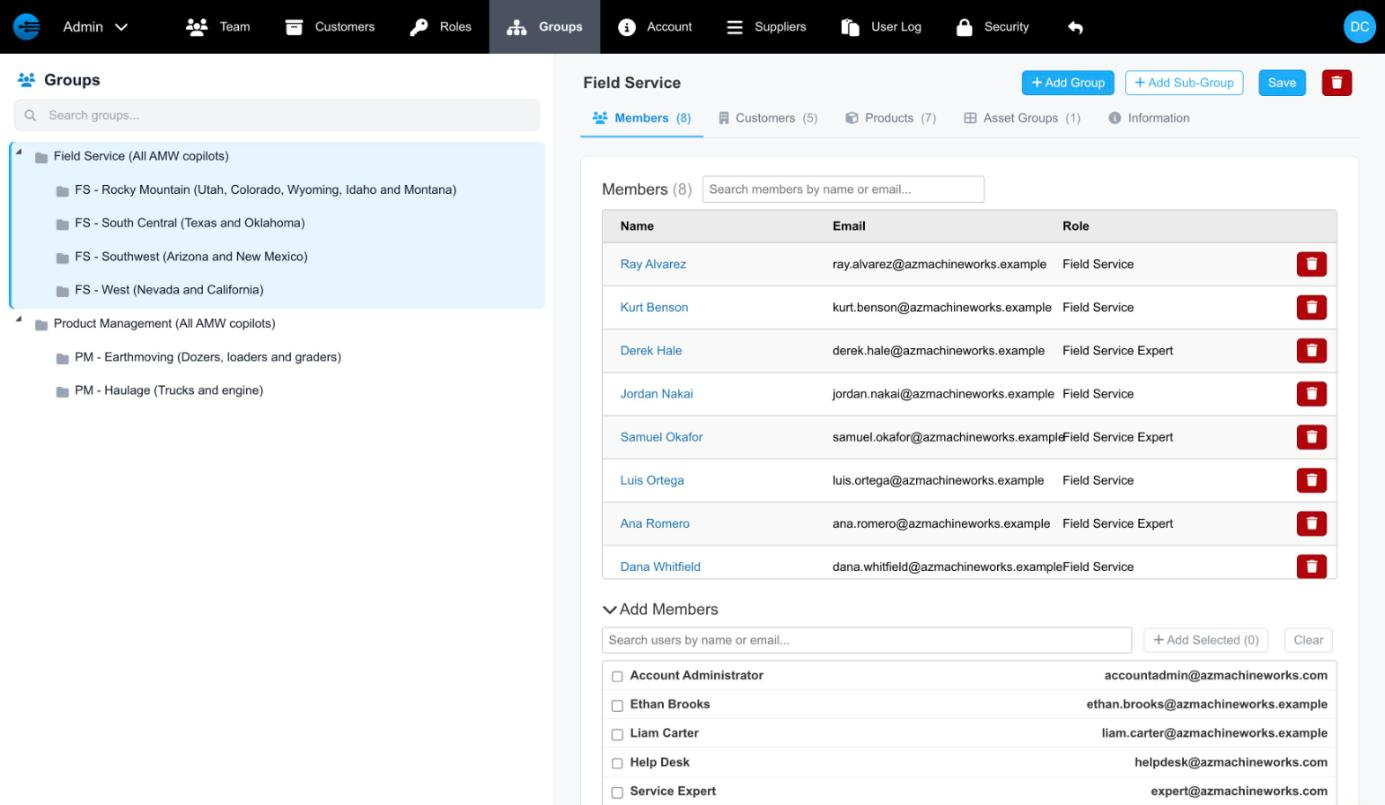
A group's Members tab, with Add Members open
Customers
The customers in the group, with their role. Add Customers adds more, the same way as Add Members.
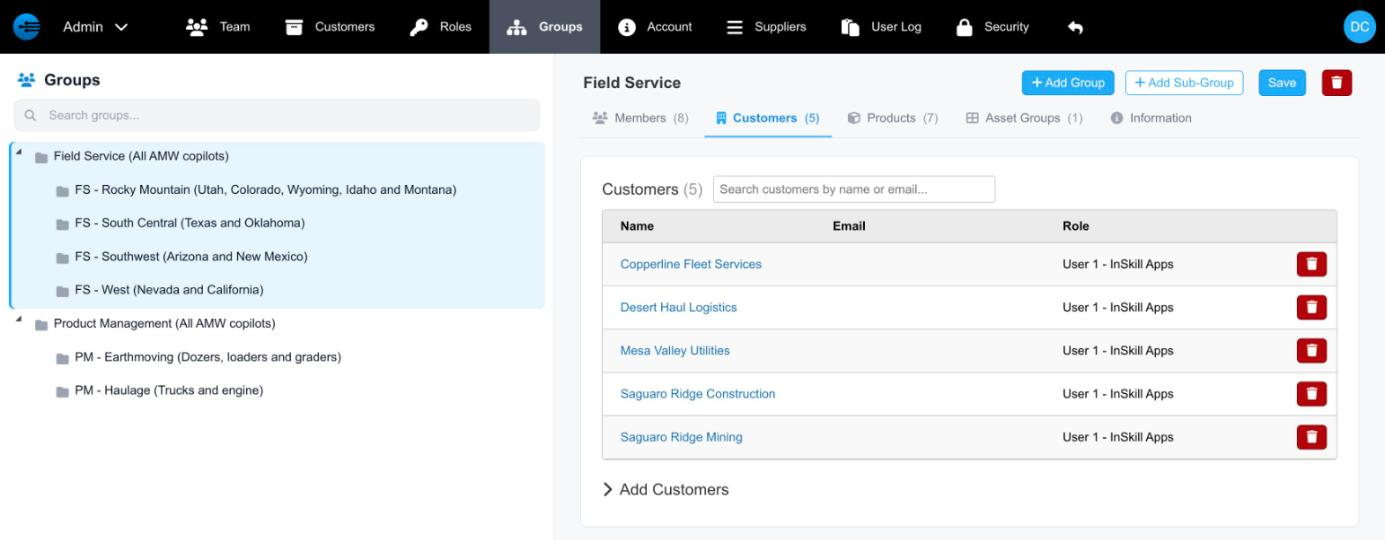
A group's Customers tab
Products
The copilots in the group. The tab says Products, the name the API uses for copilots. Each row shows whether the copilot is Visible and Published, and its Owner: the group the copilot belongs to. Add Products adds copilots to the group.
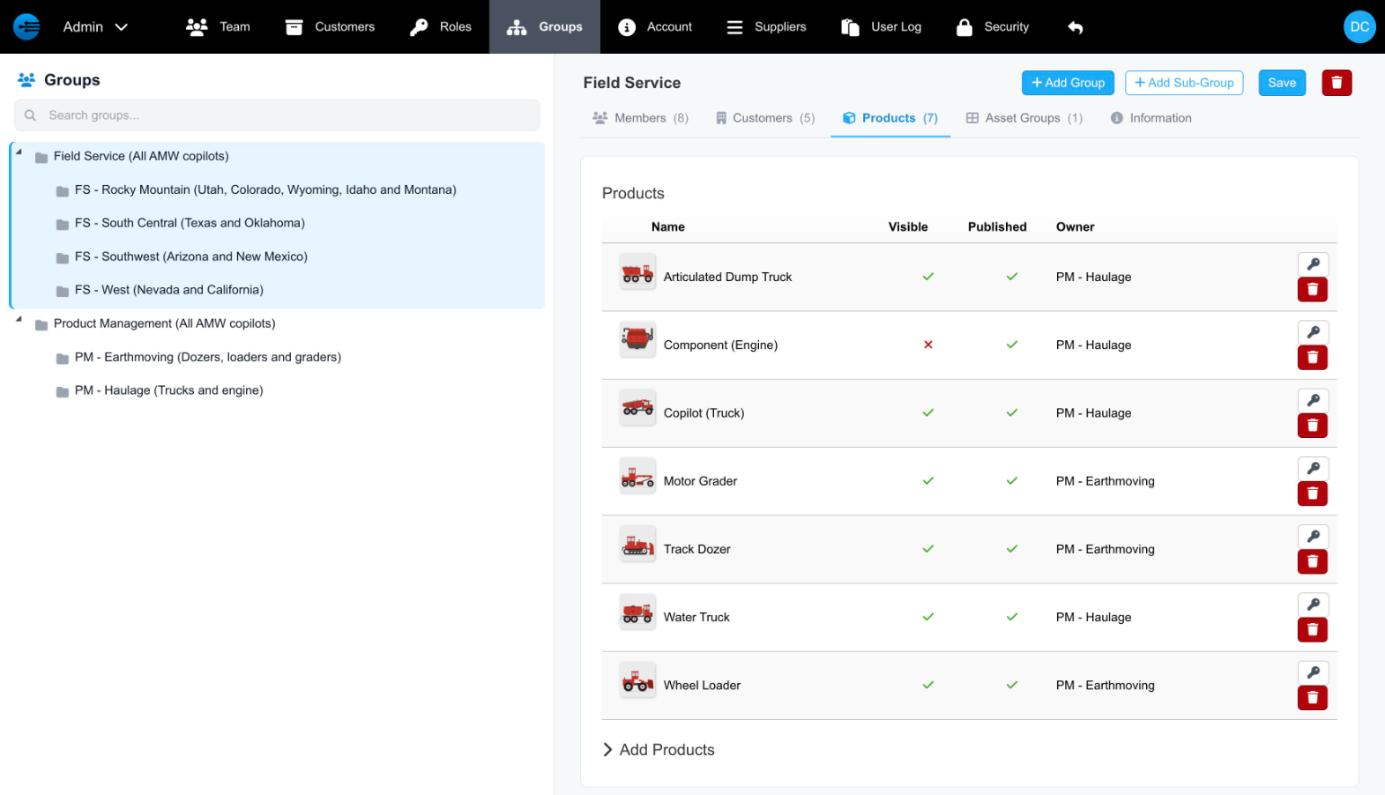
A group's Products tab, listing its copilots
NoteWhen copilots are added to a group, their components are added too, so the group stays self-consistent.
Inheriting copilots
A subgroup can inherit its parent's copilots. When it does, its Products tab is marked Inherited from parent: copilots added to the parent appear in the subgroup automatically, and the list can't be edited. To manage the subgroup's own list, clear Inherit products from parent on its Information tab.
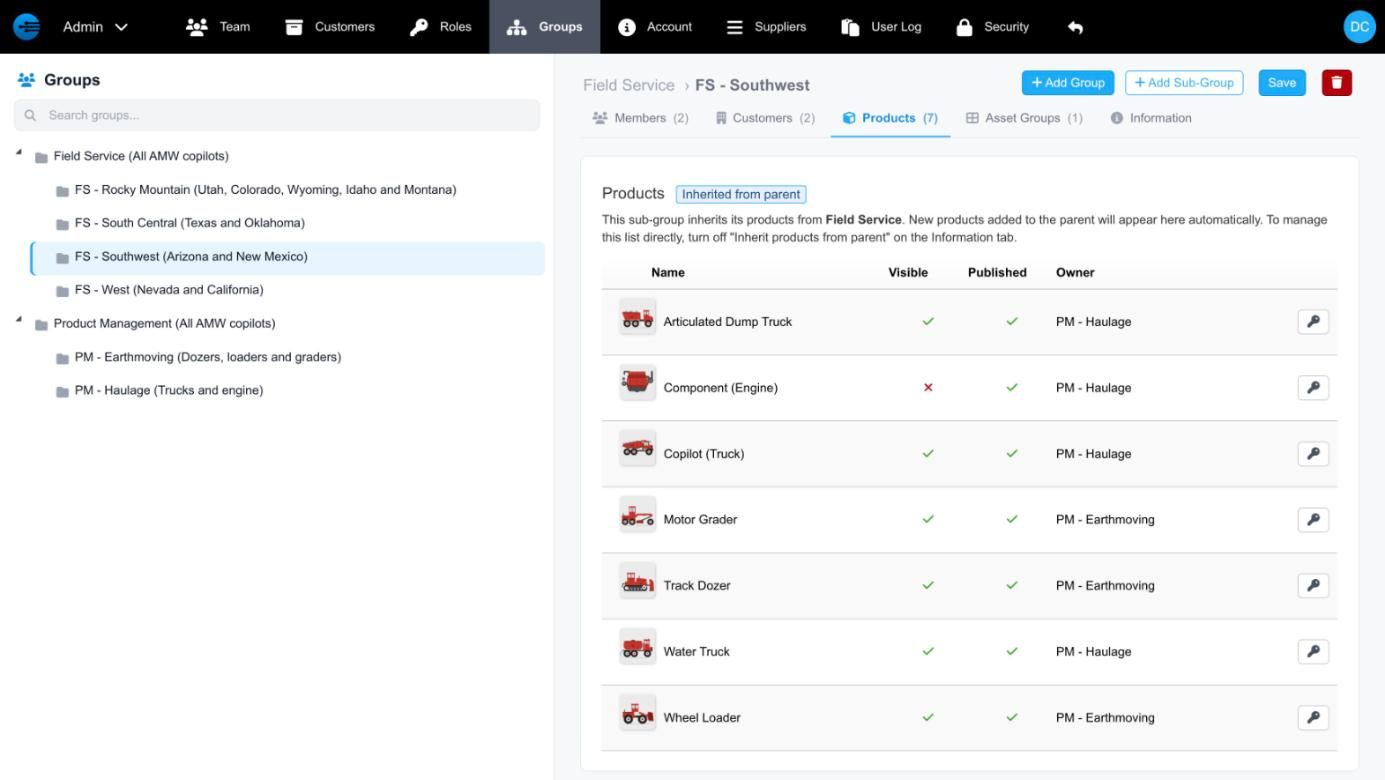
A subgroup's copilots, inherited from its parent
Asset Groups
The asset groups assigned to the group. Add Asset Groups adds more.
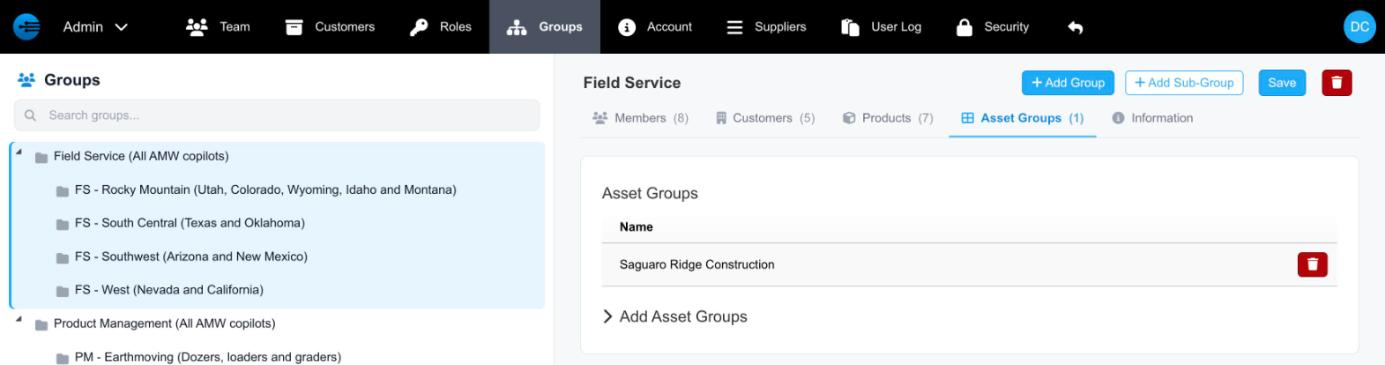
A group's Asset Groups tab
Group Settings
The Information tab holds the group's settings — its name, description, persona, data, and whether it inherits its parent's copilots — and the group's API key.
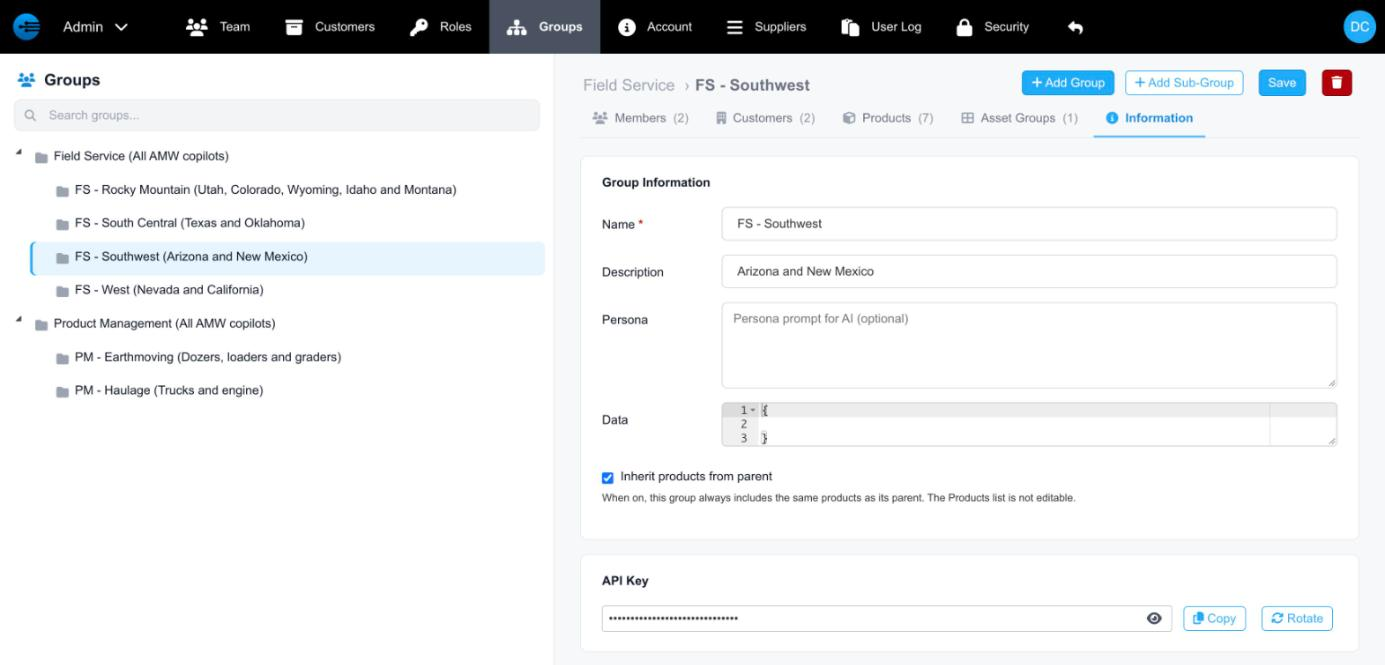
A subgroup's Information tab
| Field | Description |
|---|---|
| Name | The group's name. Required. |
| Description | Optional. Shown in parentheses after the name in the tree. |
| Persona | An optional prompt that tells the AI how to respond for this group. Personas are additive: if both Support and Support NA have one, they are combined. |
| Data | Optional values, in JSON, that resource or task dependencies can use — for example, to personalize content for employees in a region or with a certain skill set. |
| Inherit products from parent | Subgroups only. When on, the group always has the same copilots as its parent, and its Products list can't be edited. |
| API Key | The group's API key, scoped to the group. The eye icon shows it, Copy copies it, and Rotate replaces it with a new key. See User Group API Keys. |
Updated about 7 hours ago